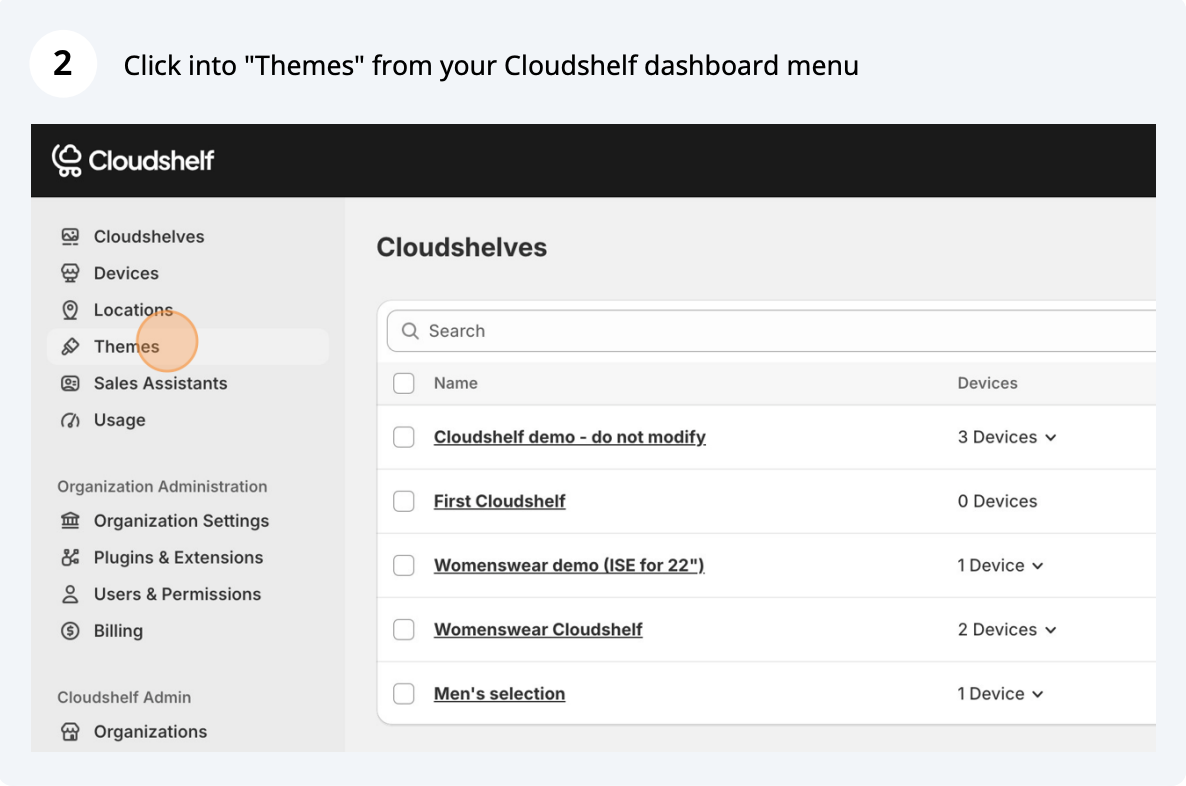
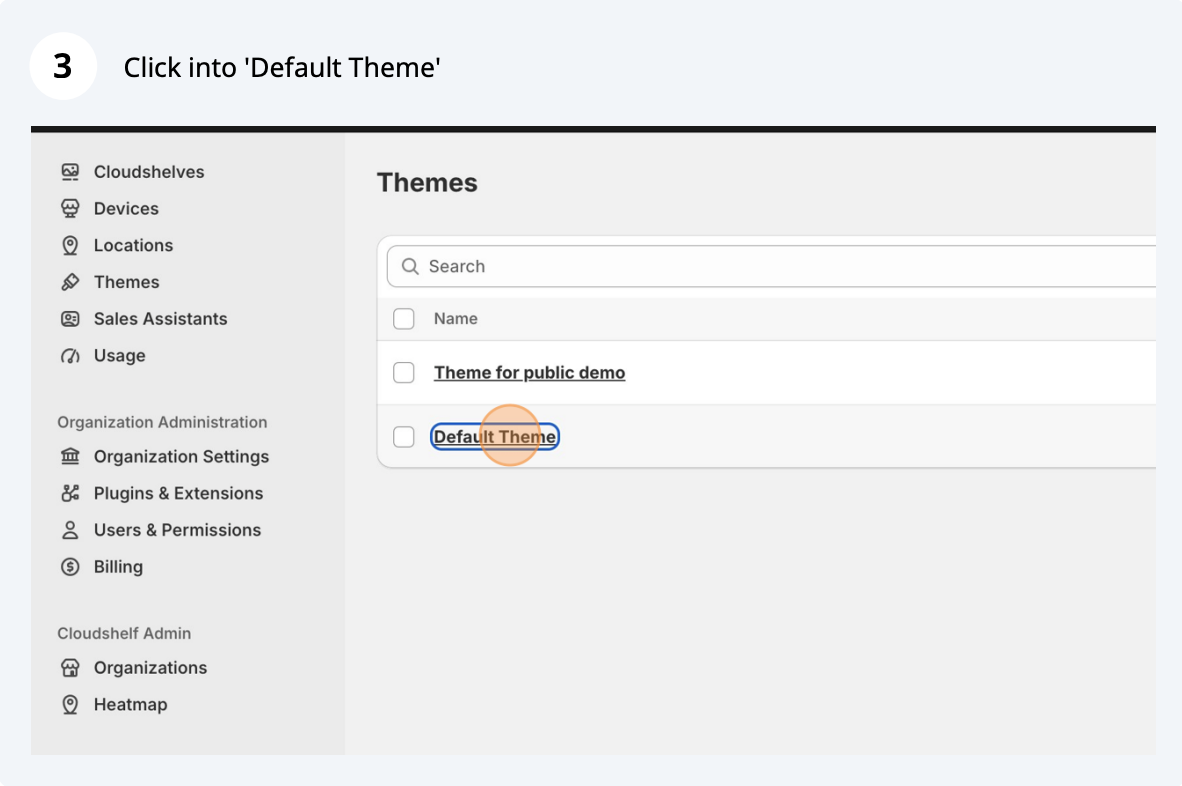
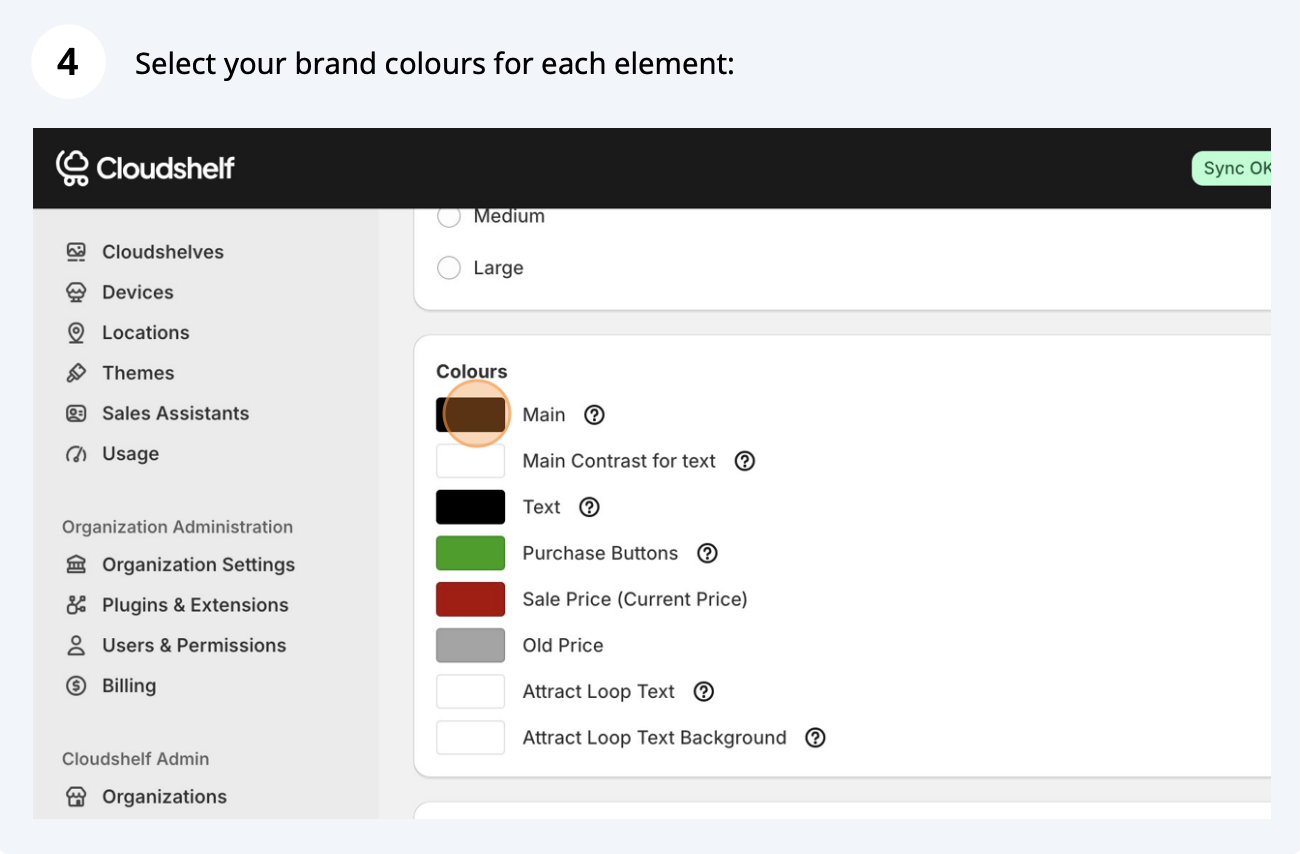
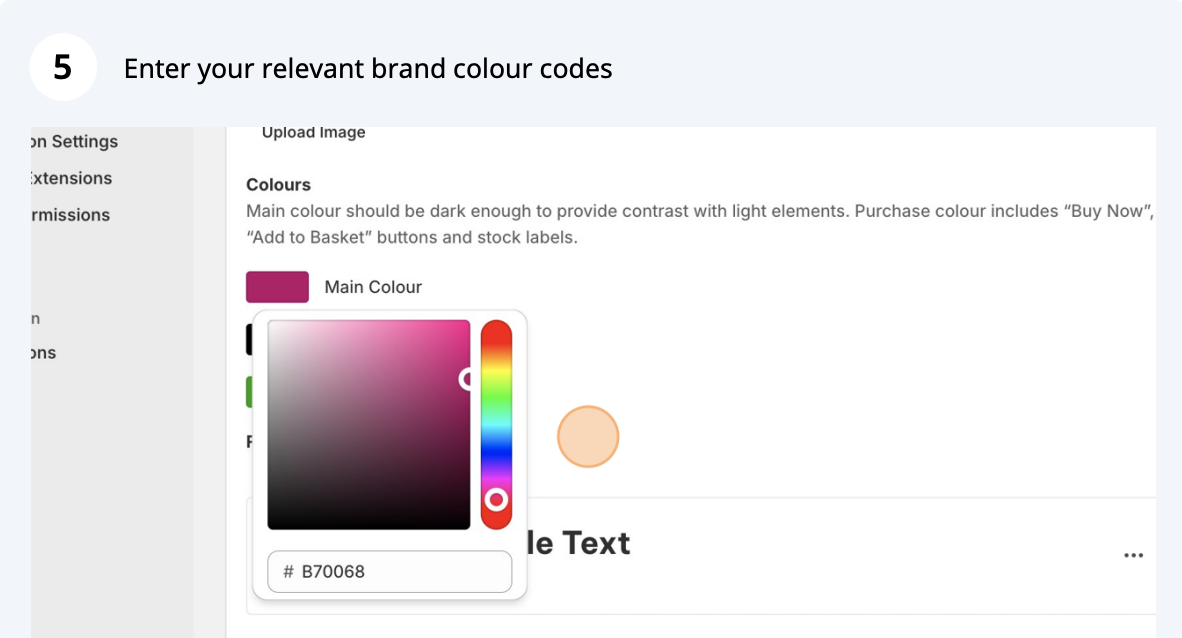
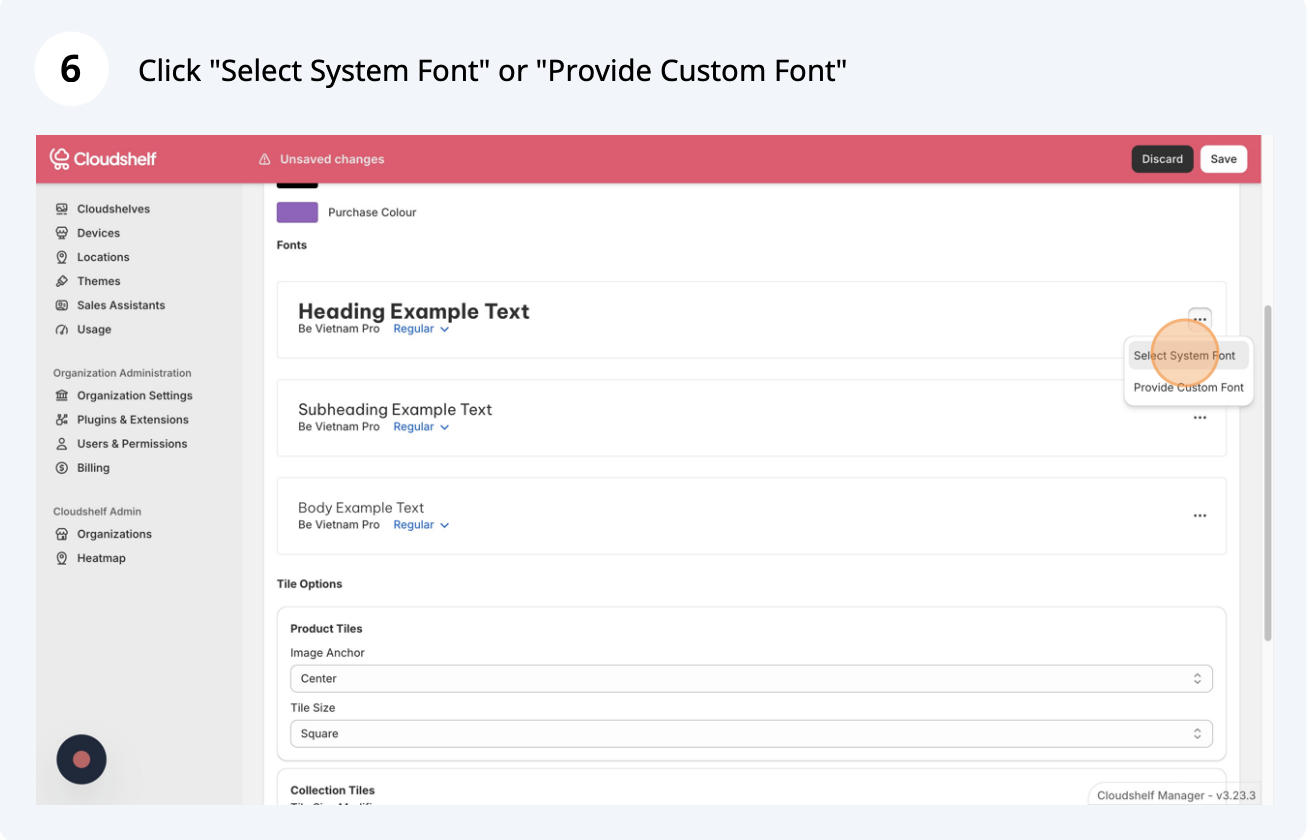
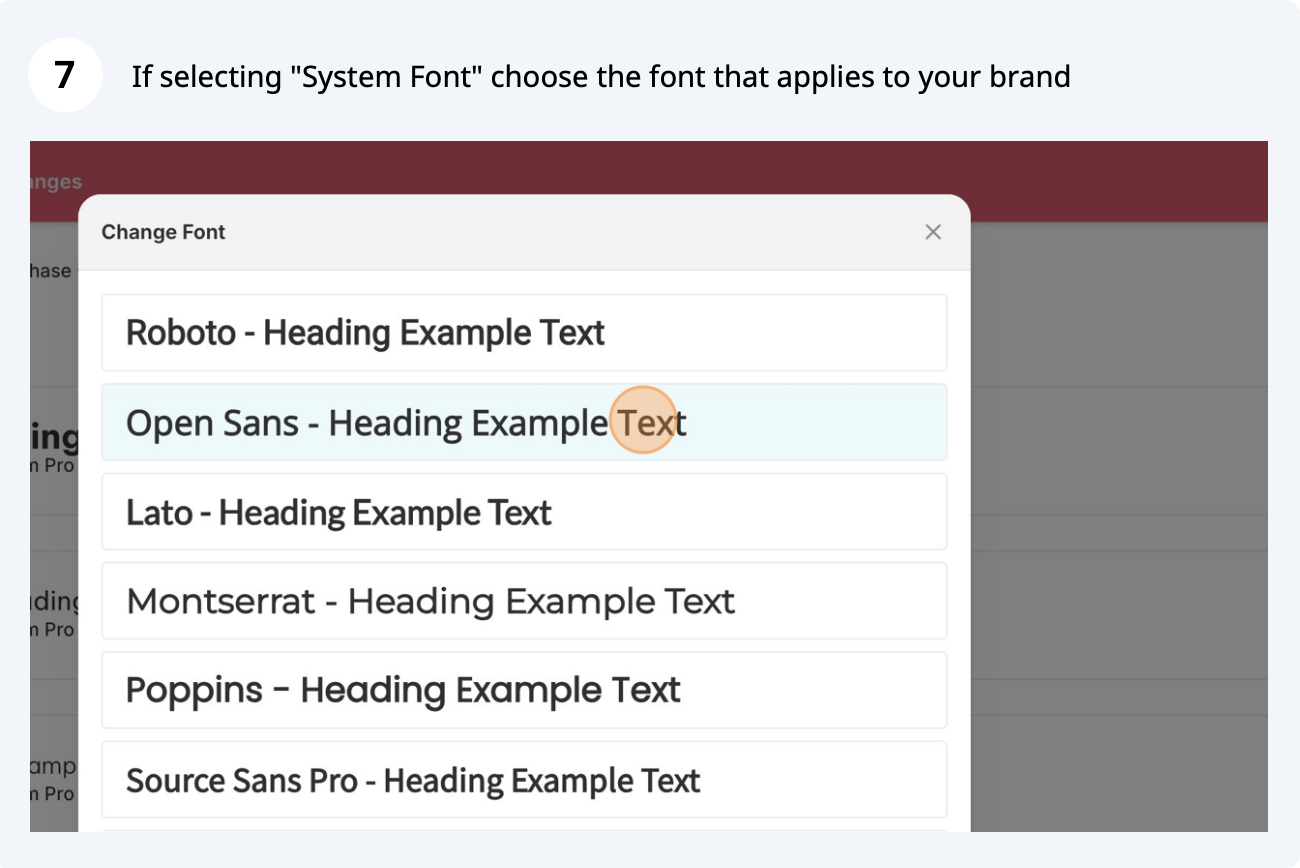
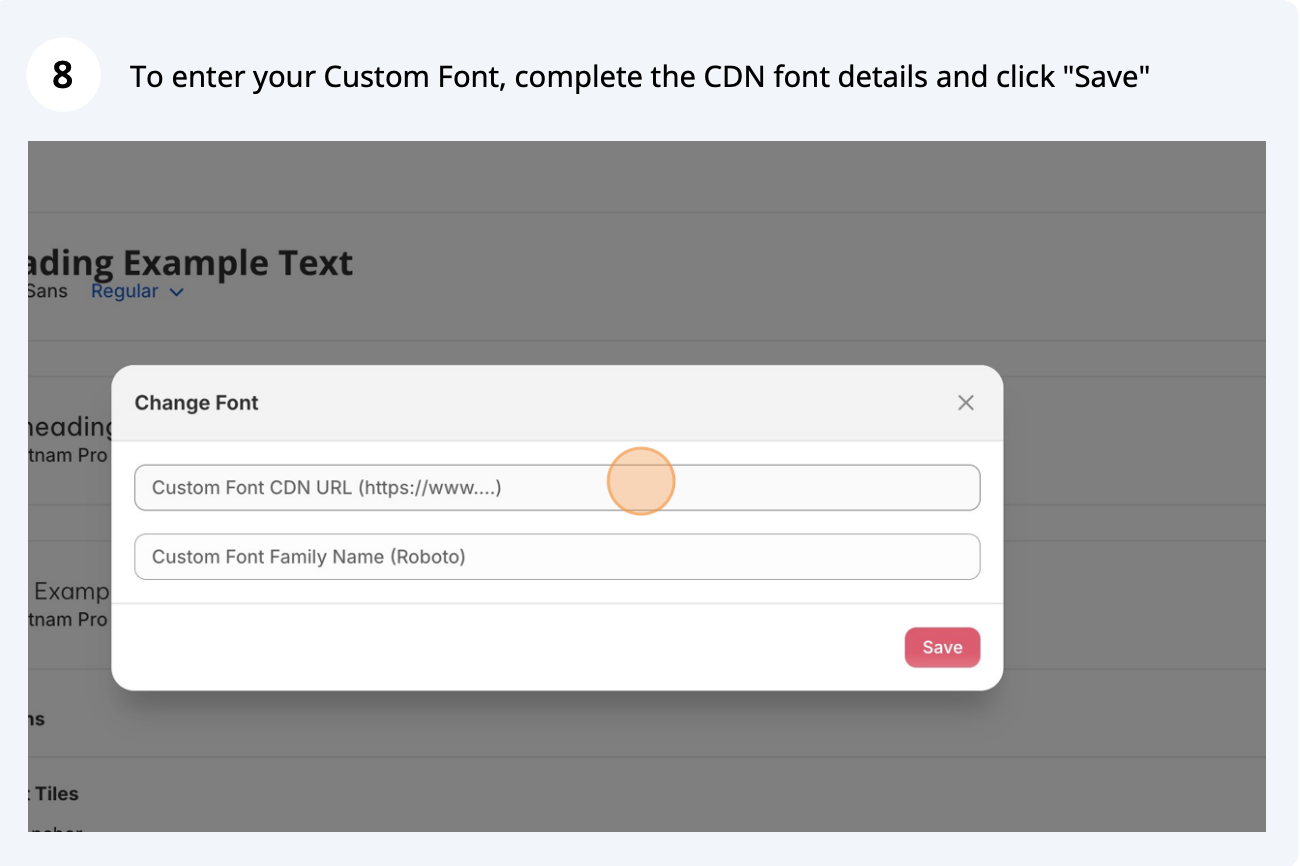
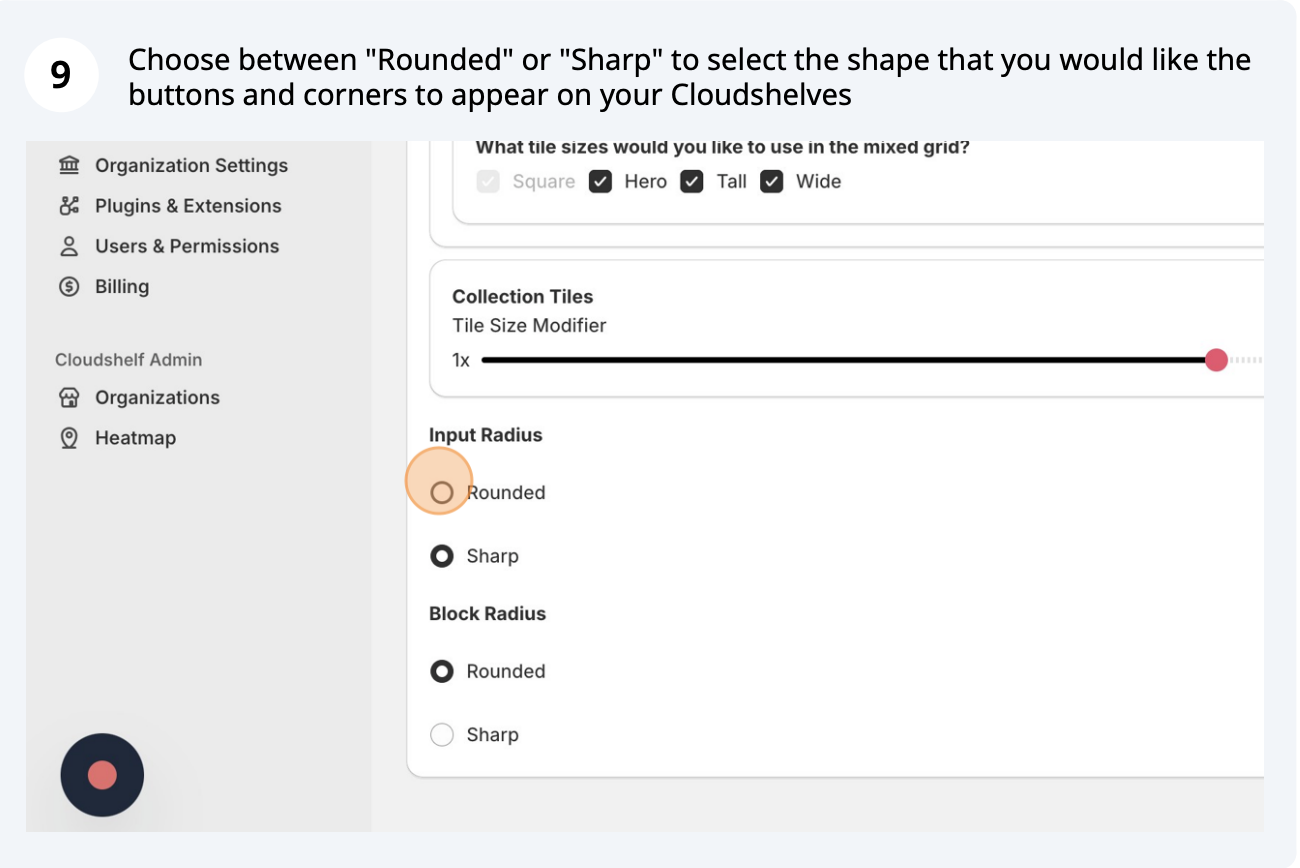
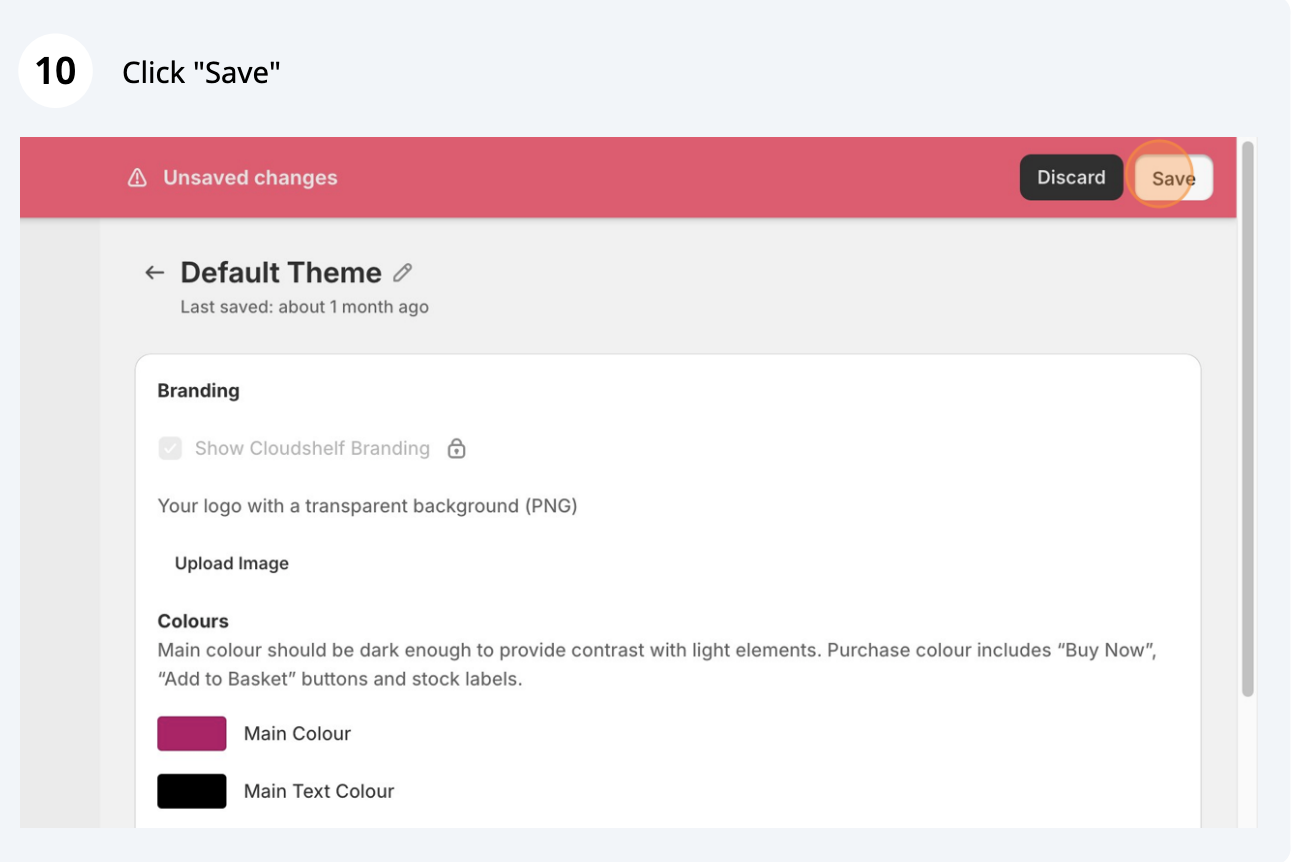
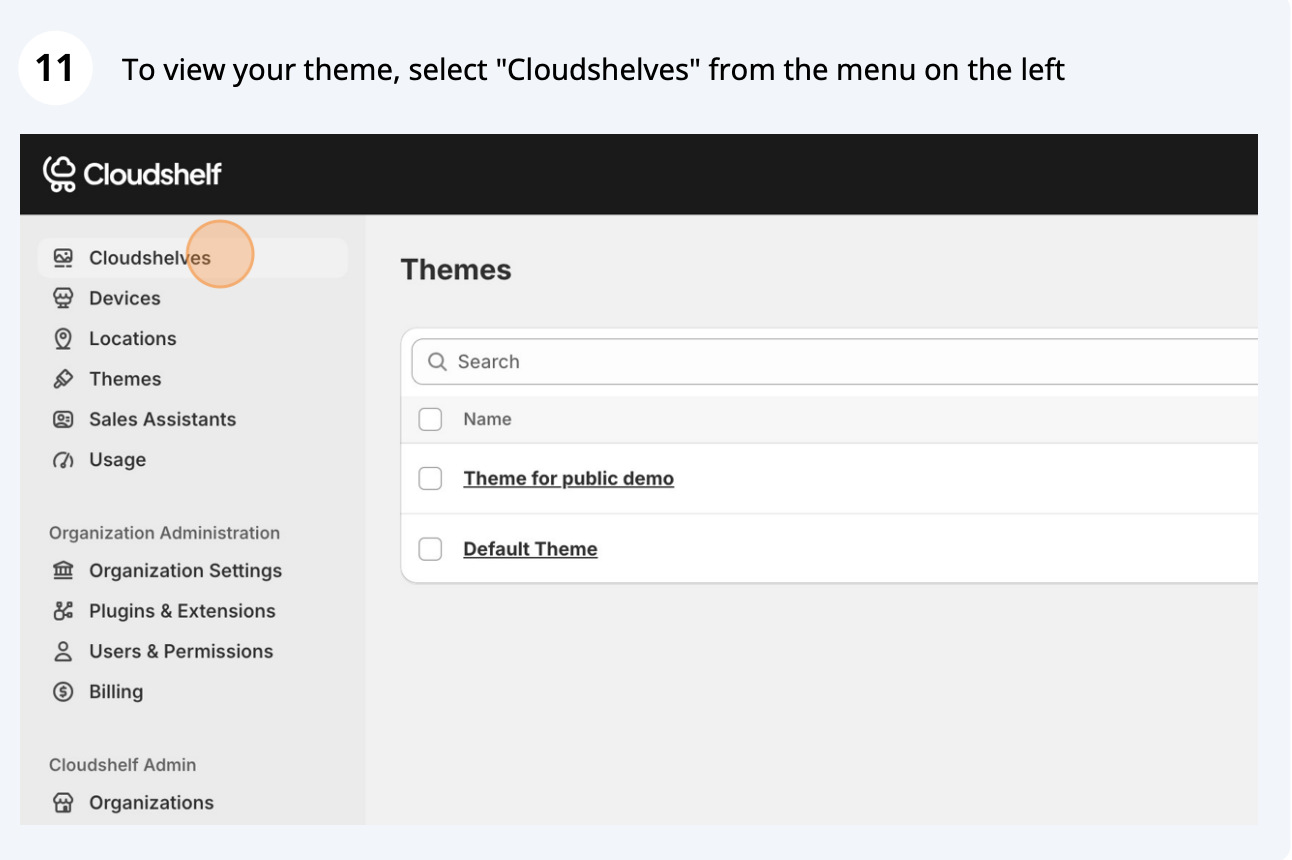
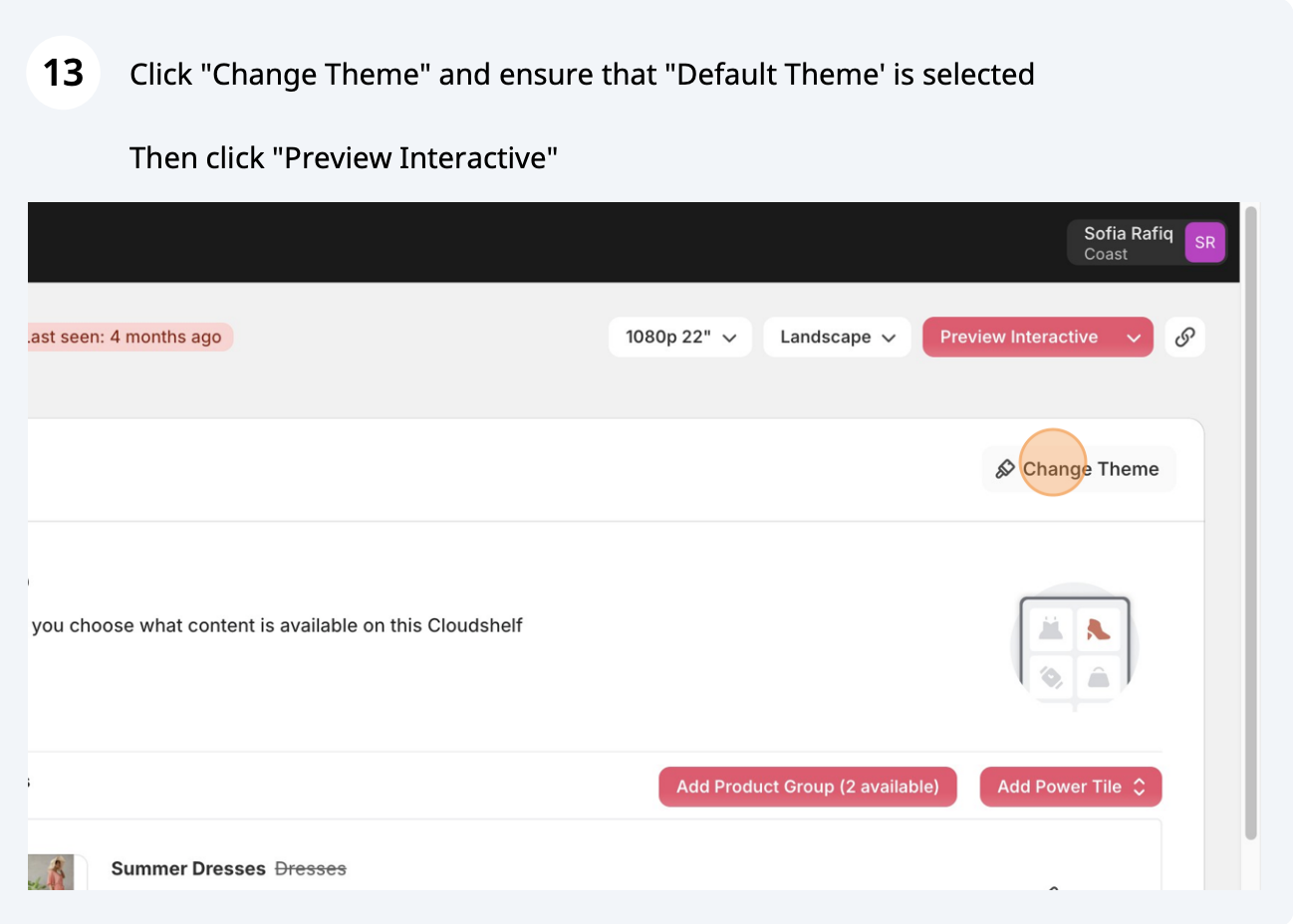
Get started: adjust the theme to your brandSet your brand colours, fonts and corner shapes so every Cloudshelf matches your store.Last updatedJanuary 24, 2025Brand colours (main colour, text colour, purchase colour)Fonts (headers, sub-headers and body text)Shapes (square or rounded corners)Frequently asked questionsWas this helpful?YesNoThanks for the feedback.Related articlesWho is Cloudshelf for?Who Cloudshelf is for and the in-store problems it solves: limited space, stock gaps, pop-ups and busy staff.Video: introduction to CloudshelfA short video from Cloudshelf's founder on why we built Cloudshelf and our mission for the high street.Create and configure your custom checkoutSet up a custom checkout flow, fulfilment methods, Viva card payments and a payment terminal, without writing code.Still stuck?Tell us the device and what you see on screen. We usually reply within one working day.support@cloudshelf.aiChat with us