





Leverage your digital content to sell more in store

Easy to use, no effort to maintain. Cloudshelf's no-code AI platform analyses the assets you have added to your website to automatically create in-store digital experiences.

Learn more about the technology behind Cloudshelf →

Feature Image

Enhanced Visual Merchandising

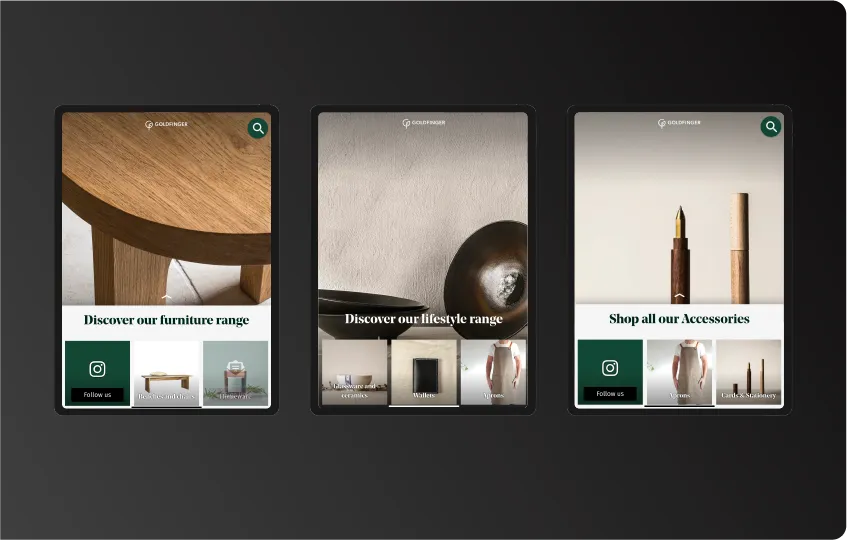
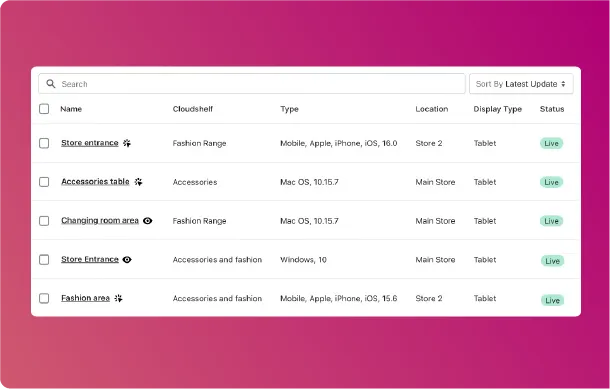
Kiosks for each area of your store and range. Create separate displays for, say, shoes, jeans and jewellery - each with their own focus, call to action and promotions.  

Effortless integration

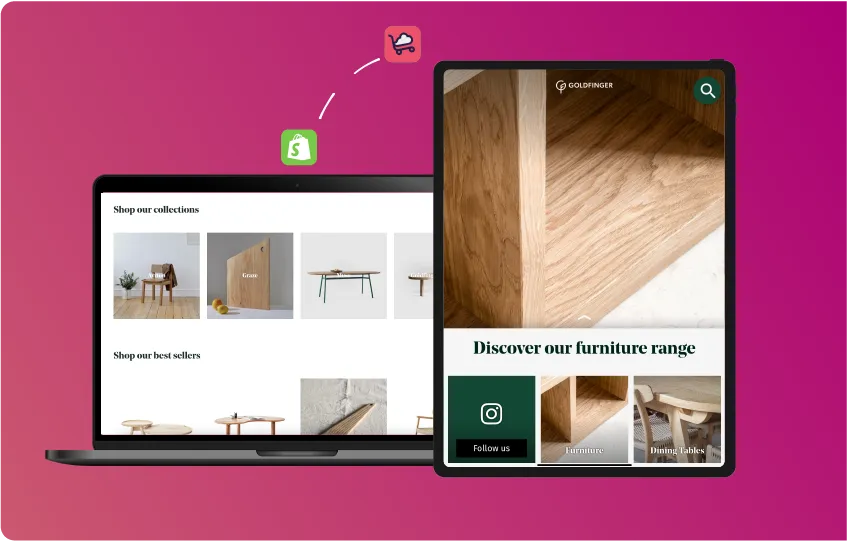
Real-time data from your eCommerce website means changes to your website products, pricing and stock are instantly reflected on your Cloudshelves.  Manage how they appear in a few clicks.

Feature Image
Feature Image

Runs on any screen

Cloudshelf can run on just about any screen with a browser.

But if you do need to get new screens, we have a list of qualified partners that specialise in supplying, installing and maintaining in-store displays

See our partner device specialists

Track sales

You need to know where your sales come from, so Cloudshelf tracks interactions and sales on each of your displays back to the store they came from

Feature Image

Interactive Mode

Cloudshelf for kiosks to help customers find, choose and buy the product they want

See More
Two shoppers using Cloudshelf to select a pair of denim trousers

Easy and secure payments

Shoppers pay in one click securely from their own phone via your existing online payment solution.

Instant navigation, even with poor network

Real world ready.  Millisecond access and search results, even when wifi is poor or store networks are down

Access entire range from each Cloudshelf

Even when promoting a particular range, each Cloudshelf can give shoppers and staff access to any of your products.

Display Mode

Cloudshelf for big screens to  attract shoppers to your store

See More
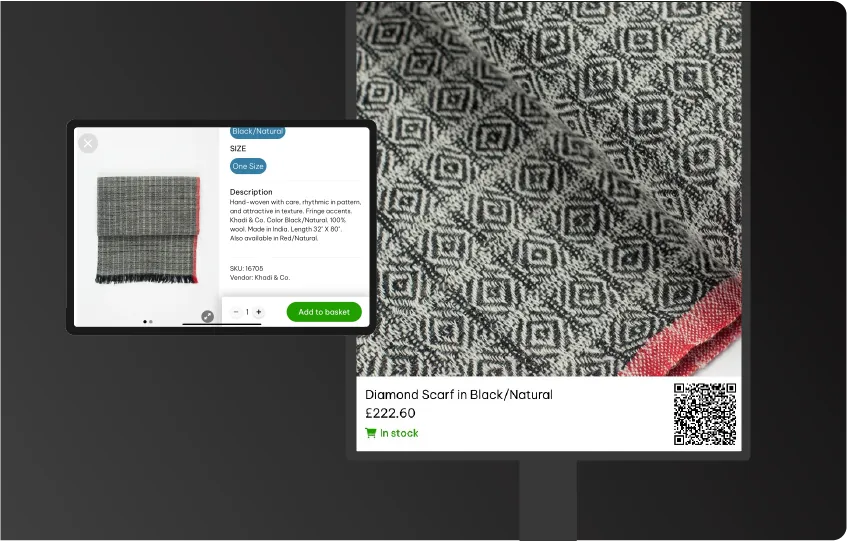
Close-up of a high resolution window display with Cloudshelf Display Mode highlighting a product with a direct linking QR code

Always up-to-date digital signage with no effort

Our AI can pick out the best images from our website - so your display can update frequently without you needing to do any manual work.

Sell even when your store is closed

Dynamic QR Codes on each product allow passers by to shop products they have seen, even when your store is closed.

Loop in your brand videos and promotions

Cloudshelf Display can integrate any branded video or messaging you may have

Common questions on in-store digital

How does Cloudshelf integrate with physical inventory?

Real-time inventory sync ensures customers see accurate stock levels. When inventory is updated in your system, Cloudshelf reflects changes immediately.

What payment methods does Cloudshelf support?

Cloudshelf supports all major payment methods including credit cards, digital wallets, QR code scanning, NFC, and integration with your POS for in-store completion.

How is customer behavior tracked in Cloudshelf?

We track anonymized browsing and purchase data to help you understand customer behavior. All tracking complies with privacy regulations and is fully configurable per your preferences.

Can Cloudshelf work offline?

Core features work with intermittent connectivity. Critical functions like inventory and payments require a connection, but the system is designed to be robust in various environments.

What are the hardware requirements for Cloudshelf?

Minimal. Cloudshelf is hardware-light by design. You have much flexibility around device options, from interactive kiosks to handheld tablet devices. See our recommended device spec here: https://help.cloudshelf.ai/support/solutions/articles/101000364637-cloudshelf-recommend-device-specifications. If you need help selecting your Cloudshelf devices, please reach out to us on support@cloudshelf.ai and we will be happy to put you in touch with one of our device partners.

How does Cloudshelf improve customer experience?

Digital In-Store allows customers to browse your full inventory, check real-time availability, see detailed product info, and complete purchases - all from their smartphone while in your store.

Is a dedicated app required for Cloudshelf?

No. Digital In-Store works through web browsers on any smartphone or tablet. Customers can access it with a simple QR code. No app download required.

What support is available for Shopify Integration?

We provide comprehensive documentation, video tutorials, and dedicated support. Email support is included, with faster response times for higher-tier plans. You can find the link to our Helpdesk here: https://help.cloudshelf.ai/support/home

How are prices kept in sync between Shopify and Cloudshelf?

Prices sync automatically whenever they're updated in Shopify. You can also manually trigger sync or set it to sync on a schedule that works for you.

Does the Shopify Integration affect my store's performance?

No, not at all. Cloudshelf is optimized for performance and doesn't slow down your store. Integration uses efficient APIs that don't impact page load times.

How quickly can I install the Shopify app?

Installation takes minutes. Simply install the app from the Shopify App Store, authorize access, and you're ready to go. Full setup typically completes in under 30 minutes. You can install the app via https://apps.shopify.com/cloudshelf

Is Cloudshelf only for small retailers?

No. Cloudshelf supports some of the world's largest enterprise retailers in addition to smaller independent retailers all over the world. Endless Aisle is designed to scale from boutique shops to massive multi-location operations.