A simpler layout for managing your Experiences in Cloudshelf Manager

The Cloudshelf Manager interface now groups every setting for an Experience by task, rather than by menu depth. When a retailer opens an Experience; tiles, banners, search behaviour, checkout options and Discovery tools such as Buyer's Guides all sit under four clear tabs. Retailers configuring digital kiosks and endless aisle displays can now move from one area of a Cloudshelf to the next without hunting through nested menus.
What has changed
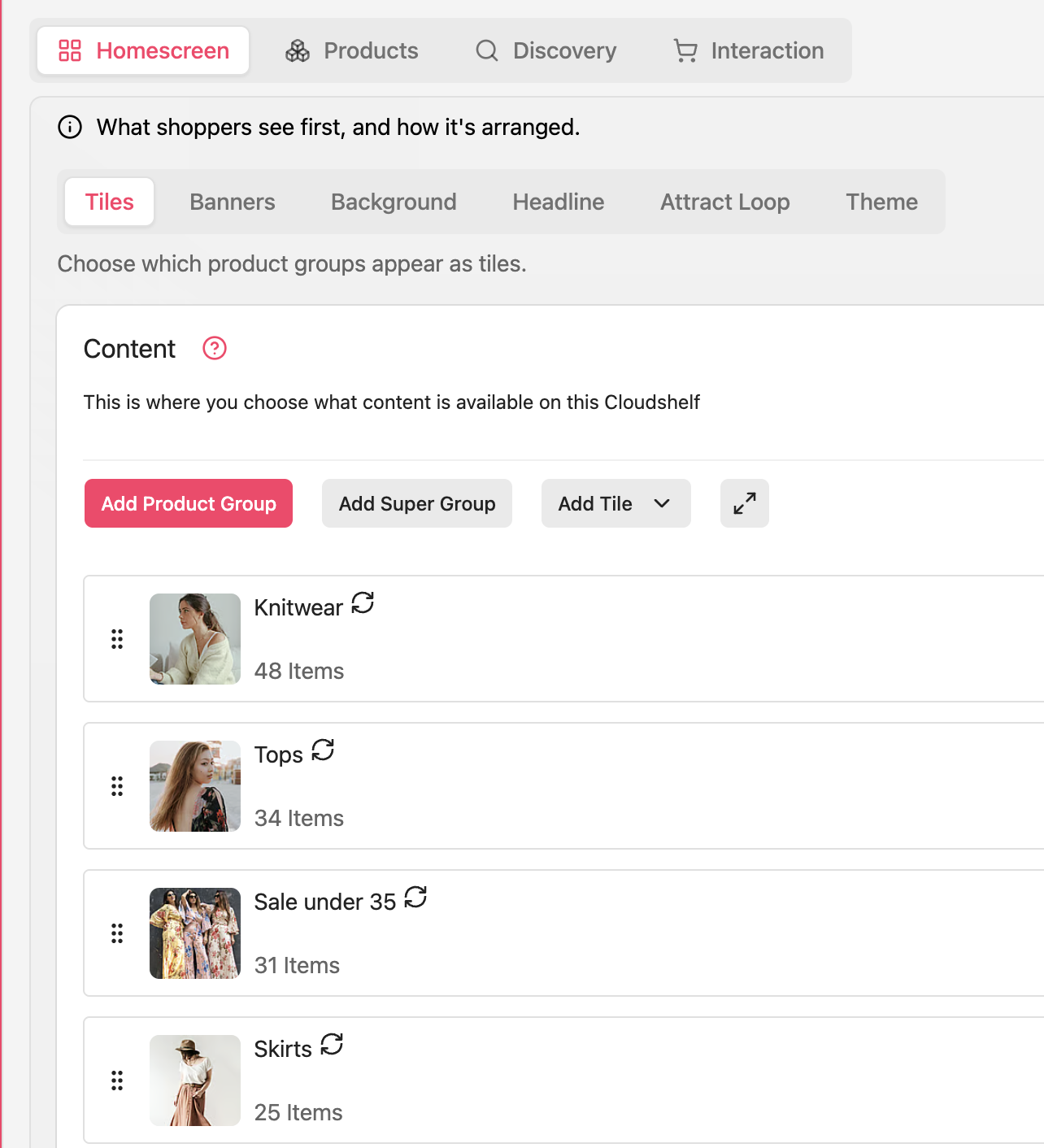
Opening an Experience now presents four sections. Homescreen covers what shoppers see first: tiles, banners, background, headline, the Attract Loop and theme. Products covers the product groups and content available on that Cloudshelf. Discovery covers how shoppers find and evaluate products, including Search, Buyer's Guide, Compare and Recommendations. Interaction covers how shoppers engage with the experience, from Catalog, Wishlist and Basket modes through to checkout, buttons and labels, and wishlist emails. Each tab groups related settings together, so a retailer configuring stock or content sees only the options relevant to that task, not the full list of settings for the Experience at once.
Why this matters
Retailers managing several Experiences across multiple store locations save time when settings are grouped logically. A store manager updating Discovery options, such as which fields text search checks, no longer needs to cross into unrelated sections to find them. The four-tab structure also makes onboarding new team members faster, as it mirrors how retailers already think about an in-store interactive solution: what shoppers see first, what they can buy, how they find it, and how they check out.
Where to find it
The new layout is live for every Experience in Cloudshelf Manager today. No migration or setup is required. Open any Experience and the Homescreen, Products, Discovery and Interaction tabs replace the previous single settings list.
Find out more
Speak to our Customer Success team at support@cloudshelf.ai for a walkthrough of the new layout.