How to create your AI-generated buyer guide

Set up an AI buyer guide that asks shoppers a few questions and recommends the right product from a specialist range.

Last updated
November 7, 2025

The Cloudshelf Buyer Guide helps in-store shoppers quickly find the most suitable product for their needs, especially when choosing from specialist or technical ranges that need a little extra thought.

For example, a garden centre might use it to guide customers towards the right lawn mower, while a bike shop could help parents choose the right bike for their teenager.

Or if you’re a sports store helping customers find the right trainers for their sport, you could set up a shoe-focused Cloudshelf kiosk. Each sport (football, basketball, running) could have its own collection tile, and within each collection a Buyer Guide helps customers choose the trainers best suited to their needs.

With the AI-powered Buyer Guide, you offer a smarter, more personalised in-store experience that increases confidence and conversion.

Follow the steps below or watch our quick video to create your Buyer Guide:

Watch the video: creating effective buyer guides
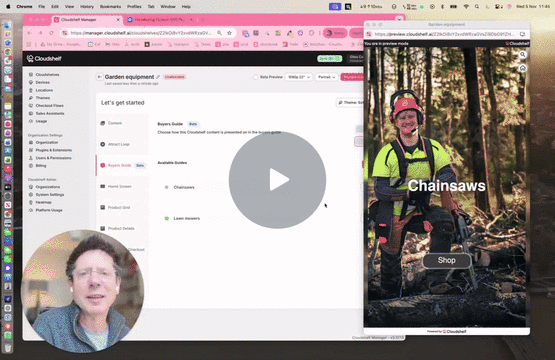
Buyer guide video preview
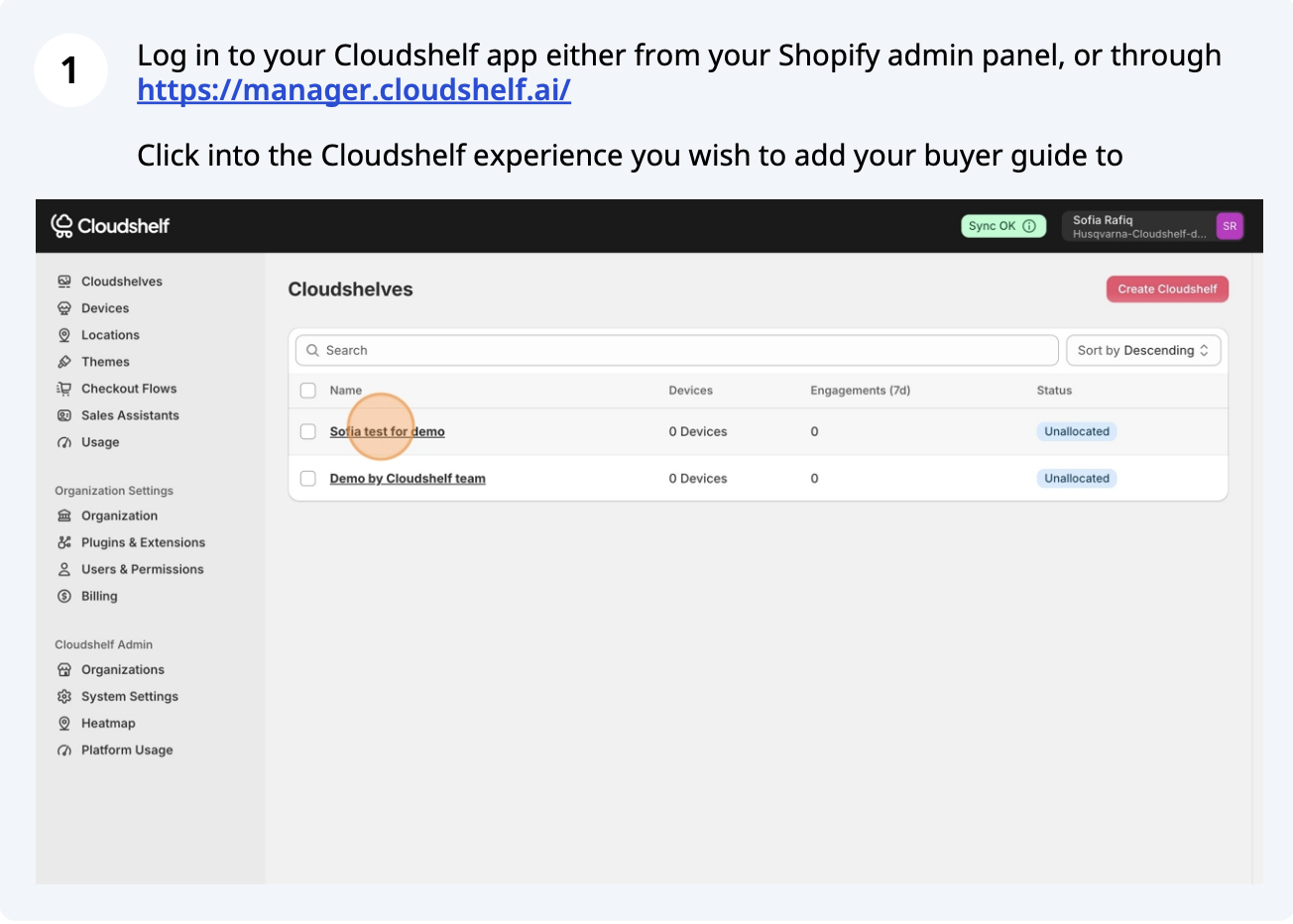
Create a buyer guide, step 1 of 20
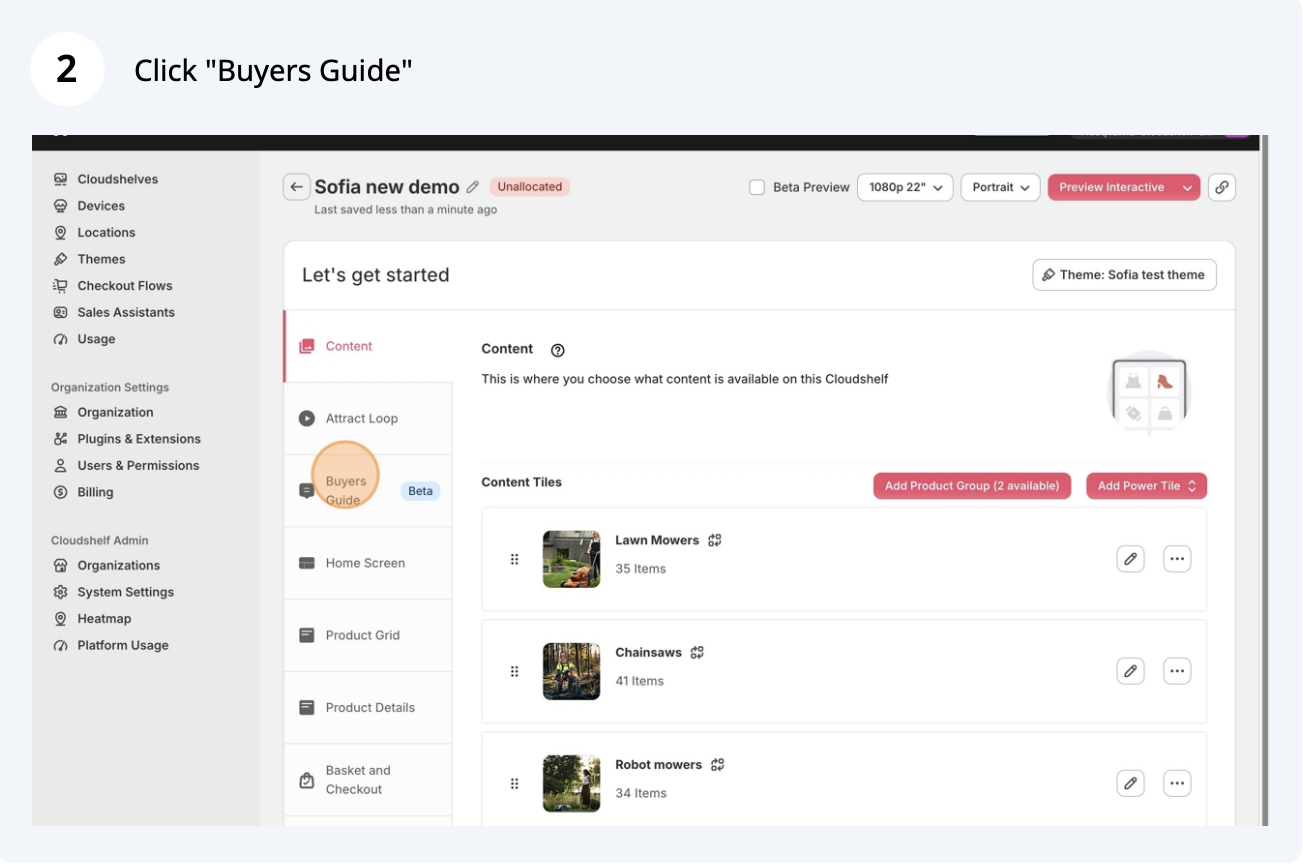
Create a buyer guide, step 2 of 20
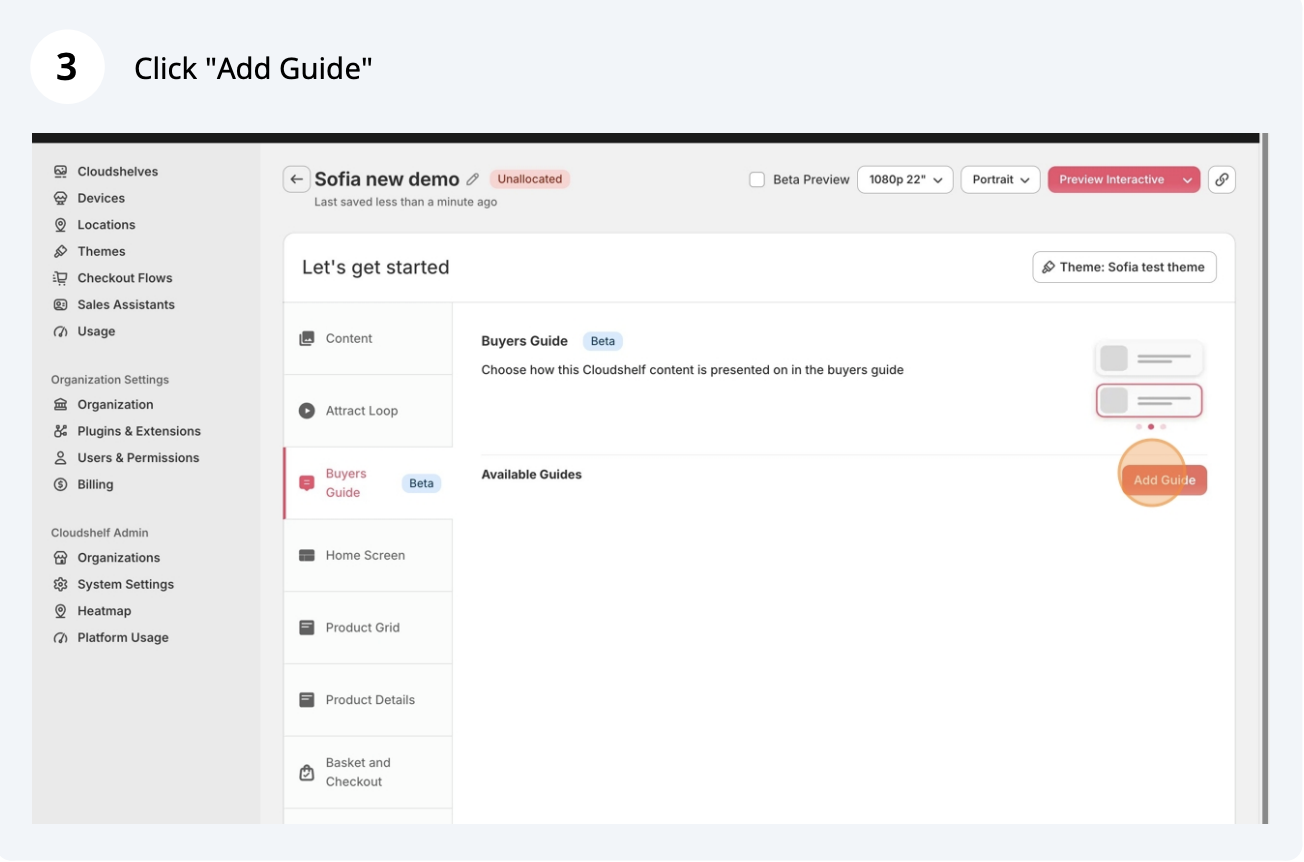
Create a buyer guide, step 3 of 20
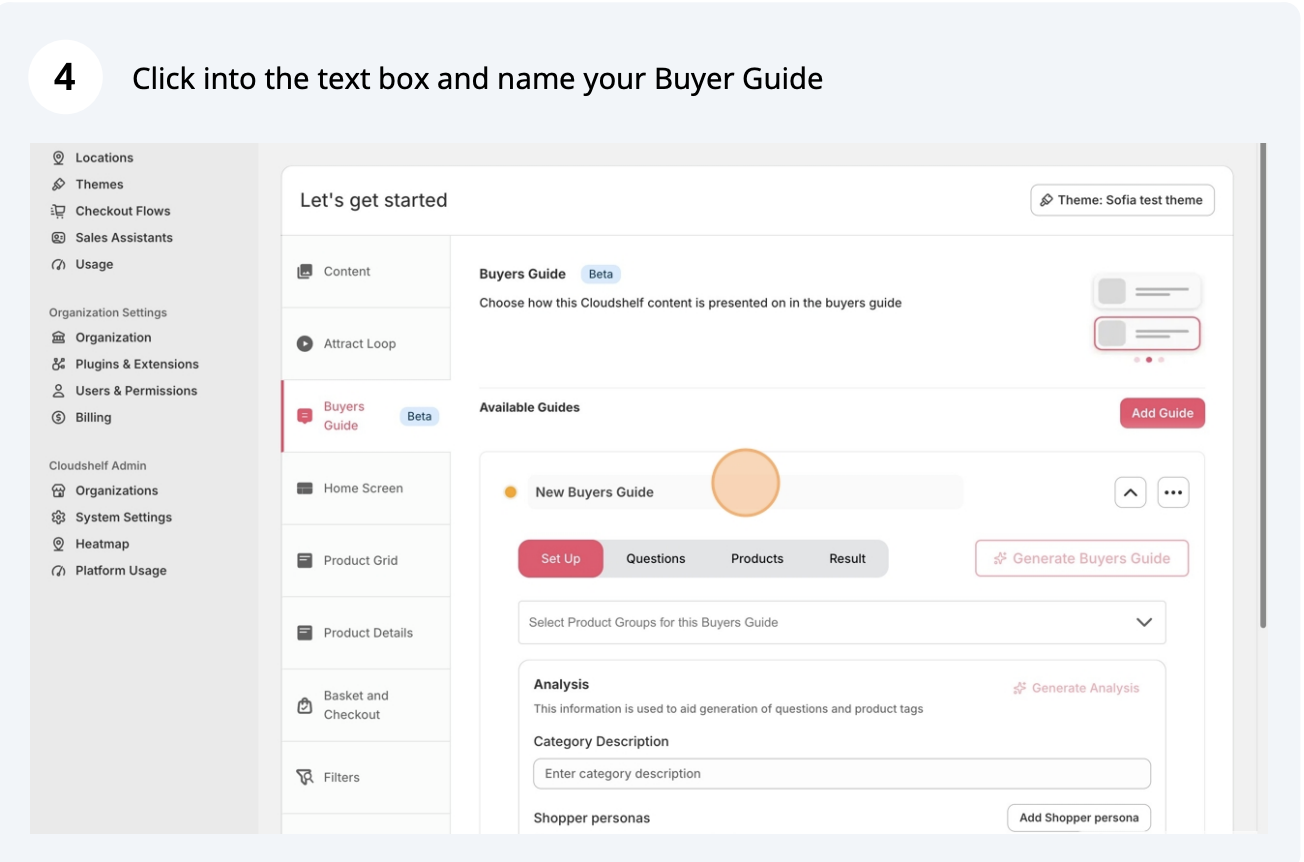
Create a buyer guide, step 4 of 20
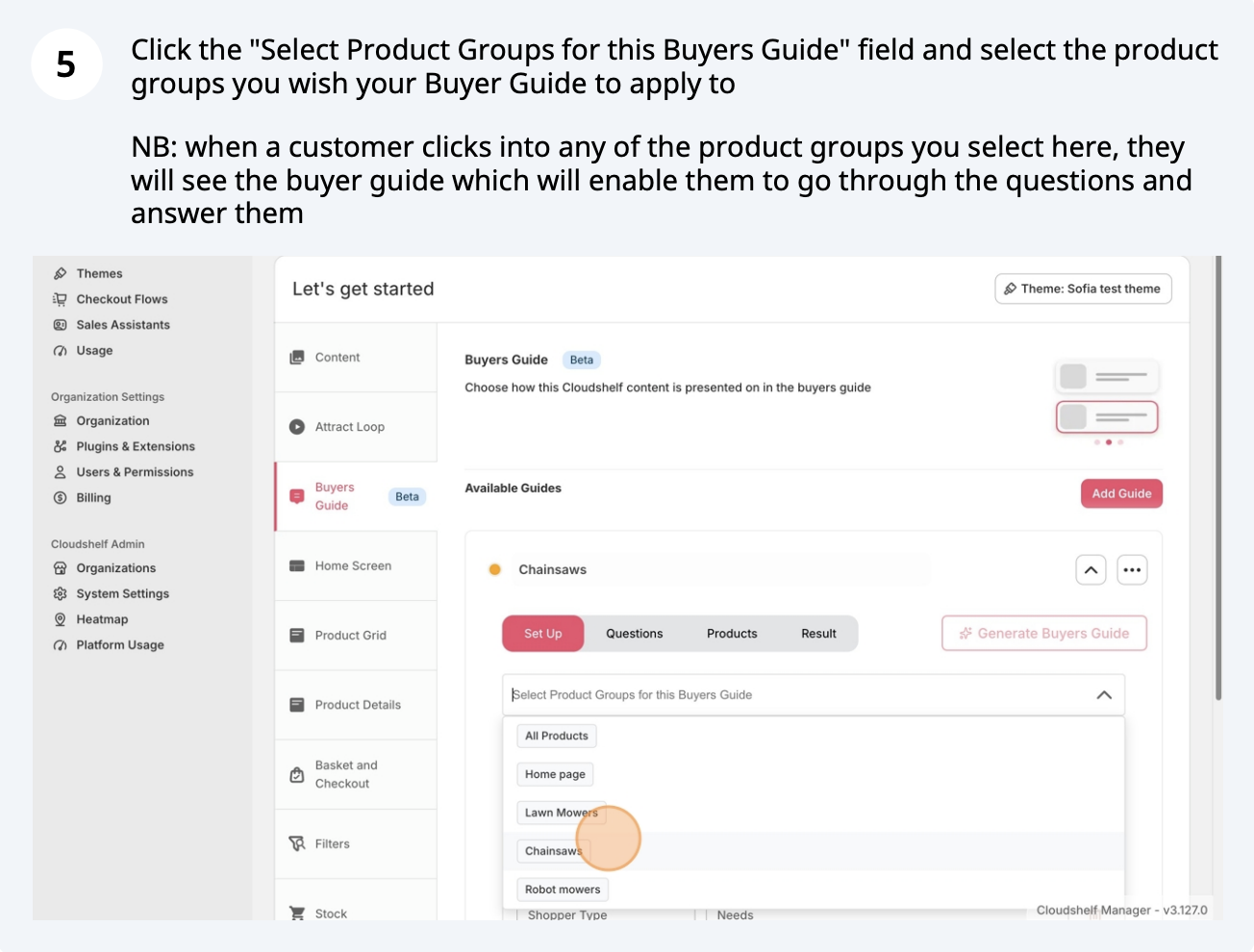
Create a buyer guide, step 5 of 20
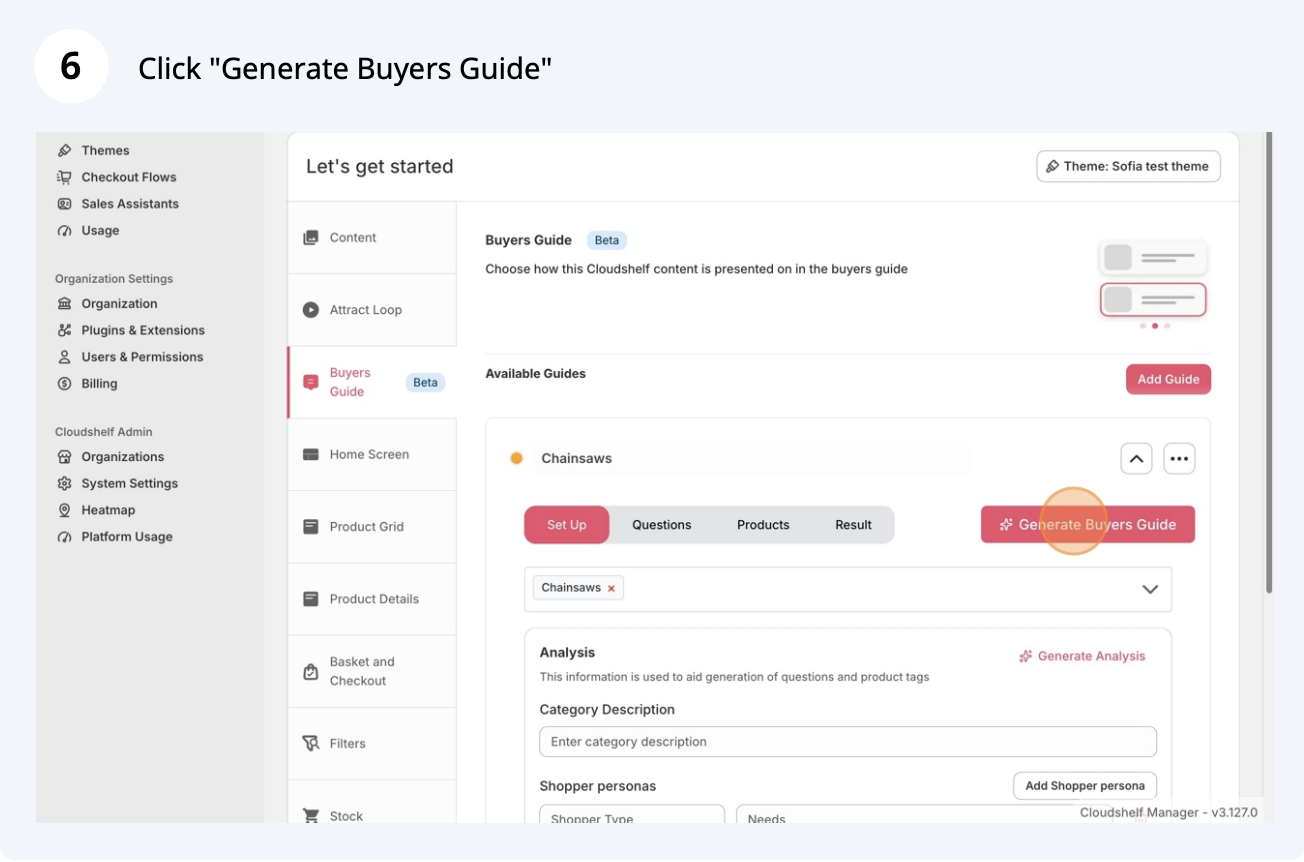
Create a buyer guide, step 6 of 20
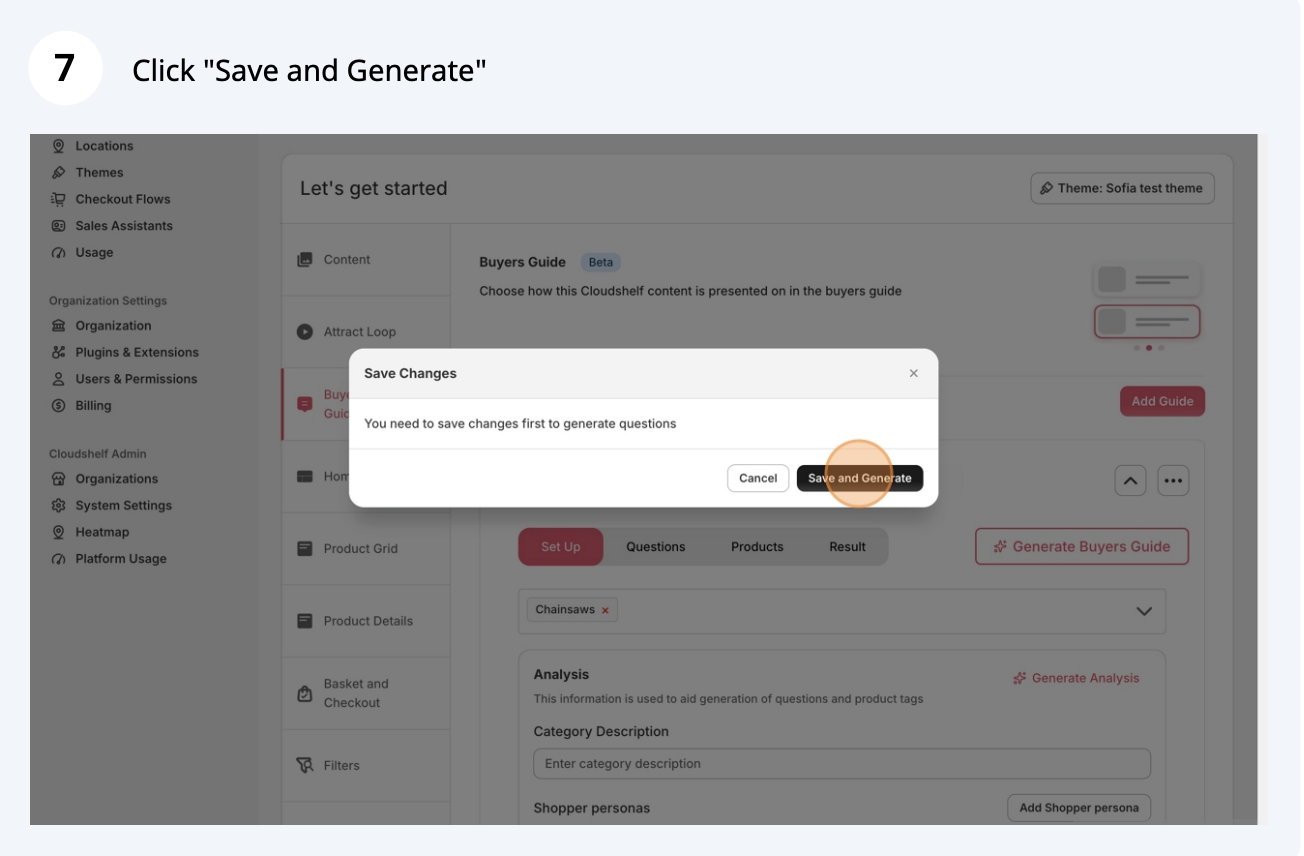
Create a buyer guide, step 7 of 20
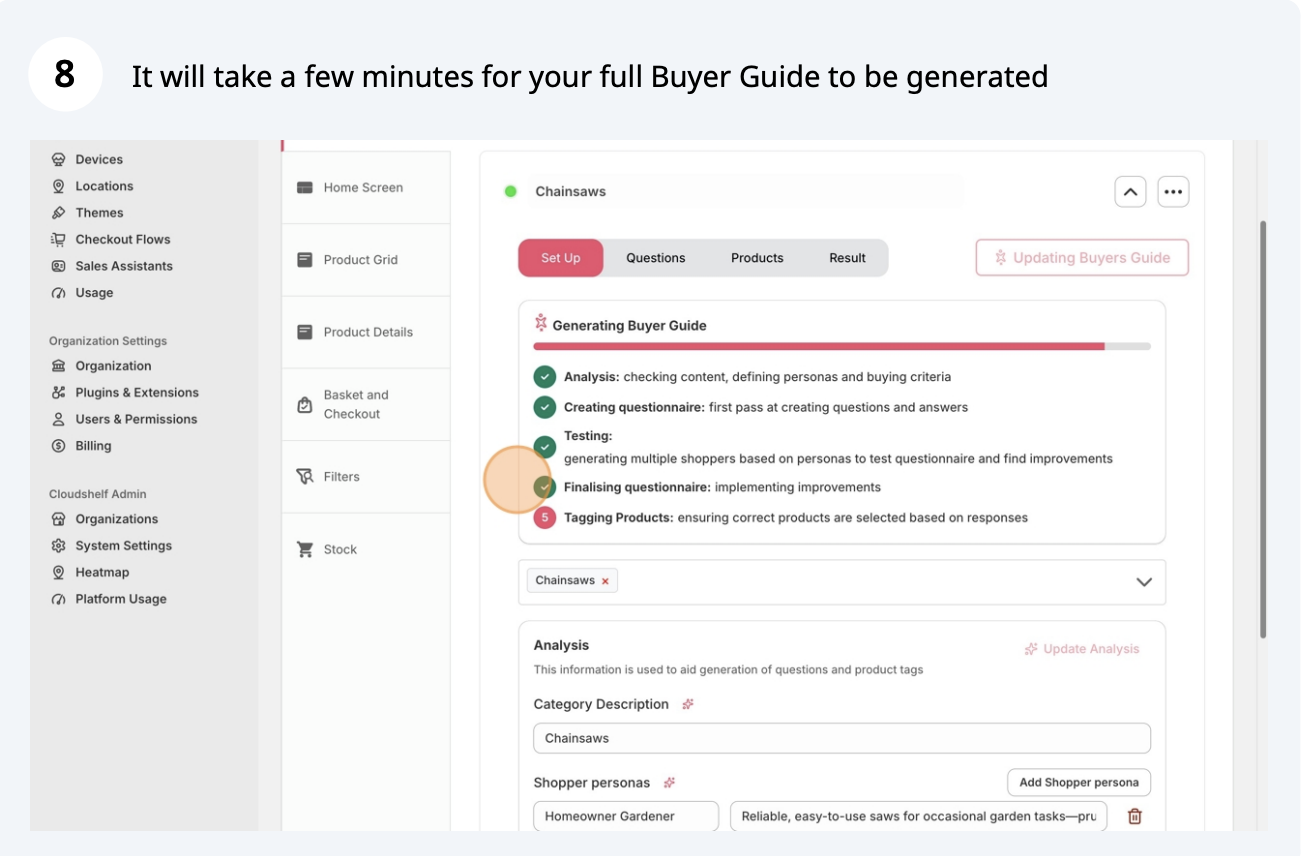
Create a buyer guide, step 8 of 20
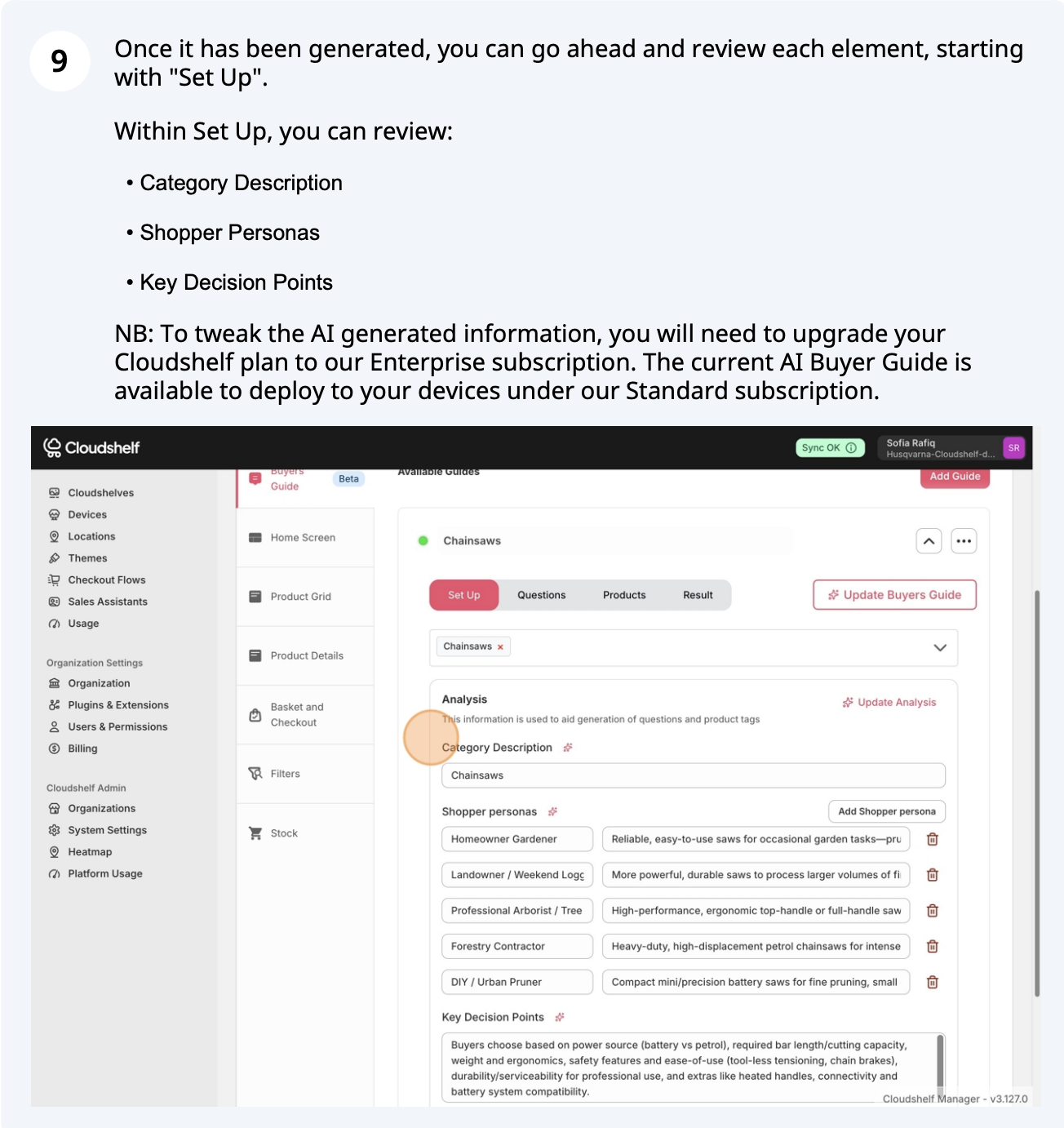
Create a buyer guide, step 9 of 20
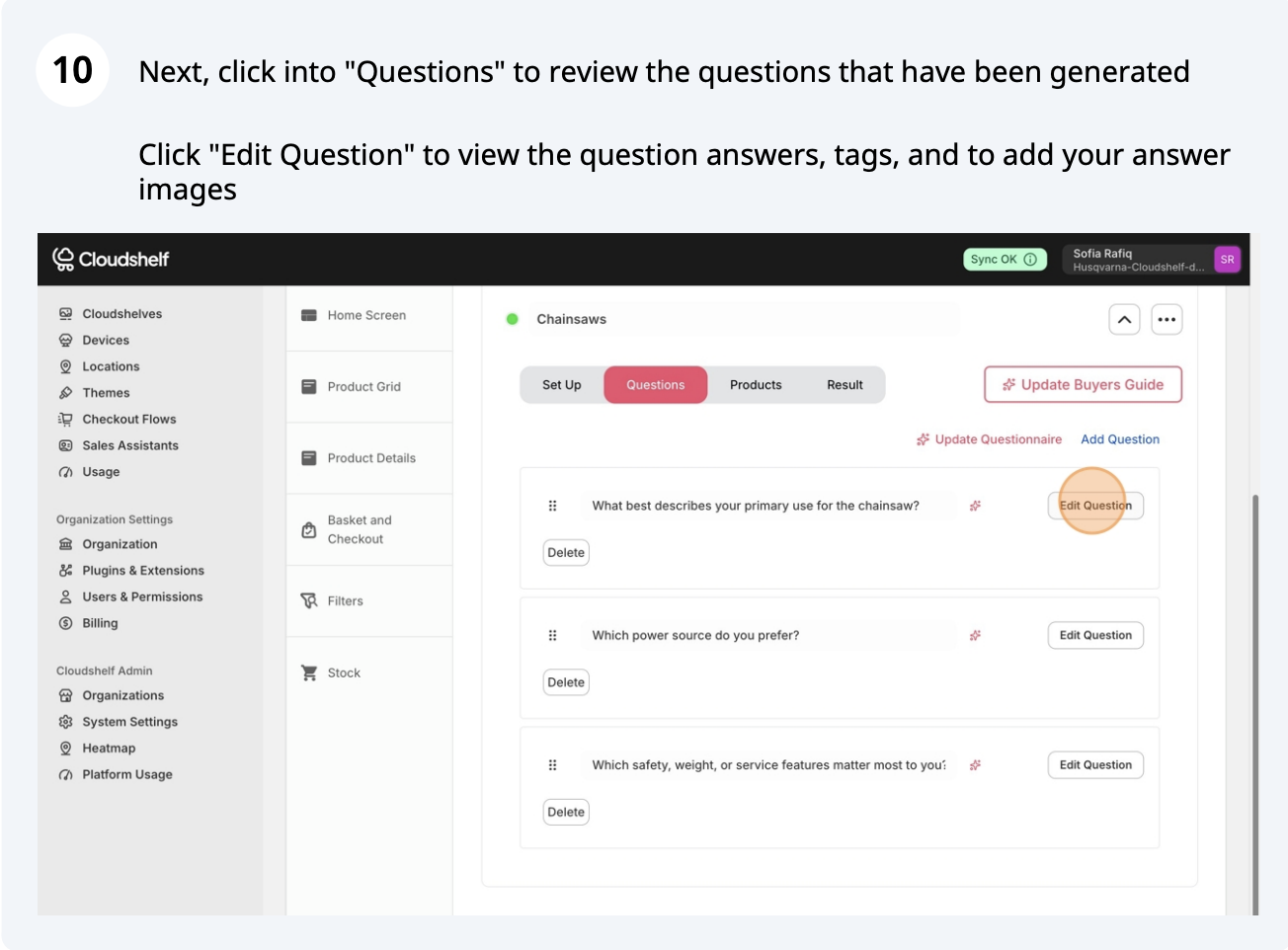
Create a buyer guide, step 10 of 20
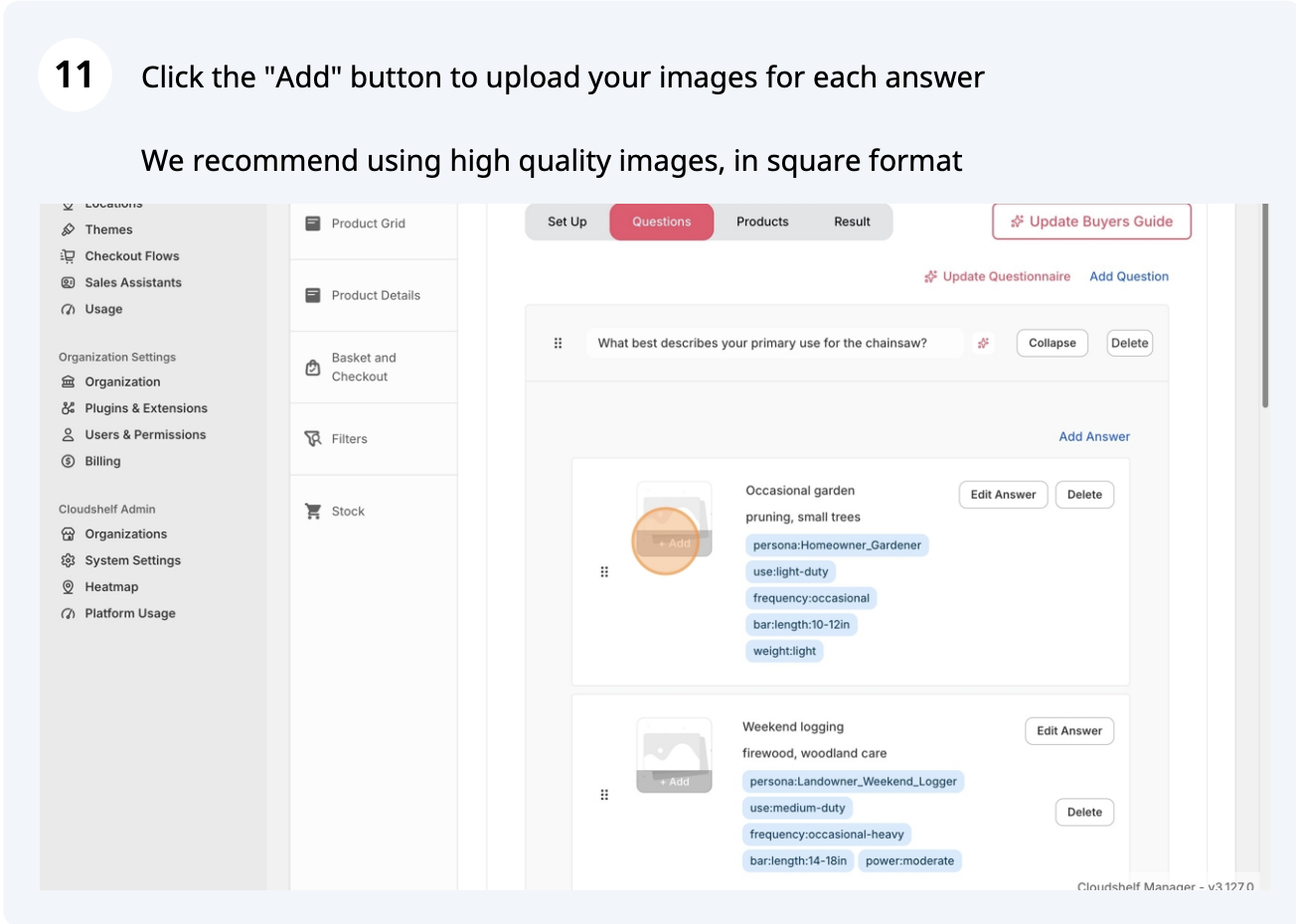
Create a buyer guide, step 11 of 20
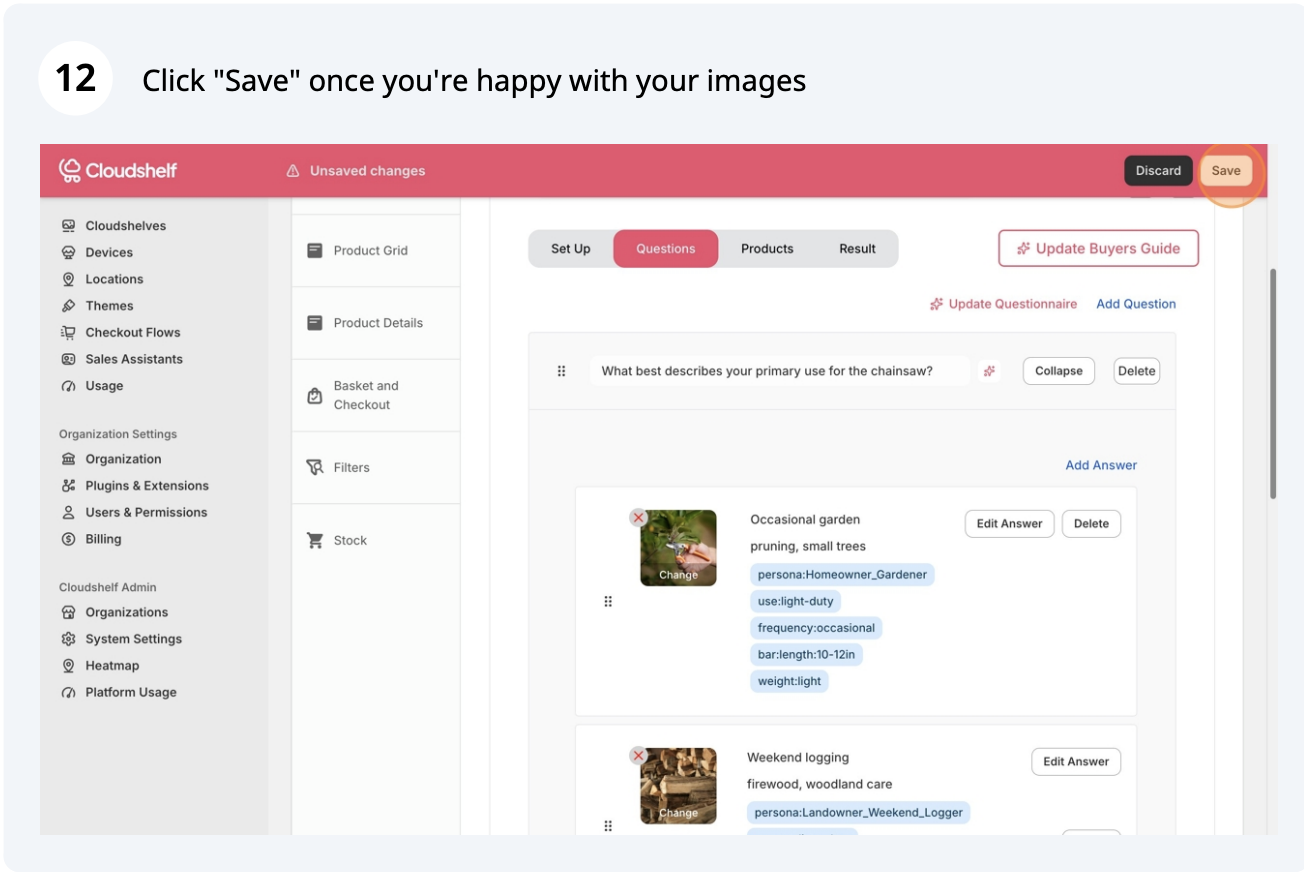
Create a buyer guide, step 12 of 20
Create a buyer guide, step 13 of 20
Create a buyer guide, step 14 of 20
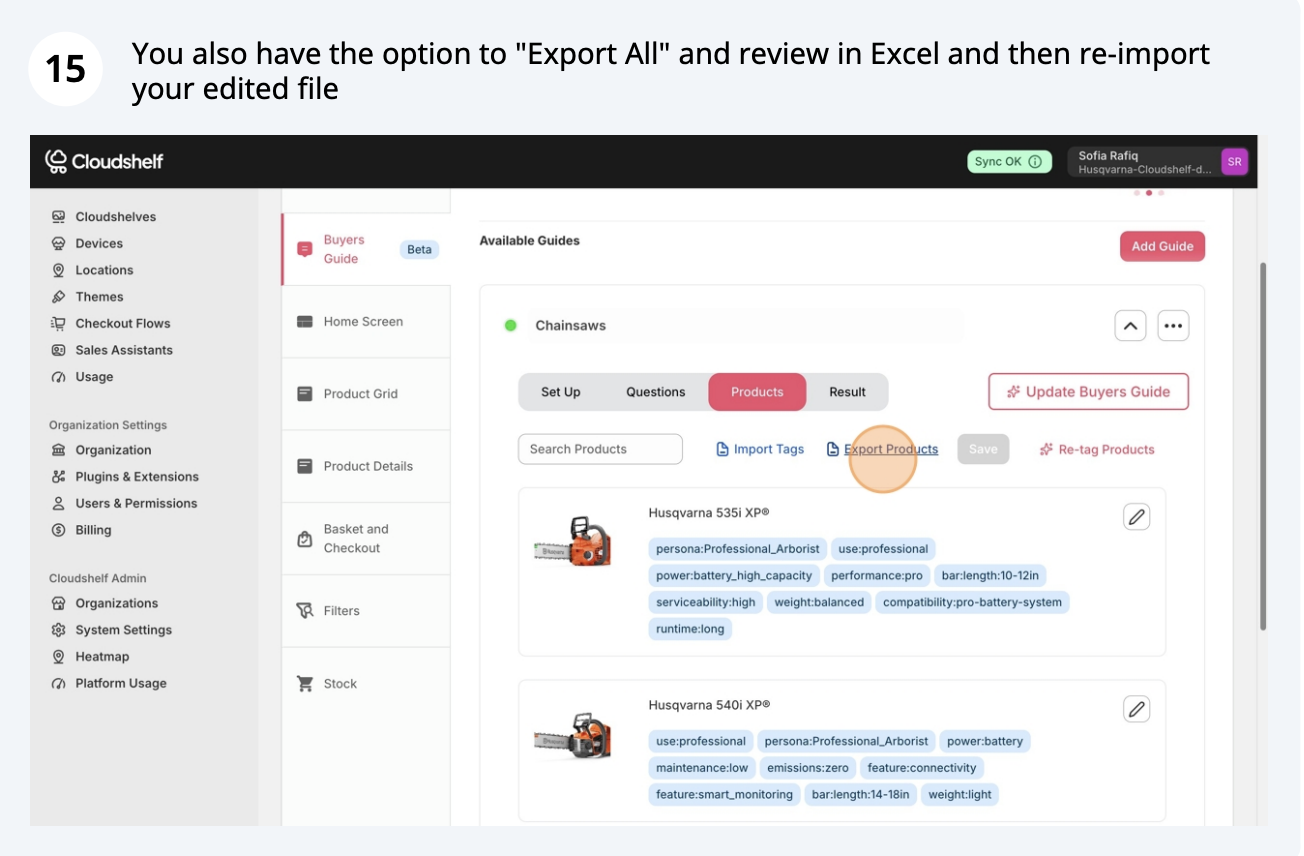
Create a buyer guide, step 15 of 20
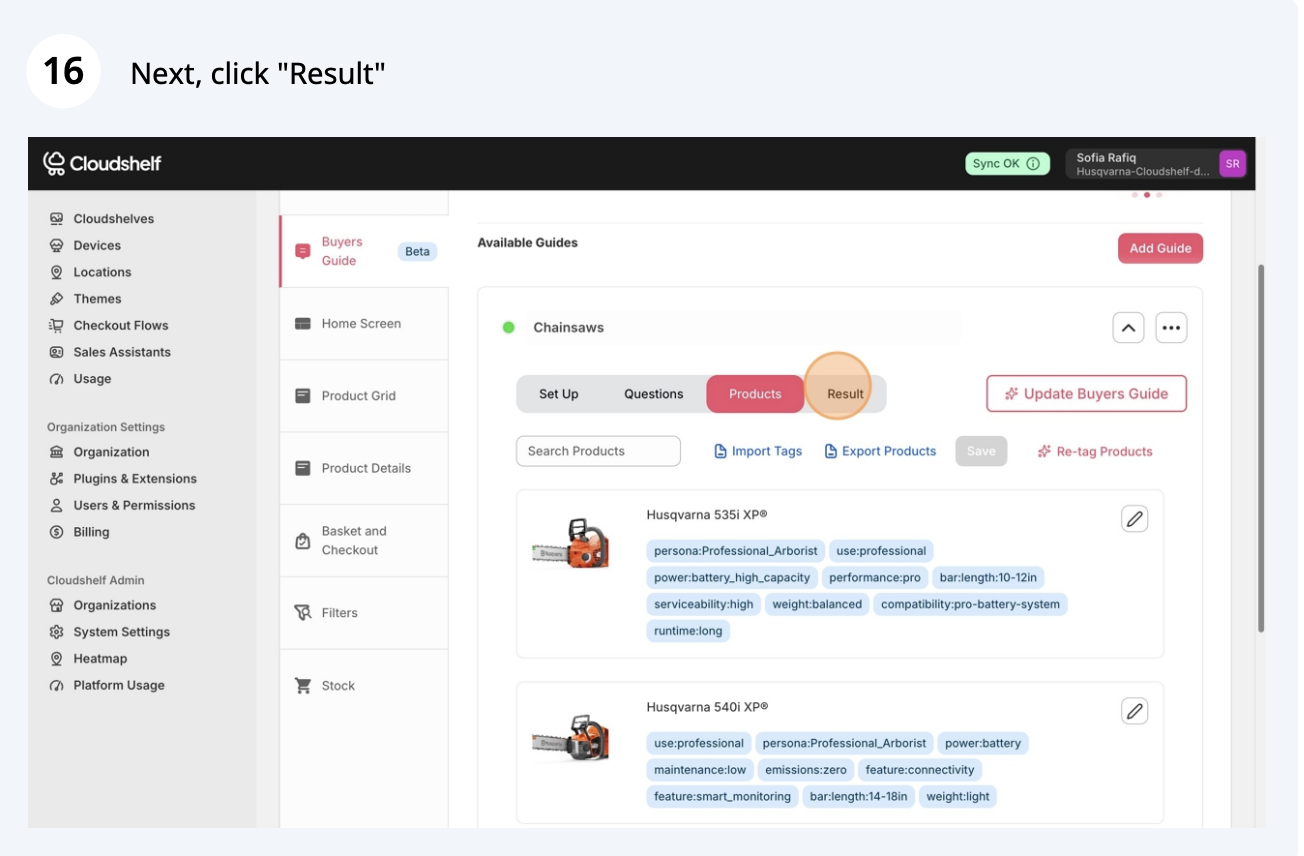
Create a buyer guide, step 16 of 20
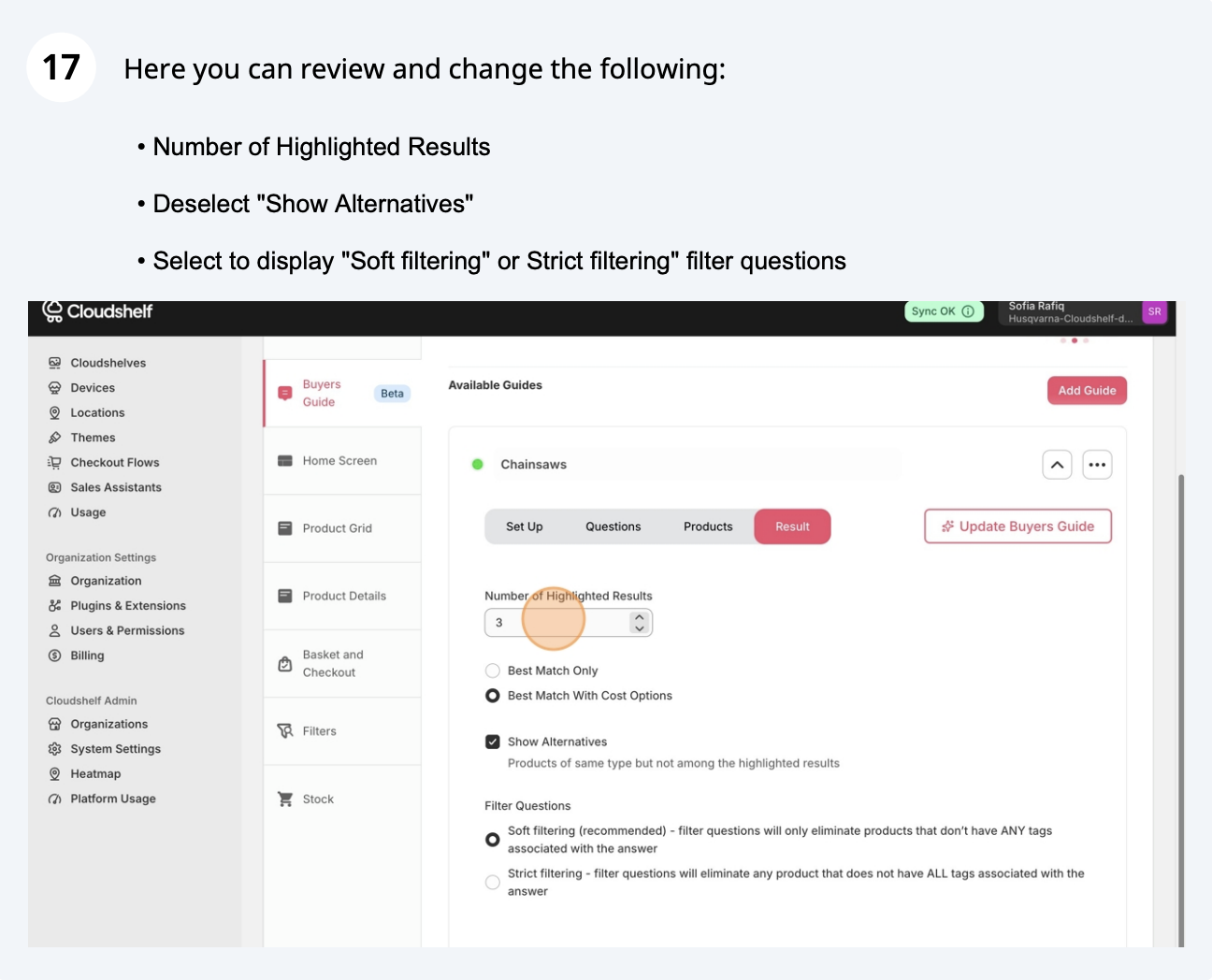
Create a buyer guide, step 17 of 20
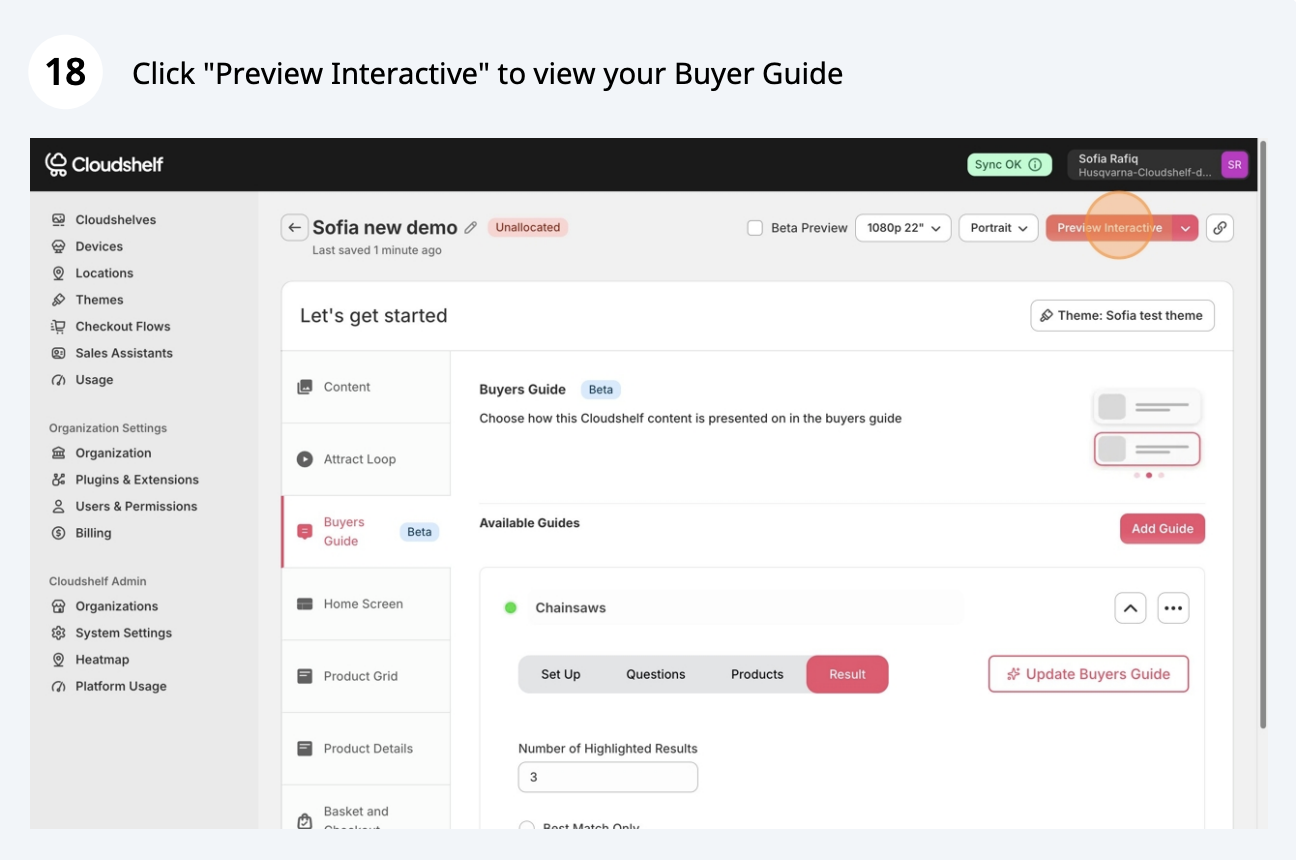
Create a buyer guide, step 18 of 20
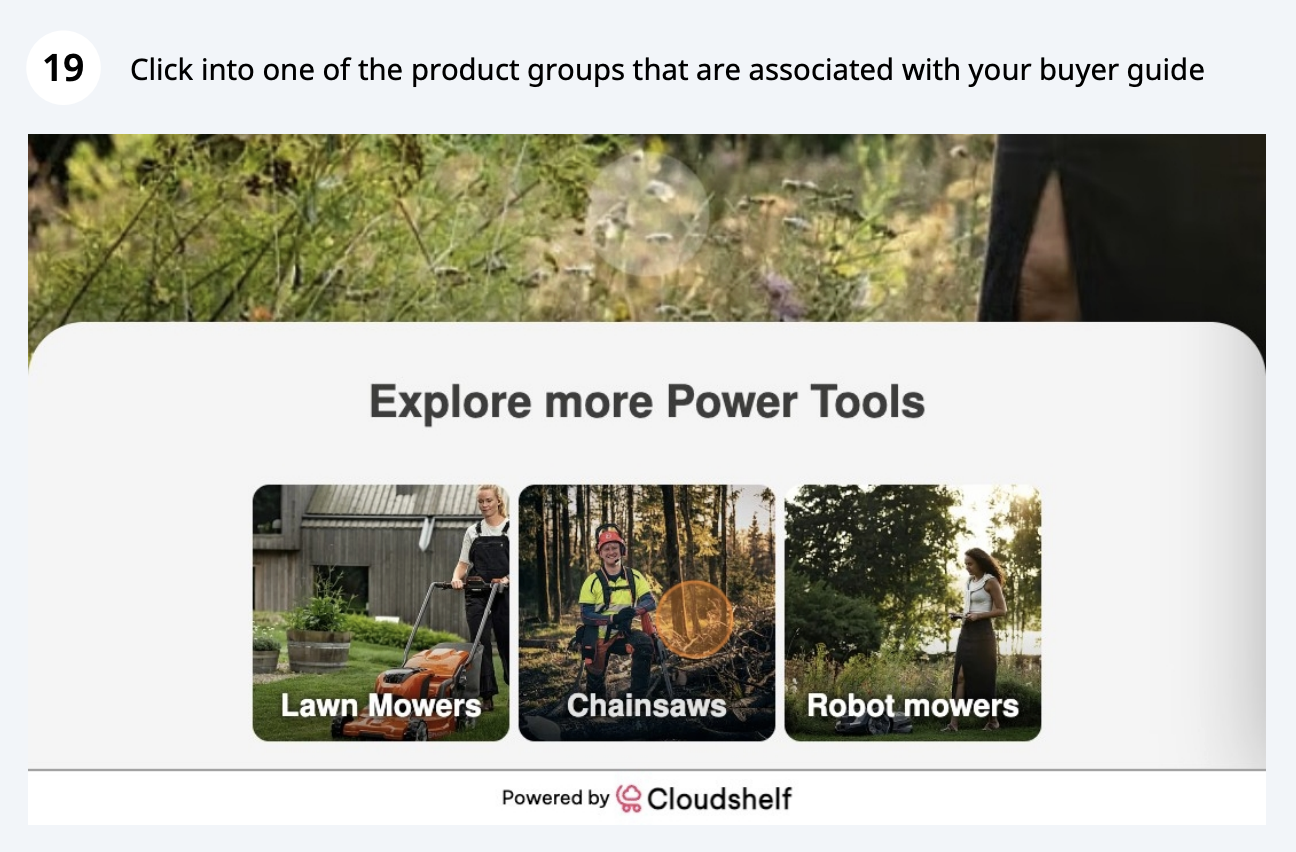
Create a buyer guide, step 19 of 20
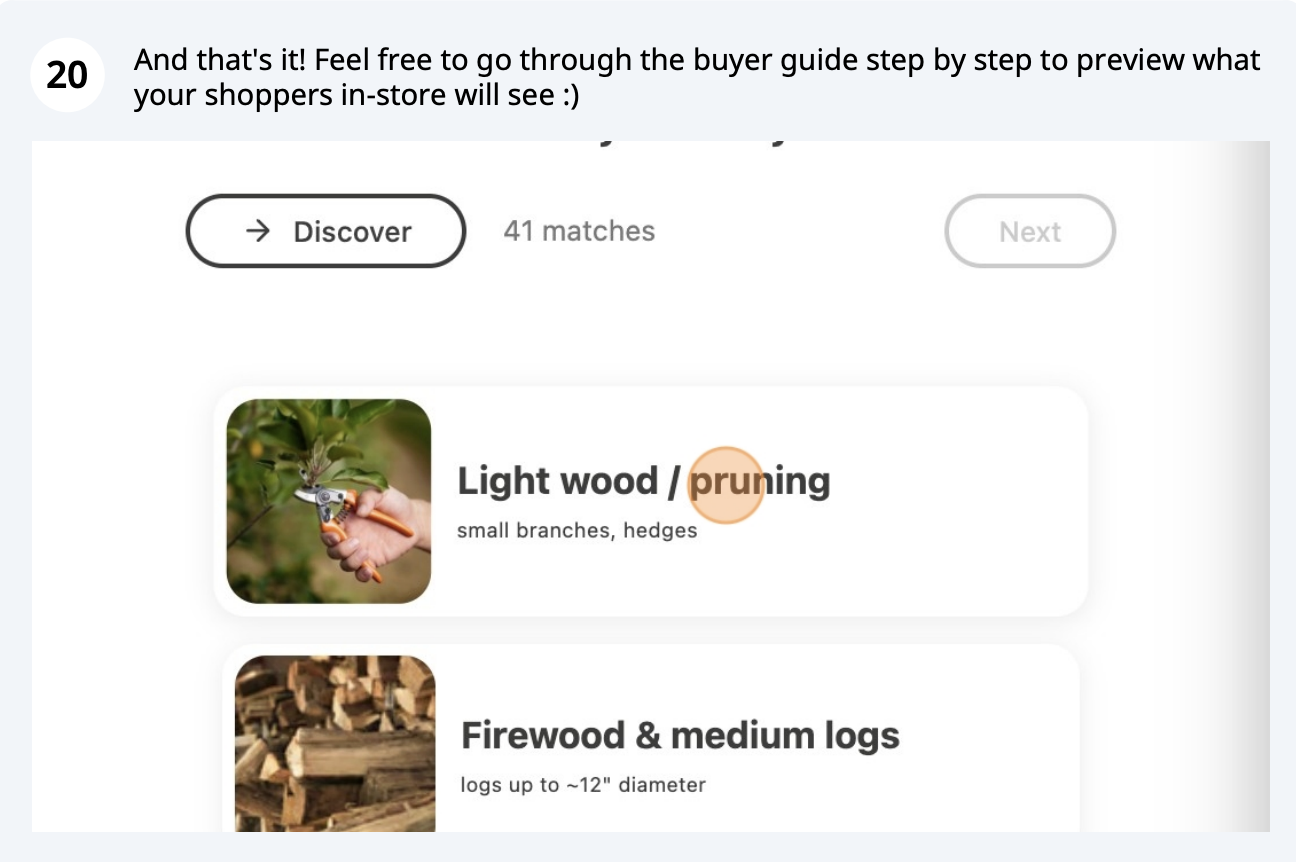
Create a buyer guide, step 20 of 20

If you need any help with this, contact our support team on support@cloudshelf.ai.

Frequently asked questions

Was this helpful?
Thanks for the feedback.
Still stuck?
Tell us the device and what you see on screen. We usually reply within one working day.