How to optimise your Cloudshelf attract loop

Set up the attract loop slideshow of collection images, banners and your home screen to draw shoppers to the kiosk.

Last updated
November 10, 2025

The Cloudshelf attract loop turns your kiosks into dynamic displays that rotate through a selection of collection images, promotional banners and the Cloudshelf home screen as a slideshow. The constant movement draws shoppers' attention and keeps your displays showing fresh content.

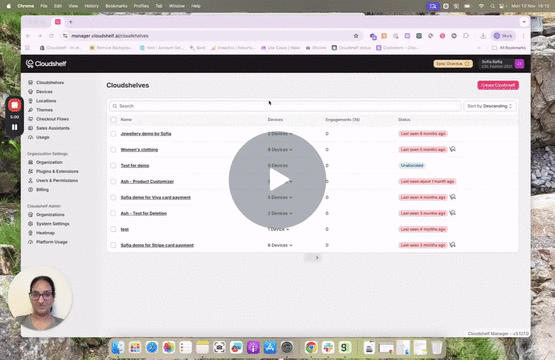
Here is a short video and some quick steps to help you create great-looking attract loops for your Cloudshelf kiosks in-store:

Watch the video: how to add attract loop images to your Cloudshelf kiosks
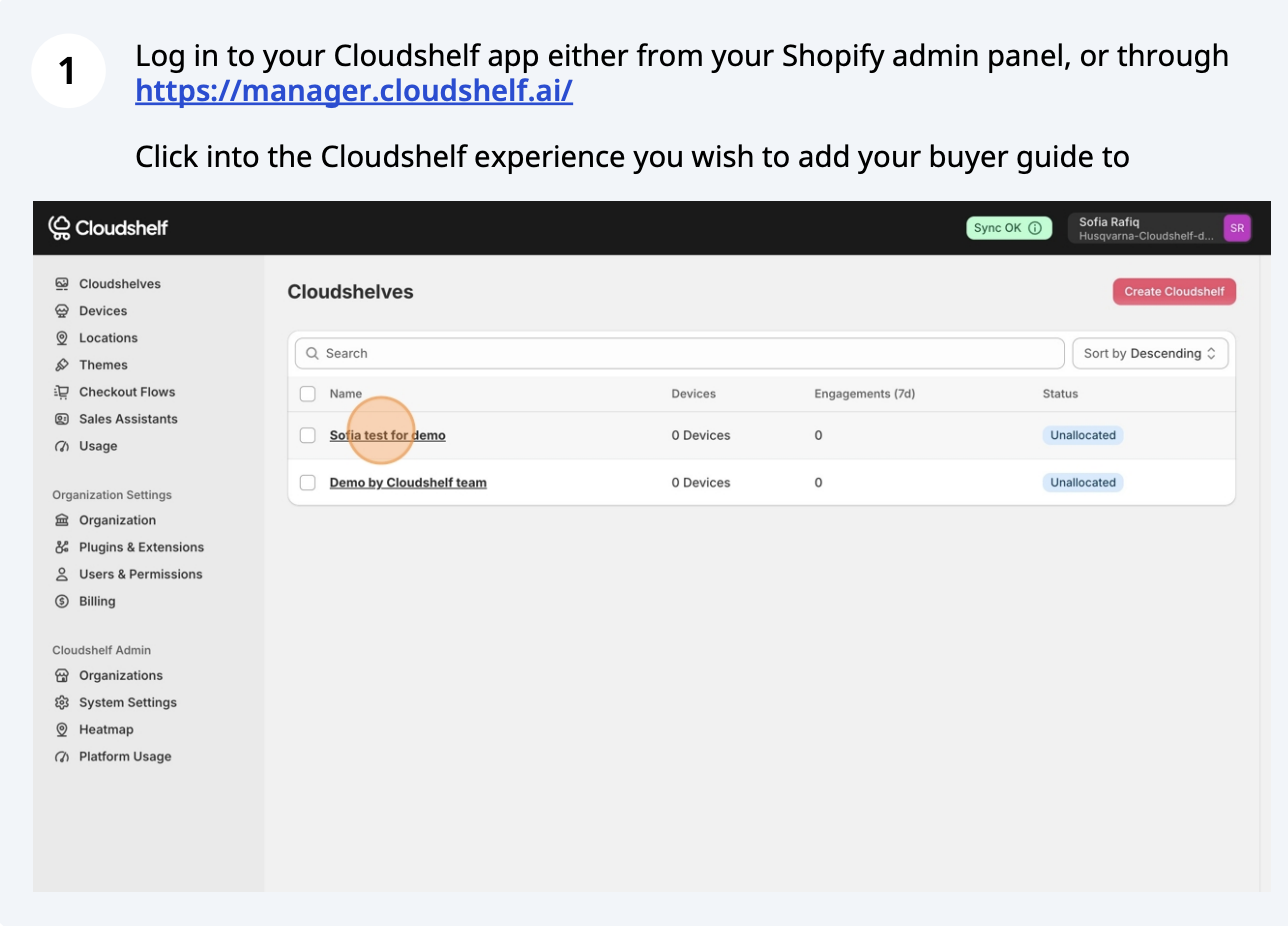
Attract loop setup, step 1 of 16
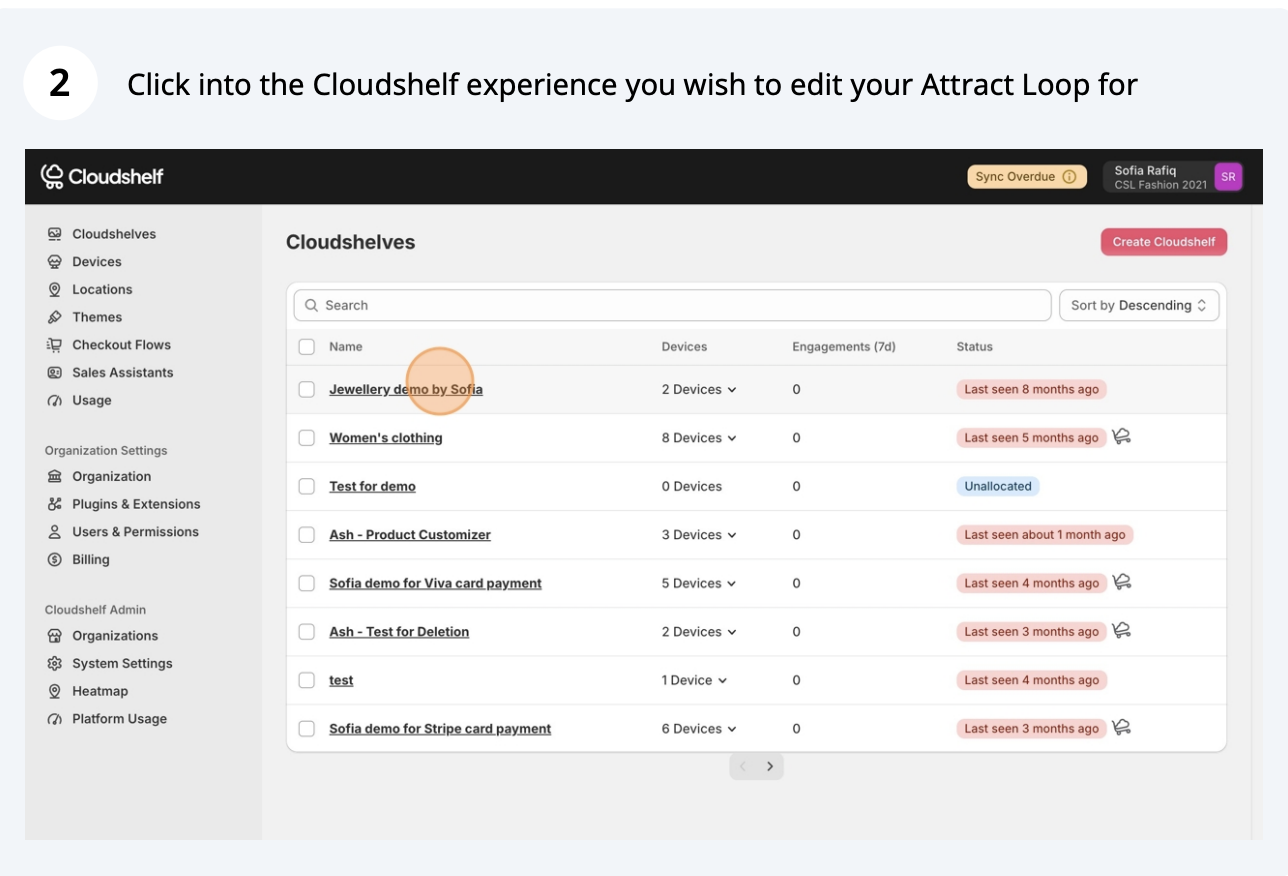
Attract loop setup, step 2 of 16
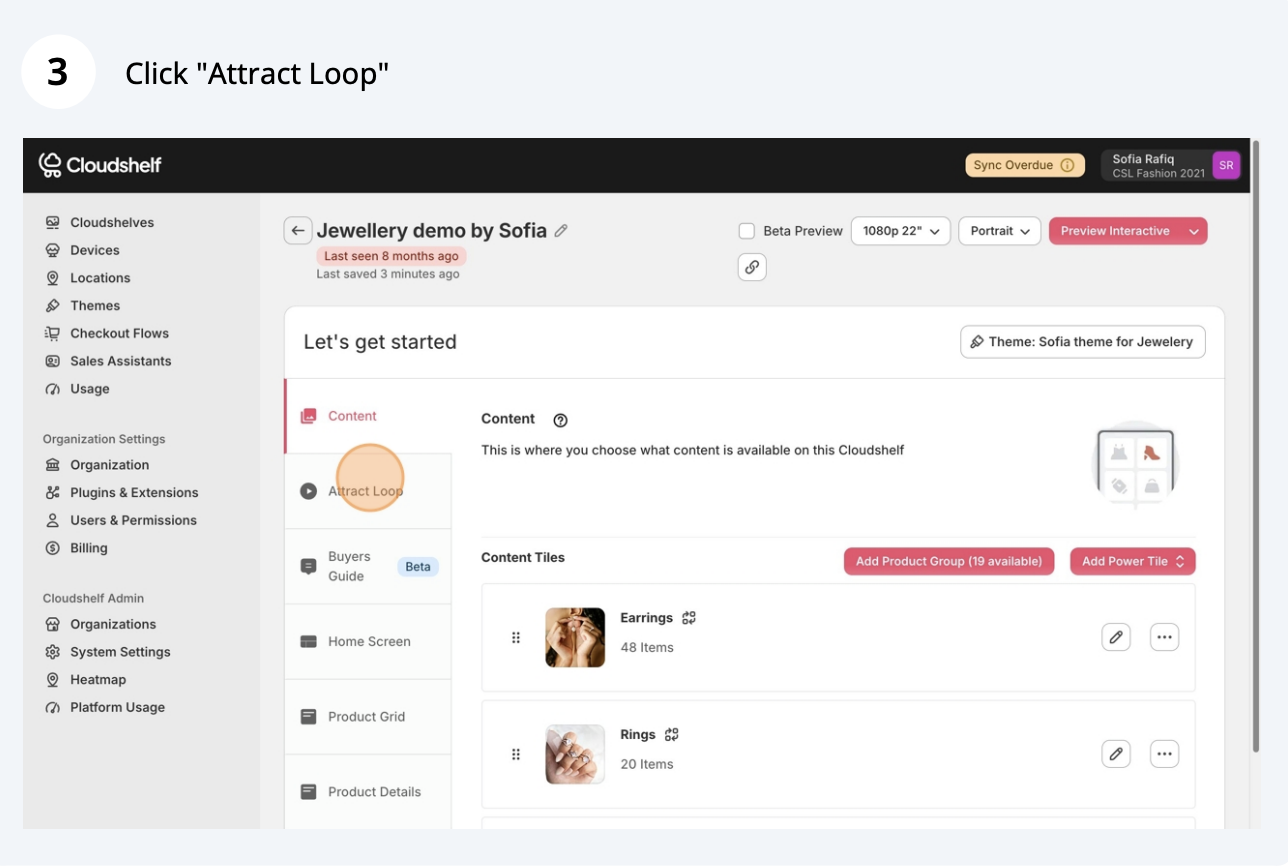
Attract loop setup, step 3 of 16
Attract loop setup, step 4 of 16
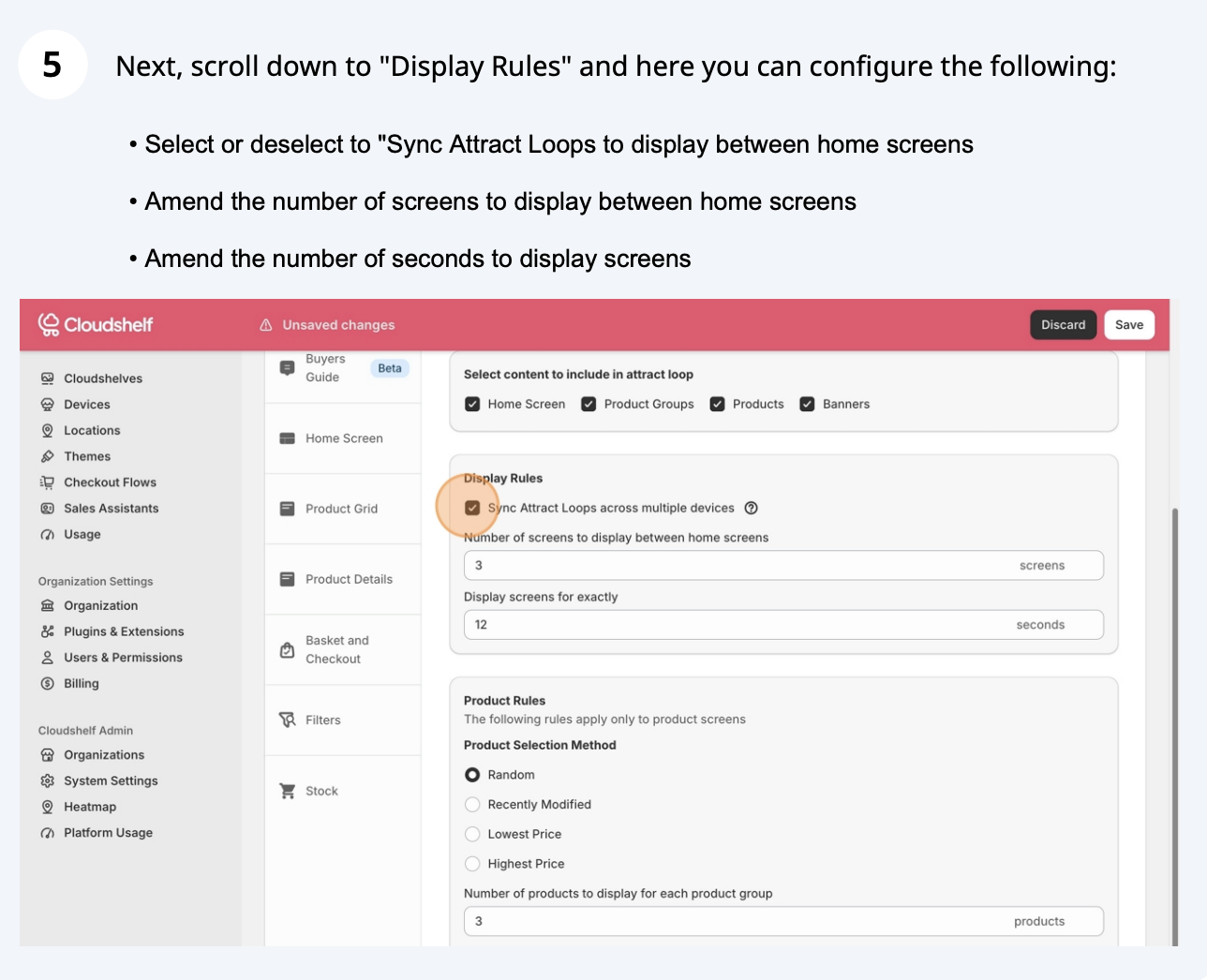
Attract loop setup, step 5 of 16
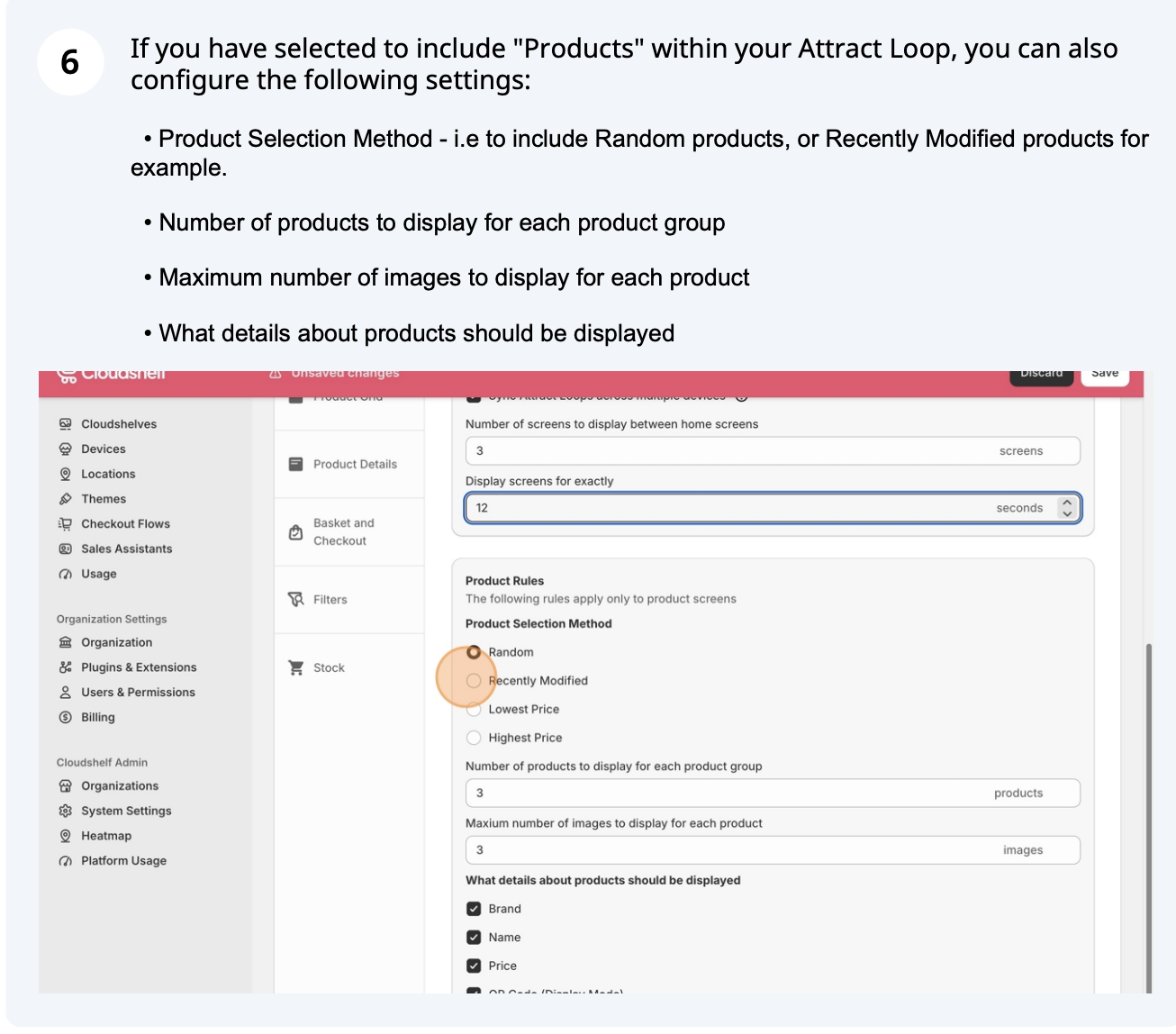
Attract loop setup, step 6 of 16
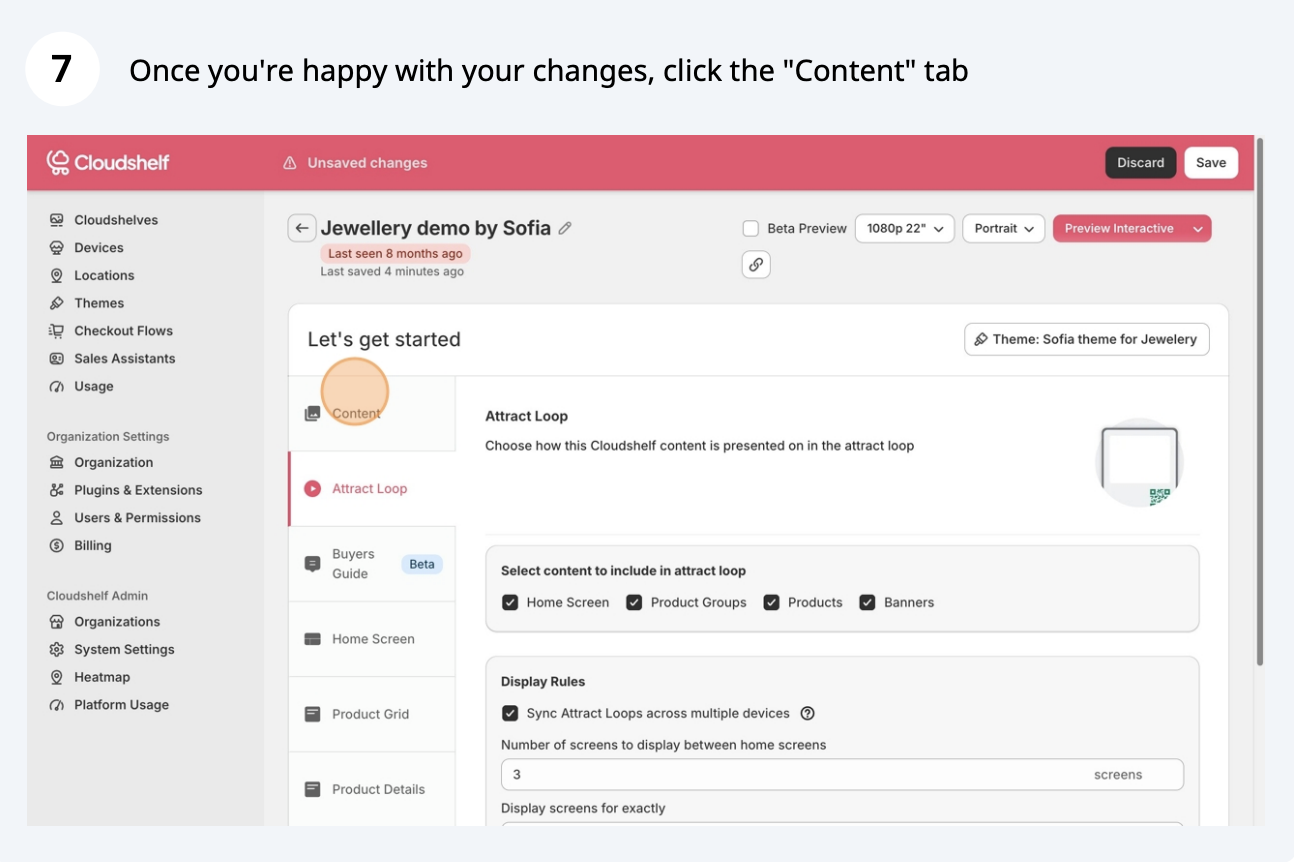
Attract loop setup, step 7 of 16
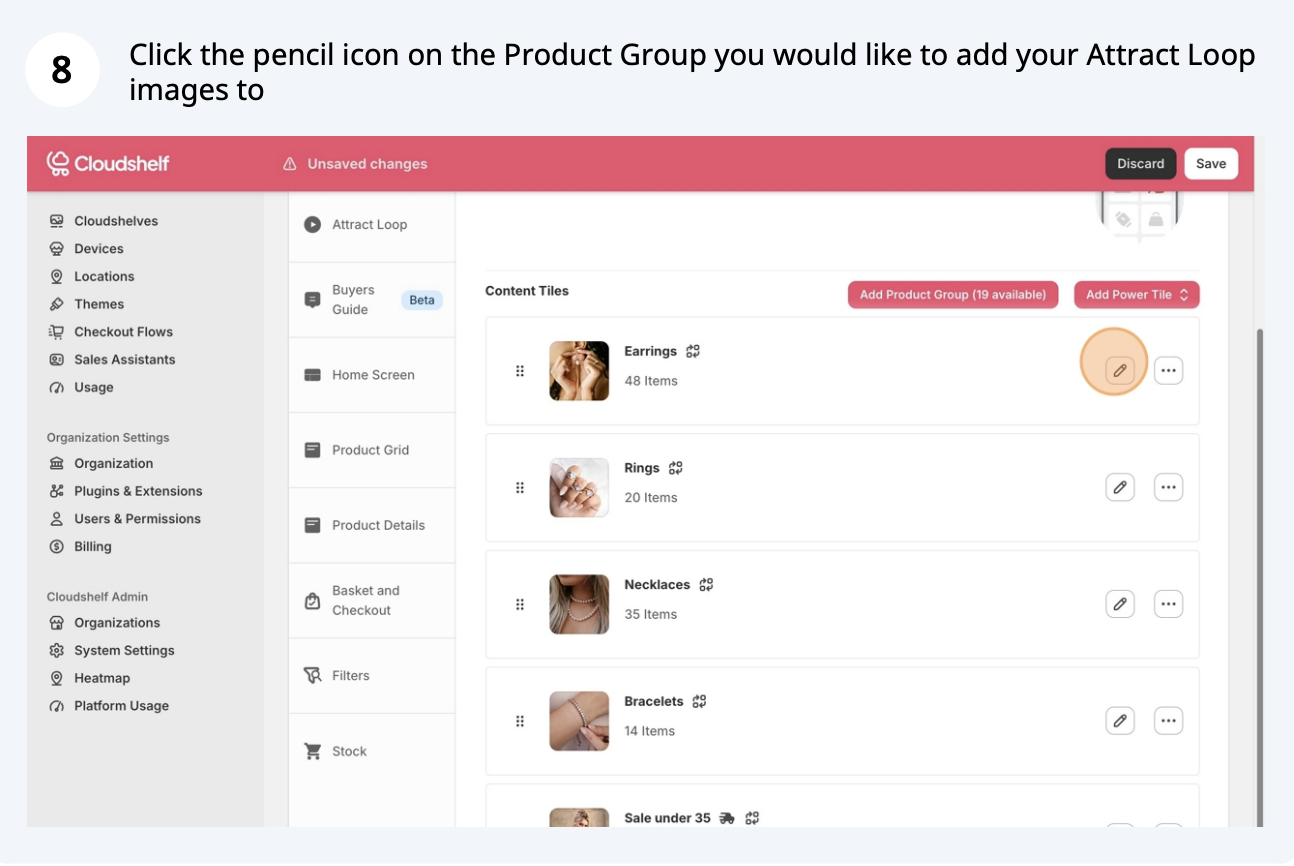
Attract loop setup, step 8 of 16
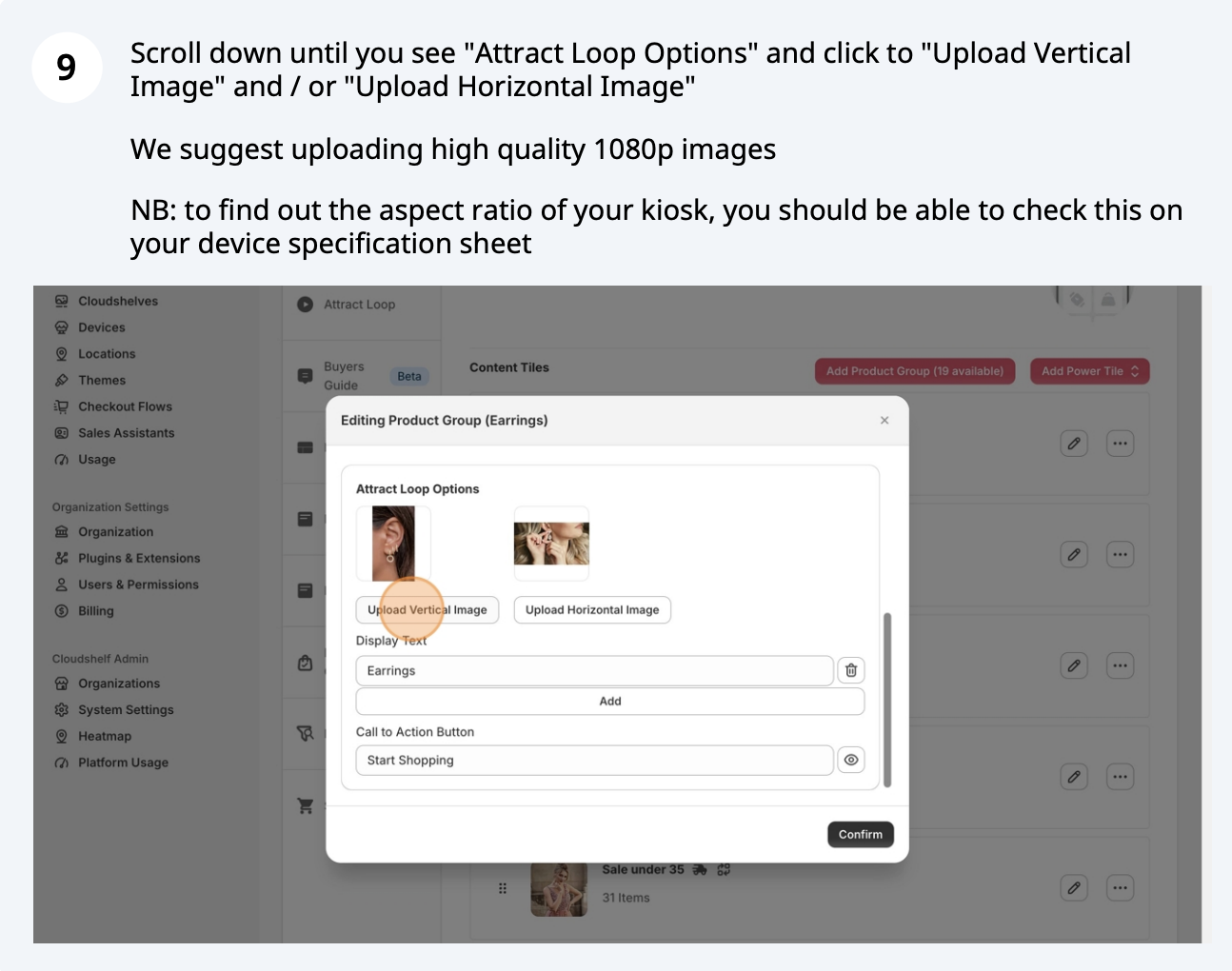
Attract loop setup, step 9 of 16
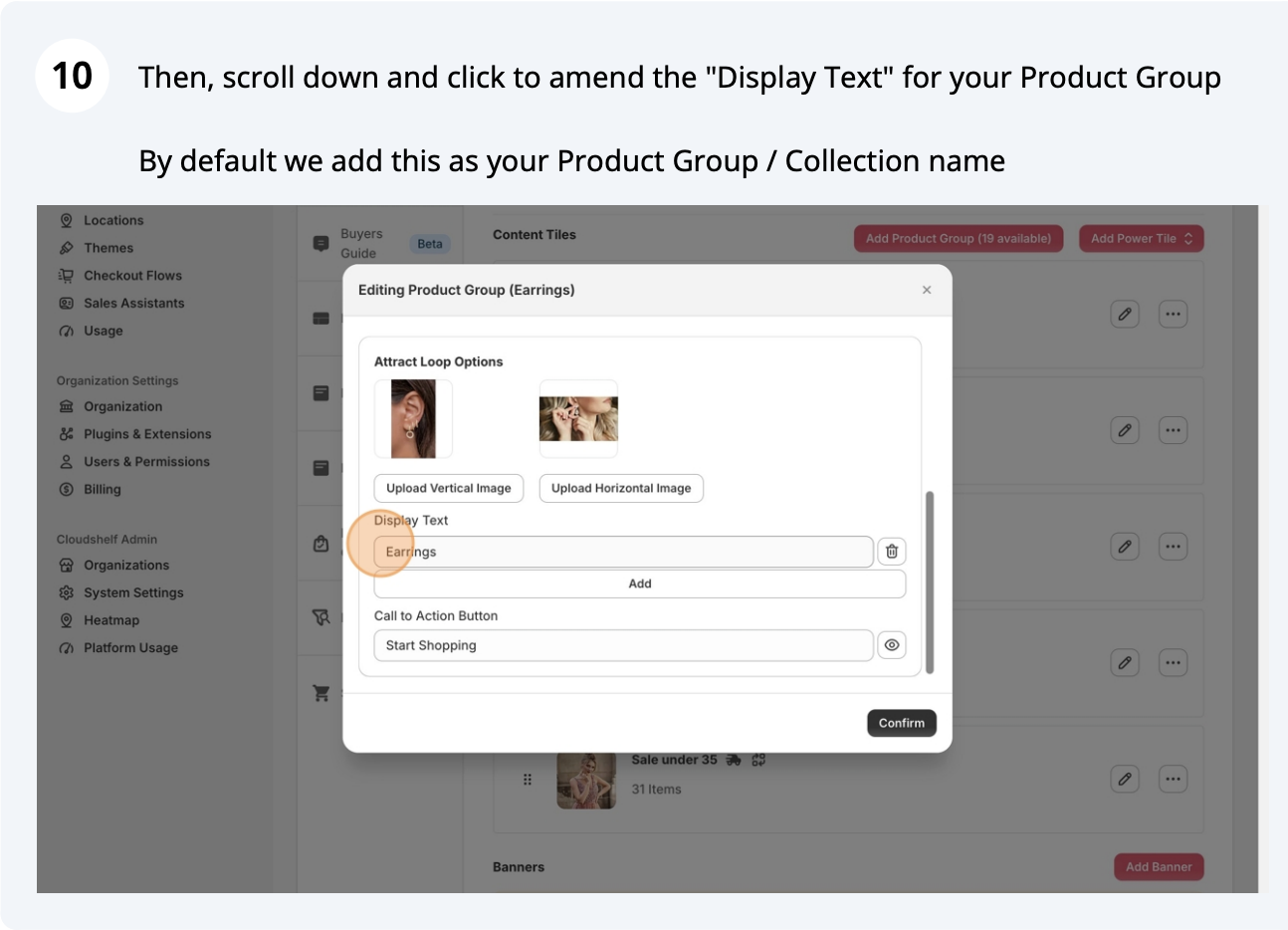
Attract loop setup, step 10 of 16
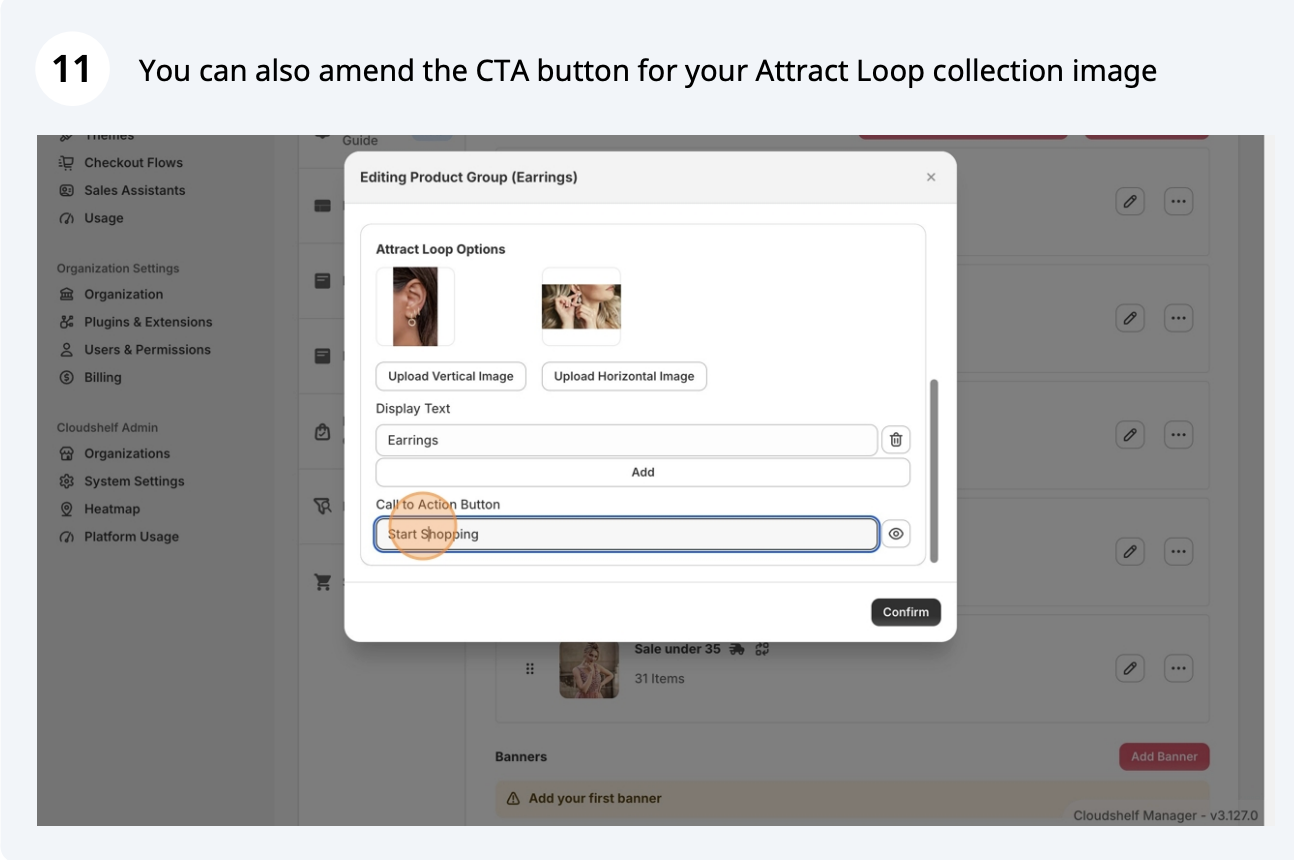
Attract loop setup, step 11 of 16
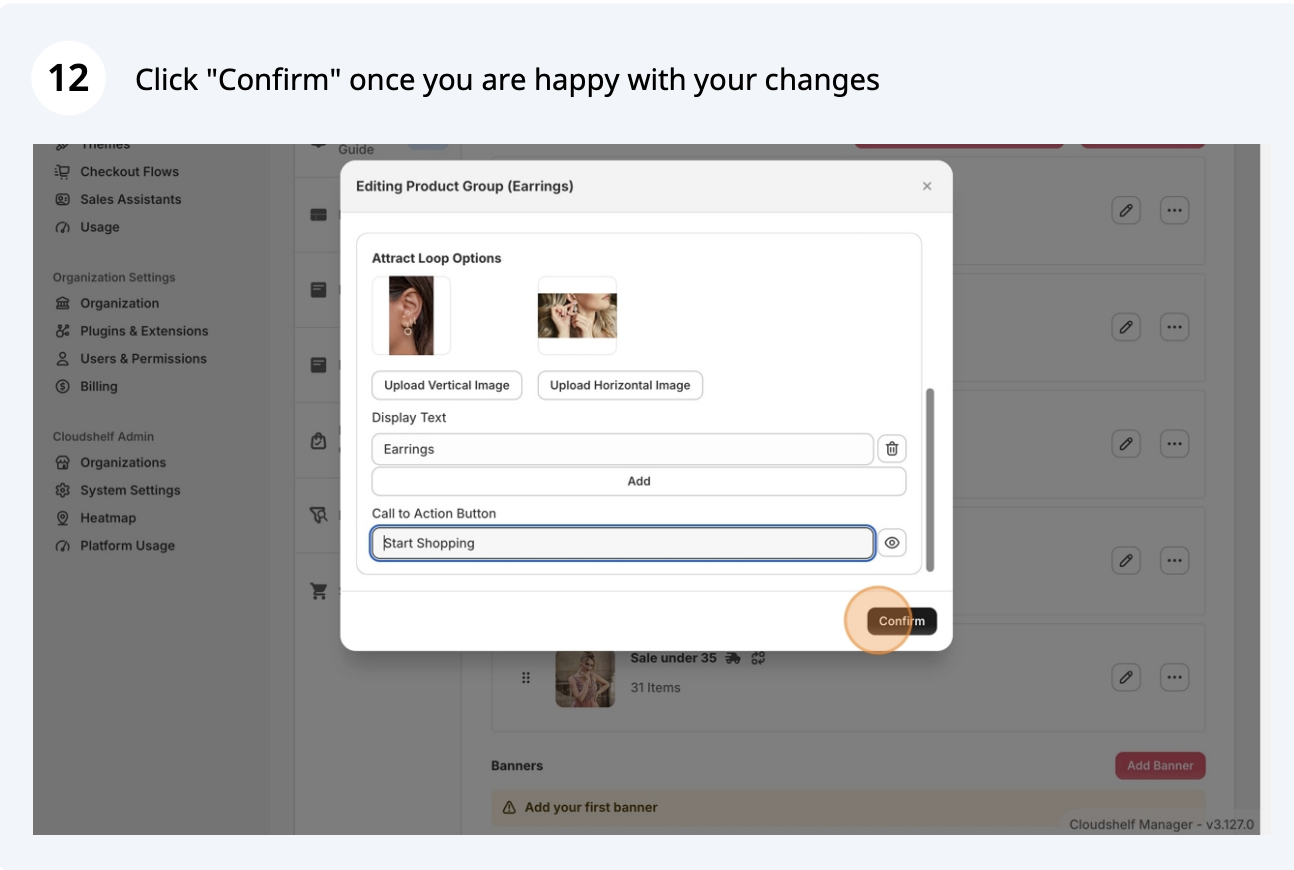
Attract loop setup, step 12 of 16
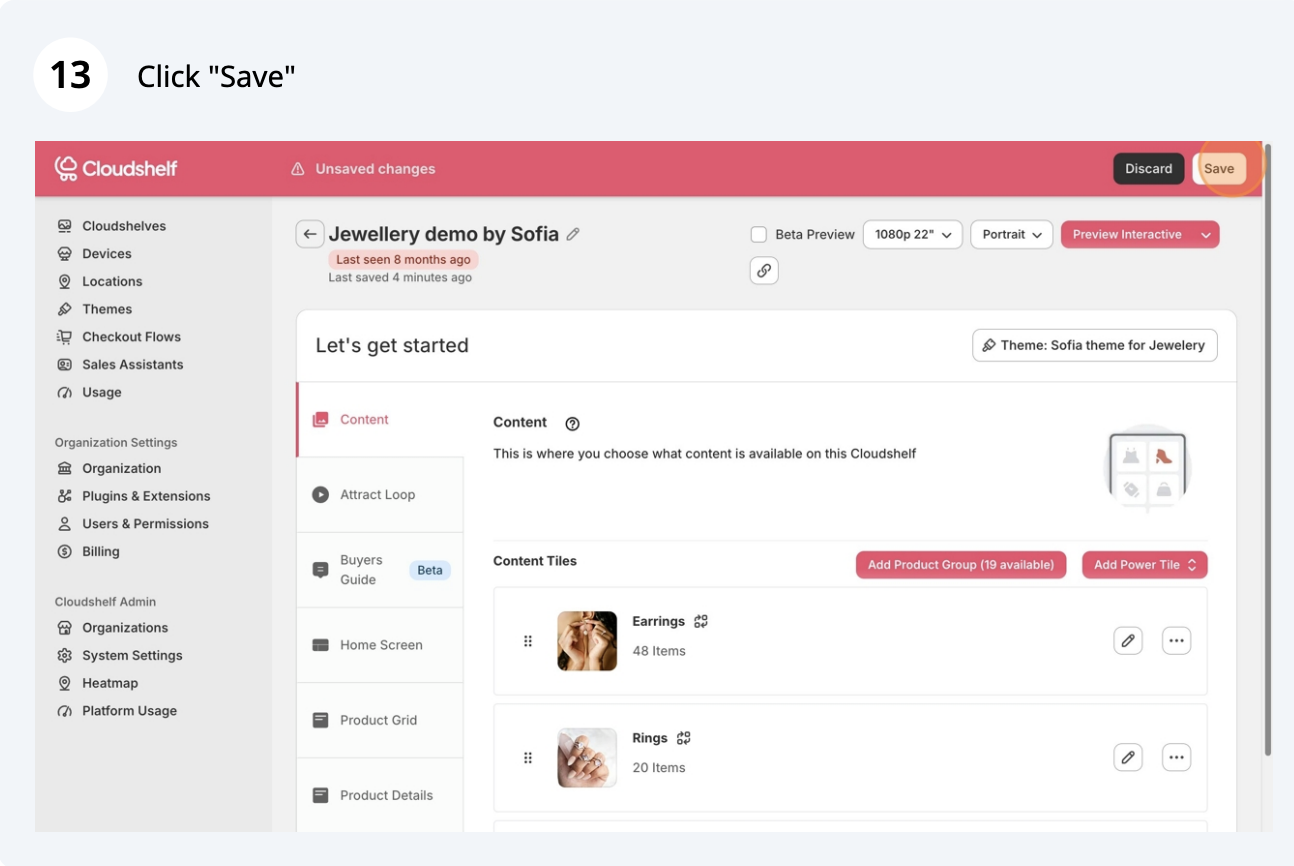
Attract loop setup, step 13 of 16
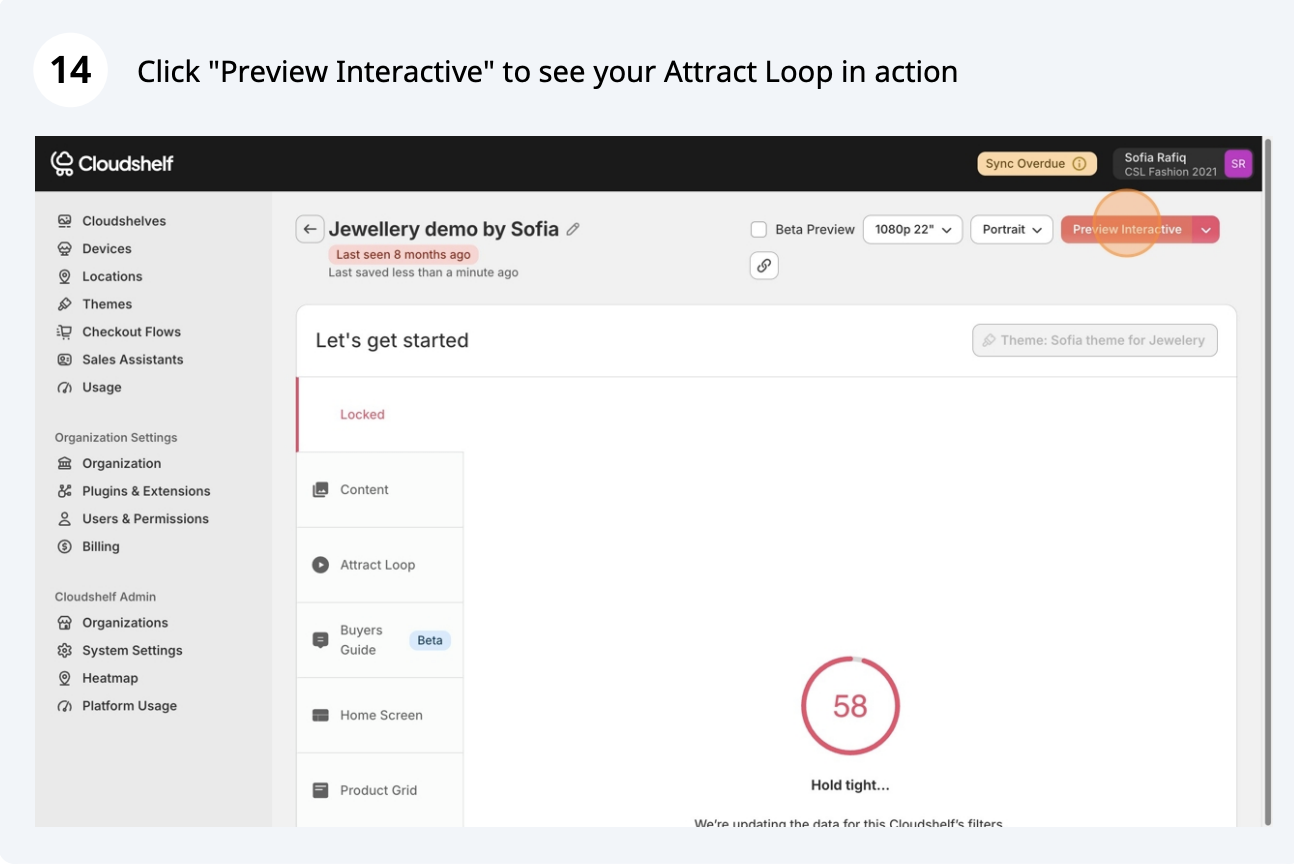
Attract loop setup, step 14 of 16
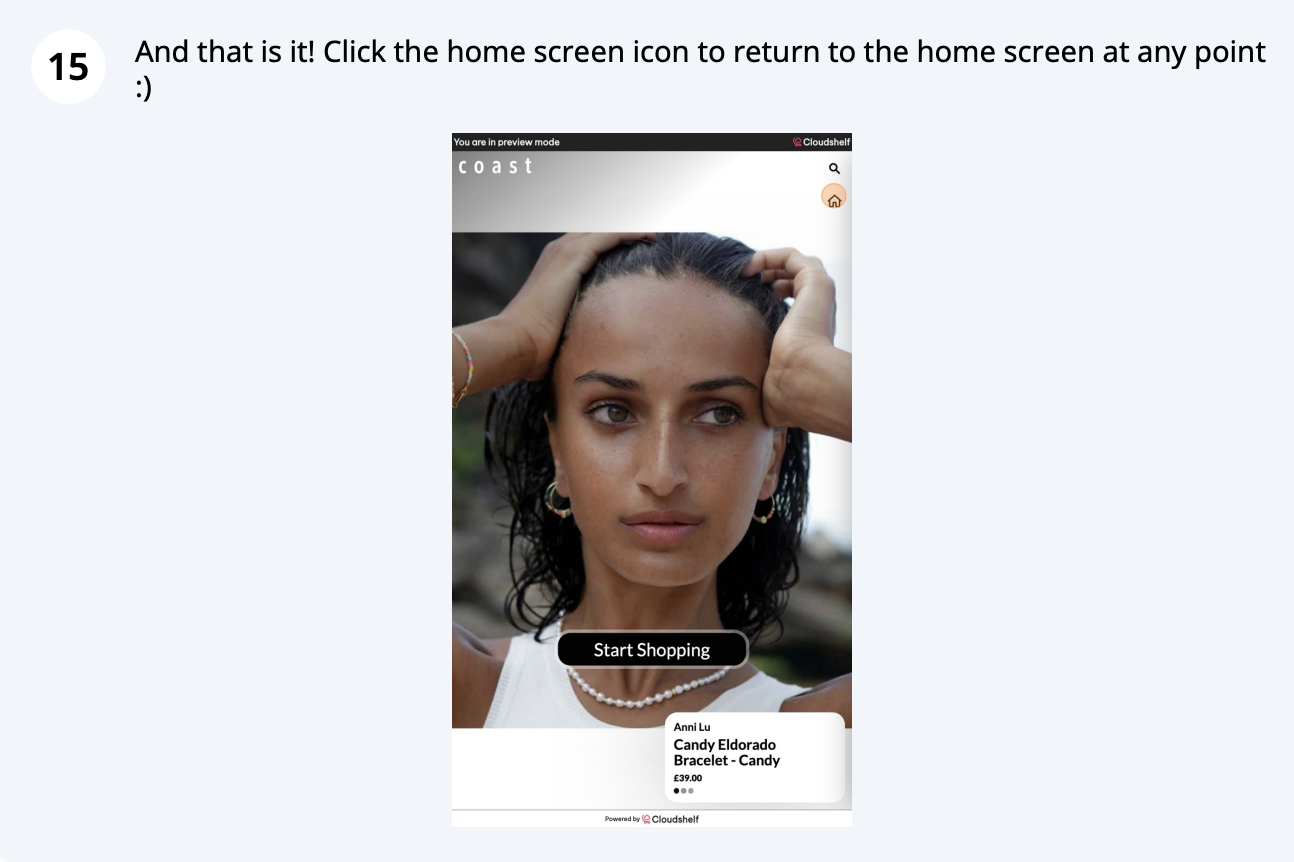
Attract loop setup, step 15 of 16
Attract loop setup, step 16 of 16

Frequently asked questions

Was this helpful?
Thanks for the feedback.
Still stuck?
Tell us the device and what you see on screen. We usually reply within one working day.