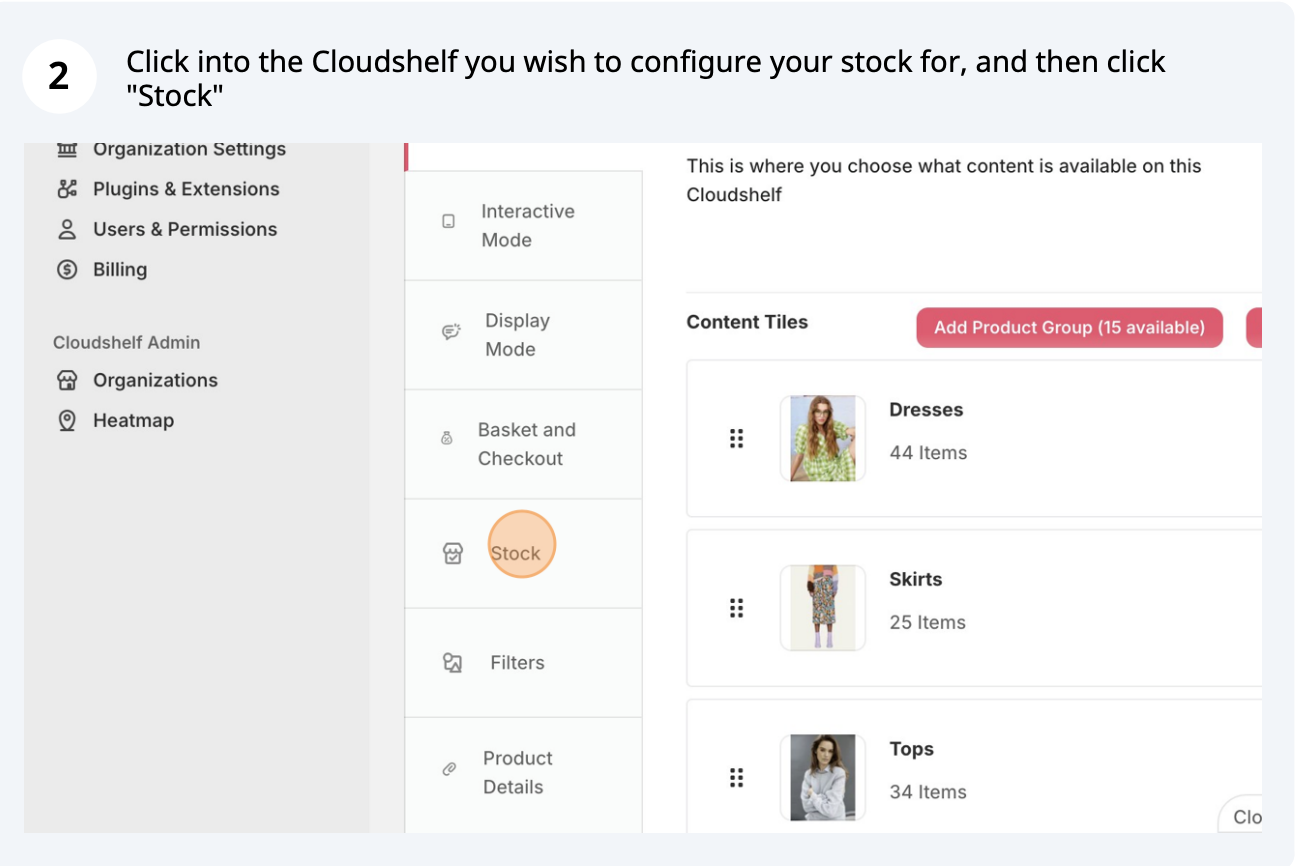
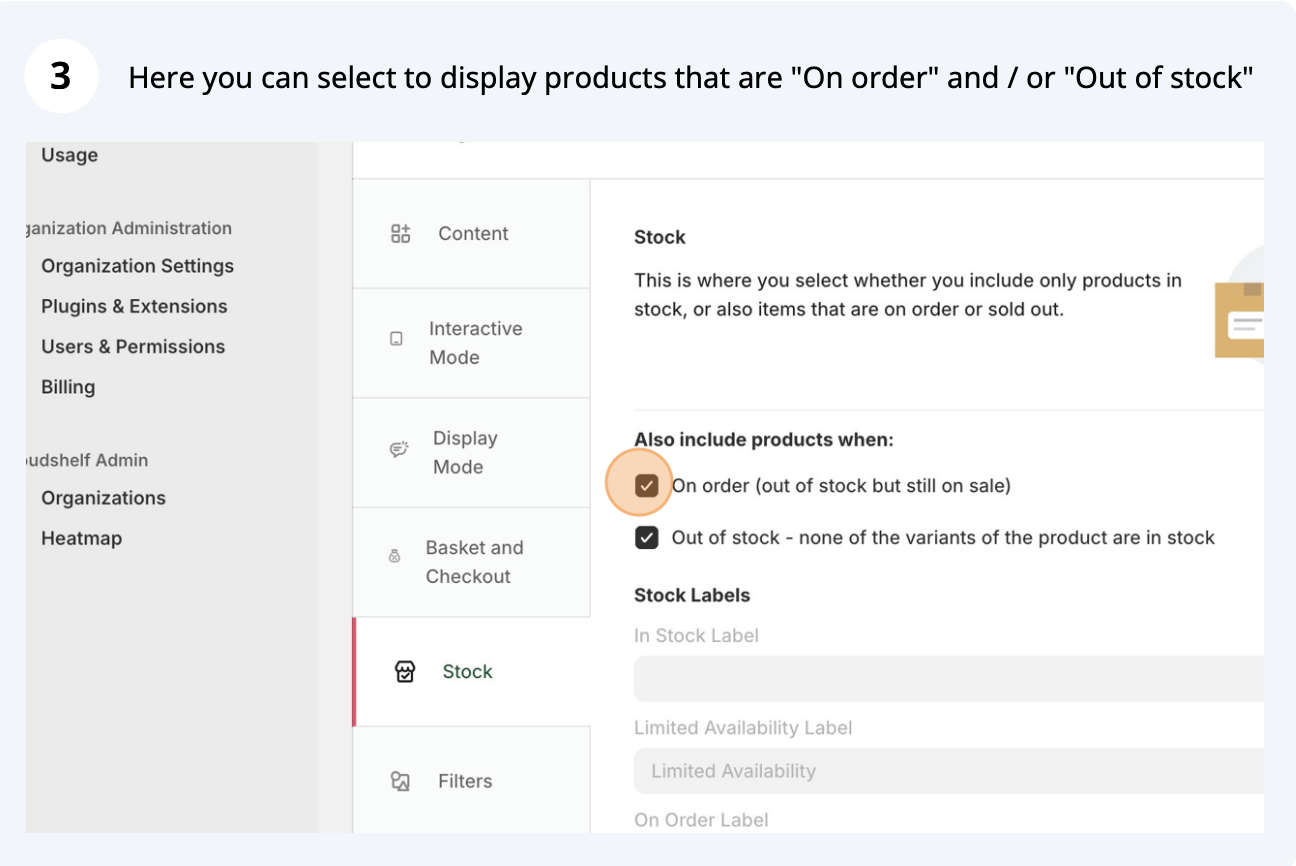
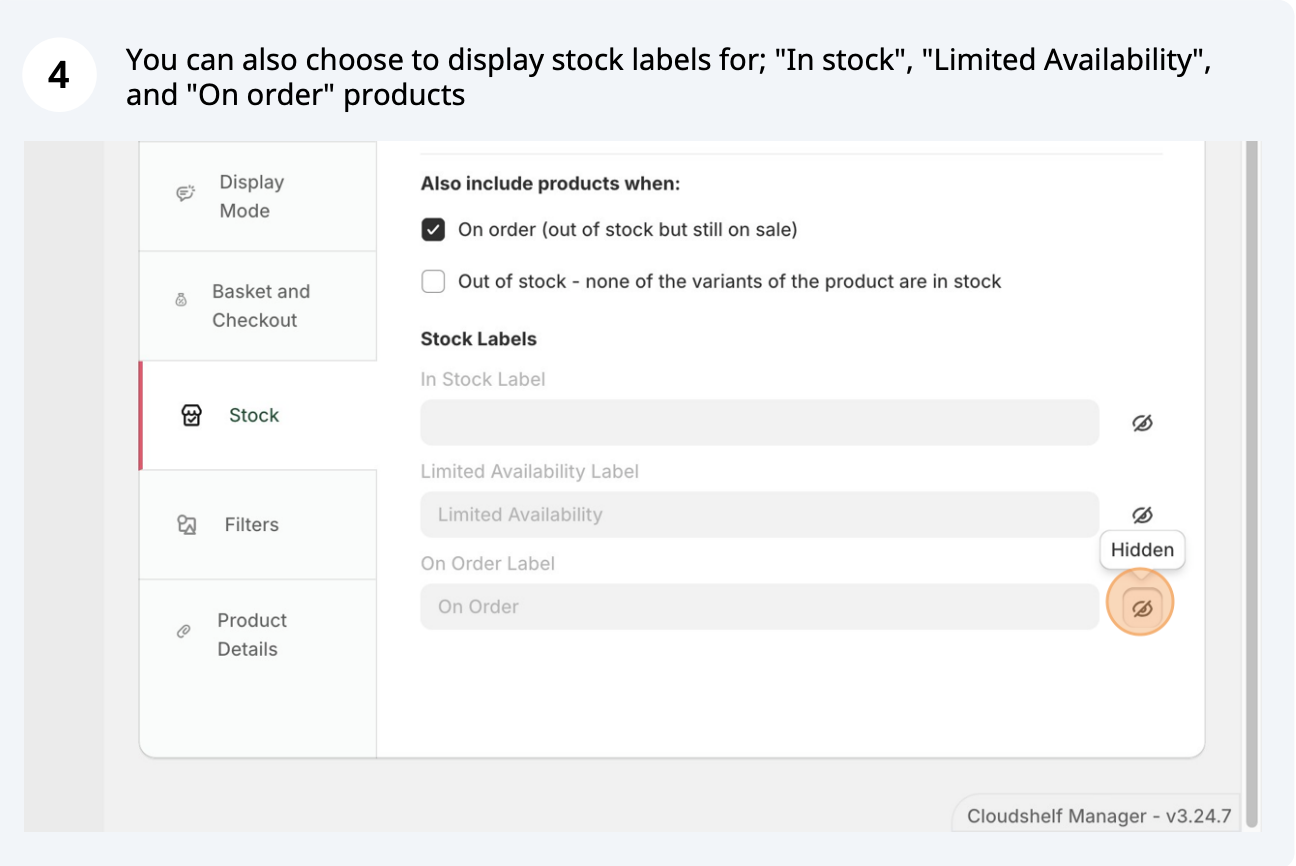
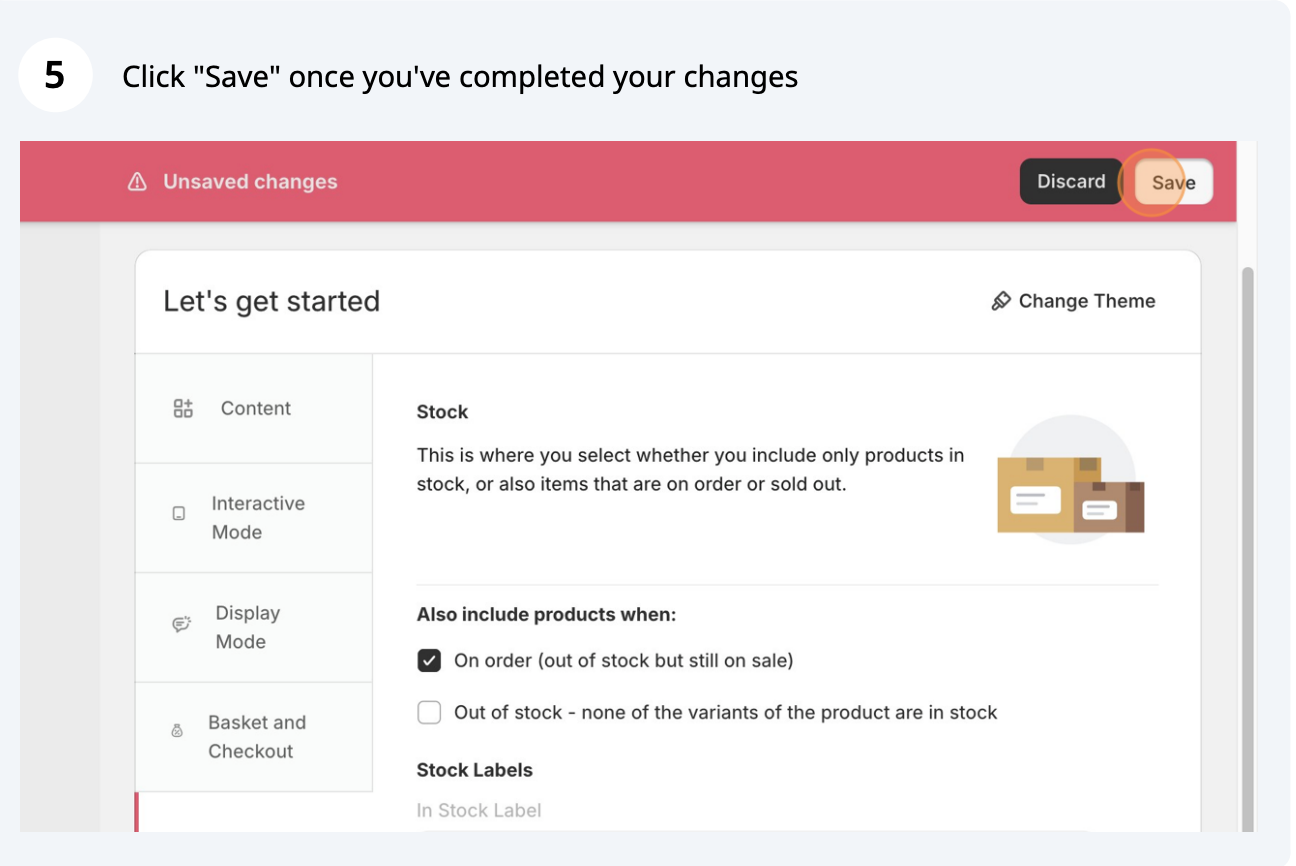
Here are the steps to configure your stock settings in the Cloudshelf app:

If you need any further help, contact our support team on support@cloudshelf.ai.


Set whether your Cloudshelf shows available stock, products available to order and sold-out products.
Here are the steps to configure your stock settings in the Cloudshelf app:
If you need any further help, contact our support team on support@cloudshelf.ai.