How to create a Cloudshelf in Display mode

Step-by-step screenshots for creating a Display mode Cloudshelf for non-touch digital signage.

Last updated
December 13, 2022

Here are the steps to create a Cloudshelf in Display mode in the Cloudshelf app:
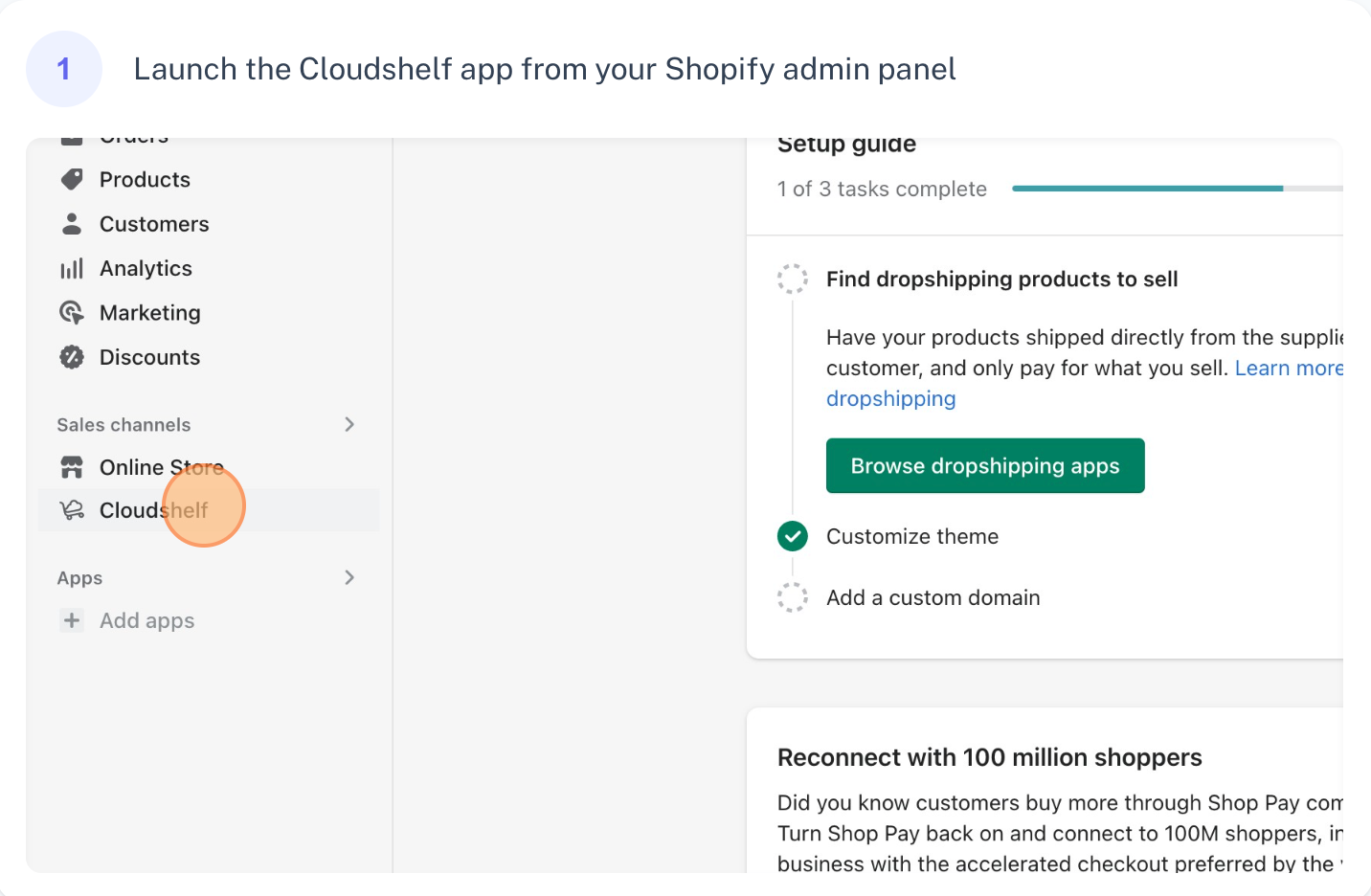
Create a Display mode Cloudshelf, step 1 of 9
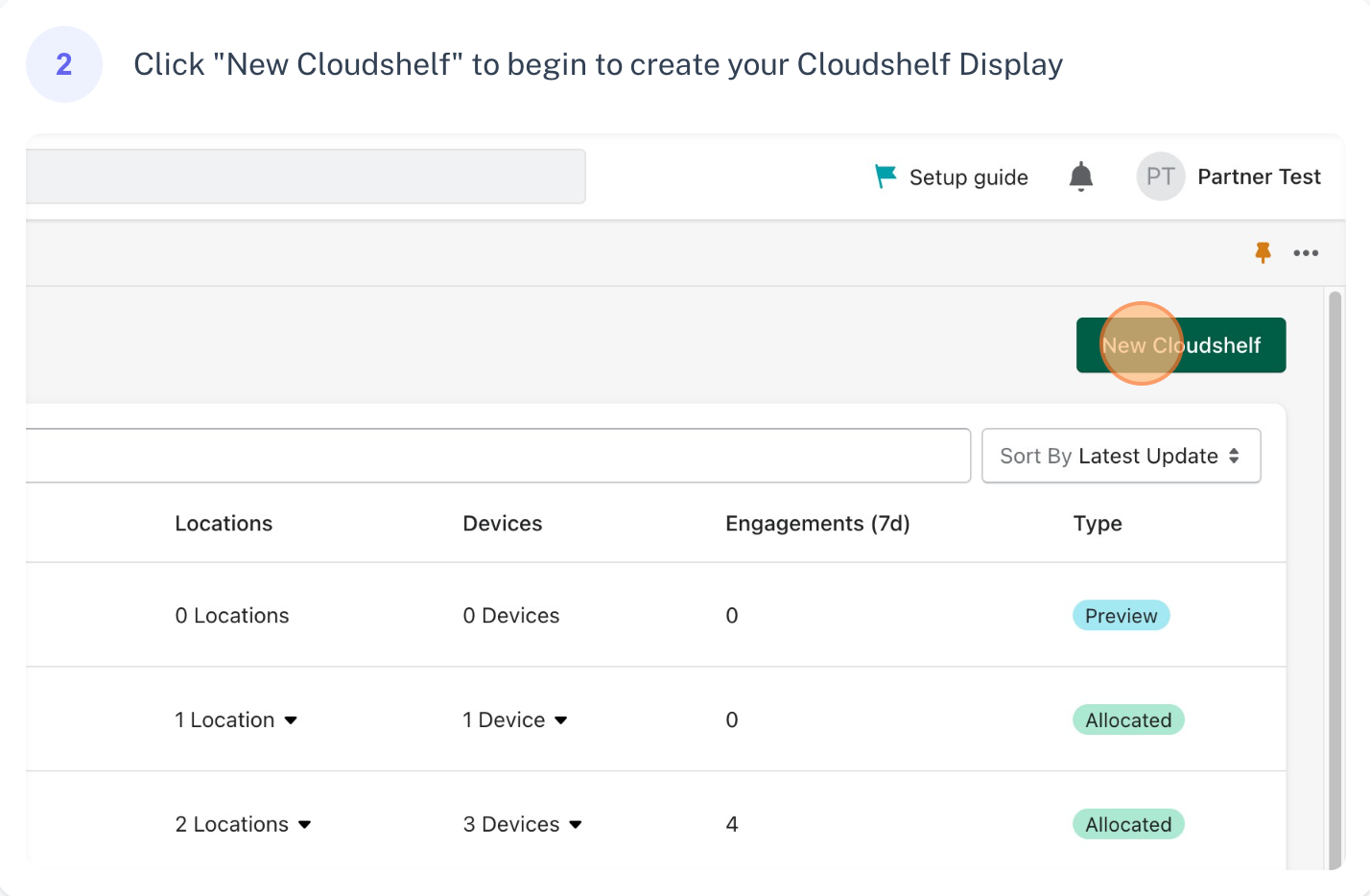
Create a Display mode Cloudshelf, step 2 of 9
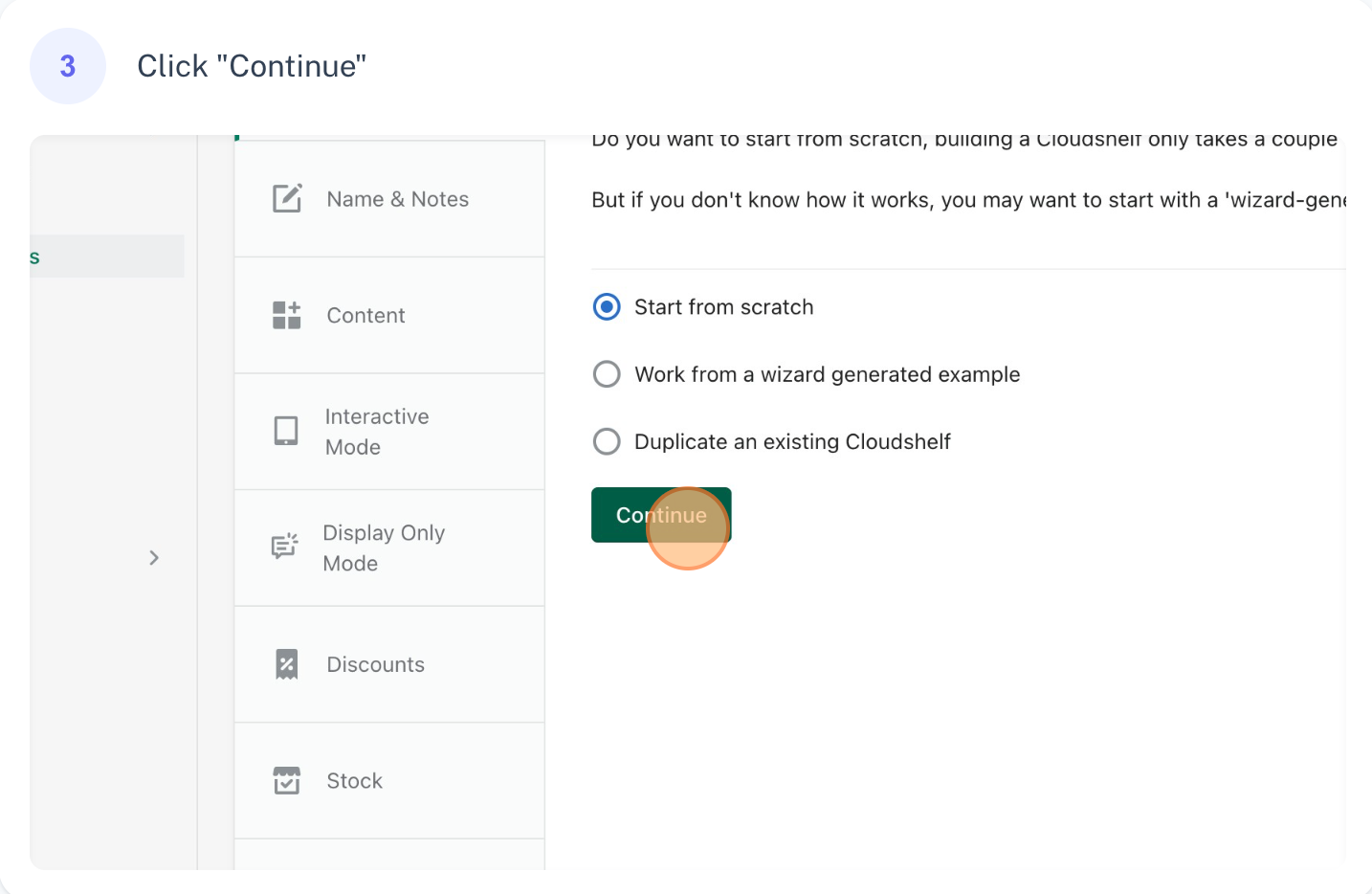
Create a Display mode Cloudshelf, step 3 of 9
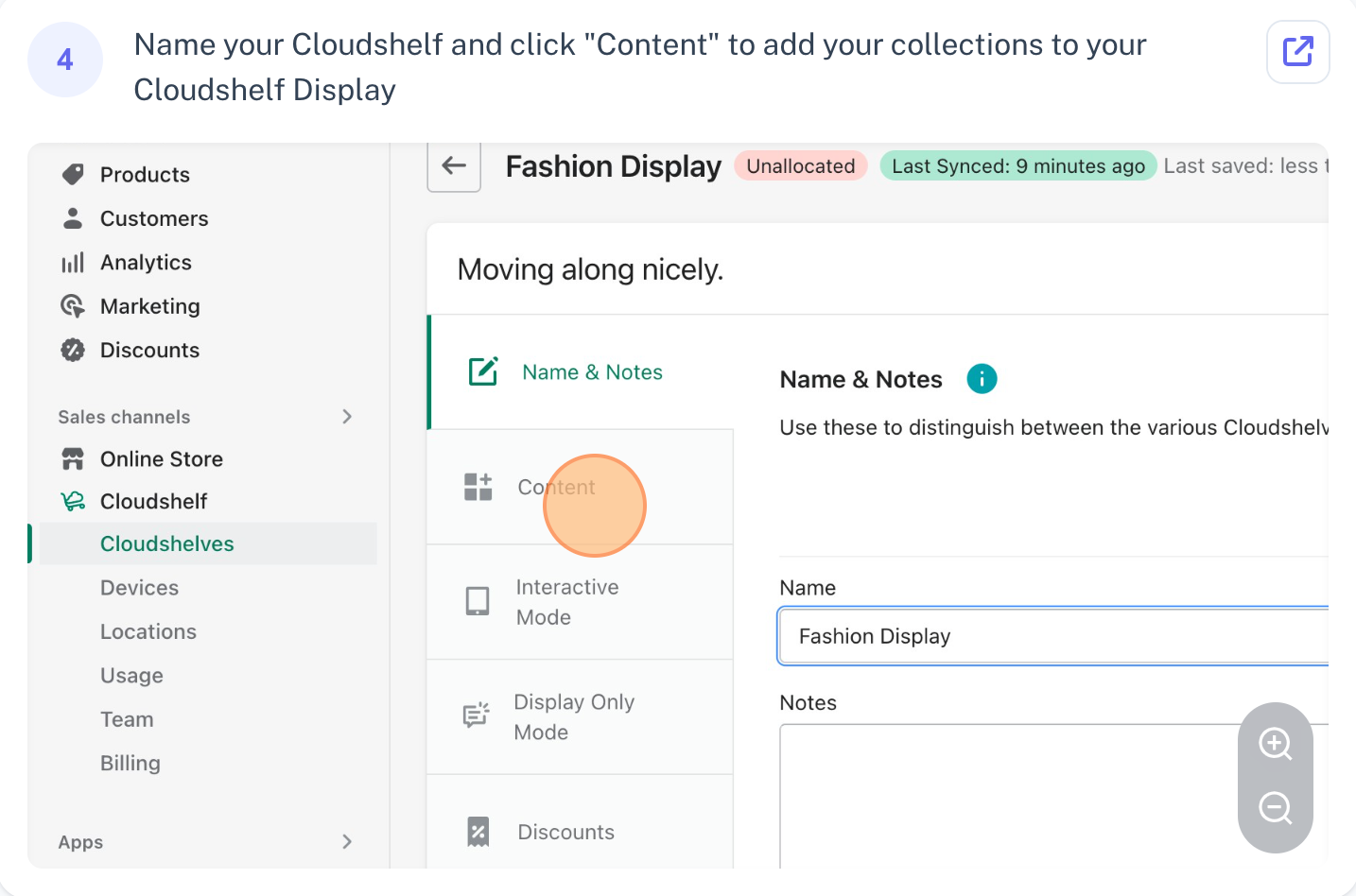
Create a Display mode Cloudshelf, step 4 of 9
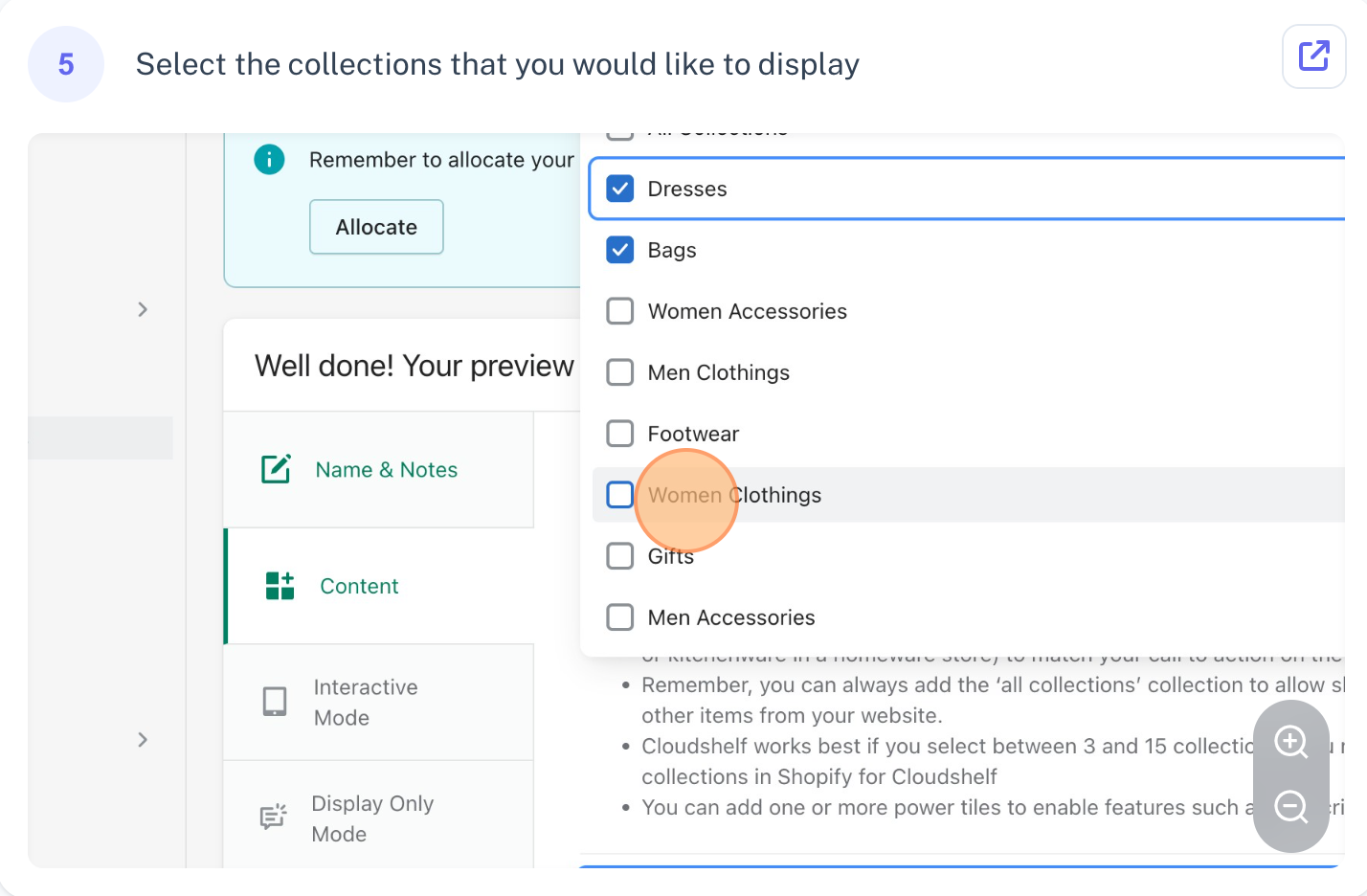
Create a Display mode Cloudshelf, step 5 of 9
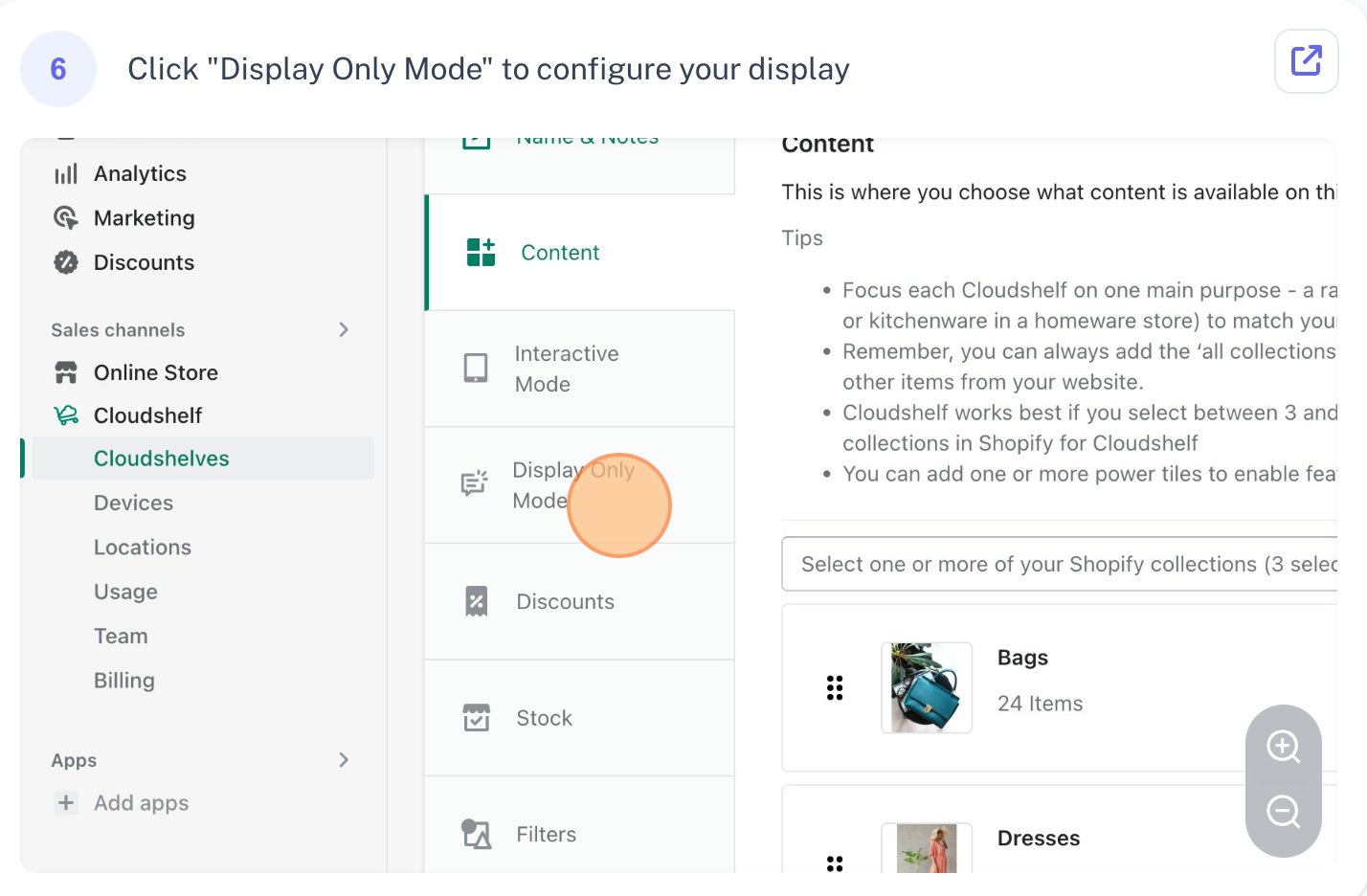
Create a Display mode Cloudshelf, step 6 of 9
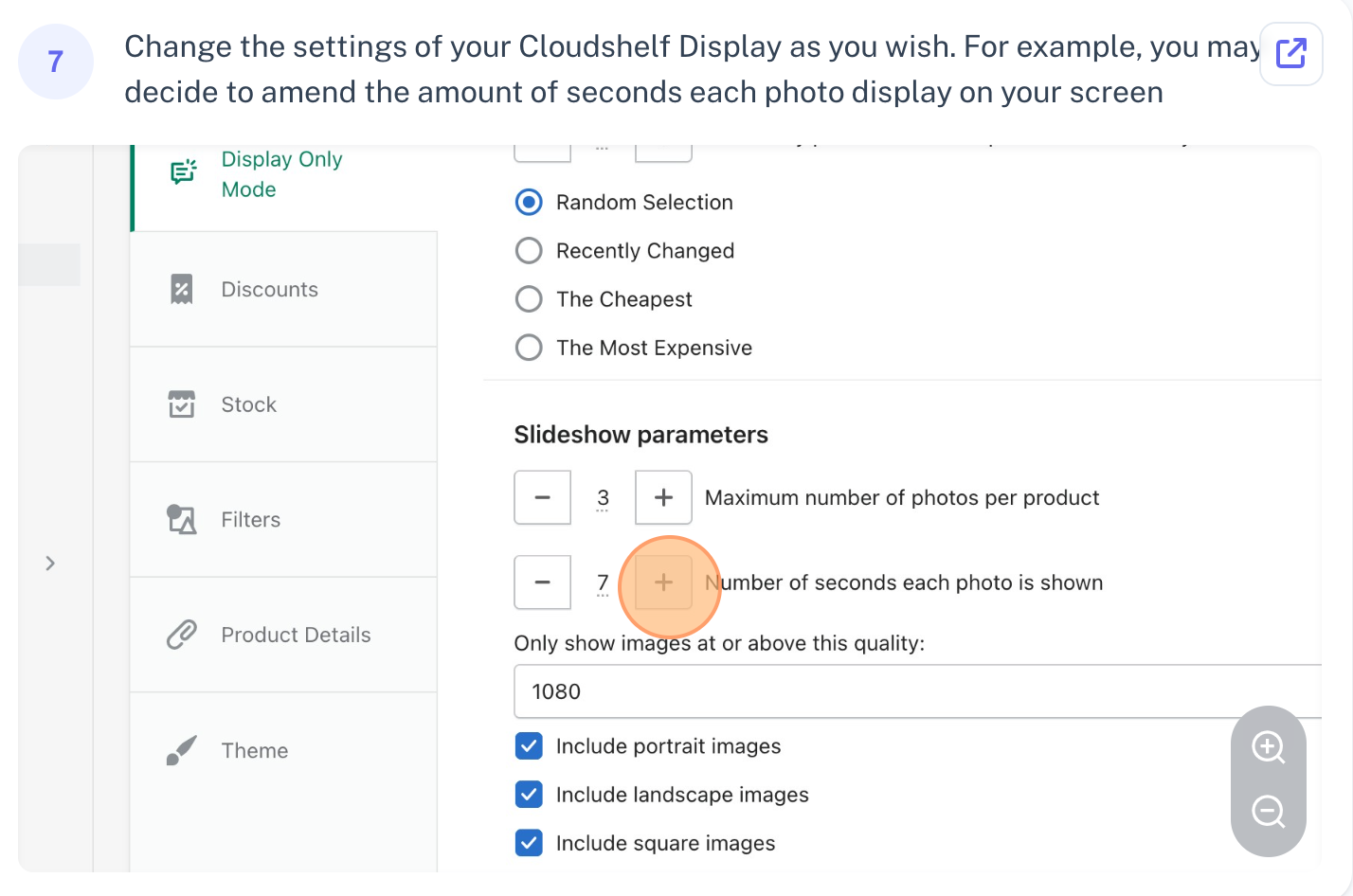
Create a Display mode Cloudshelf, step 7 of 9
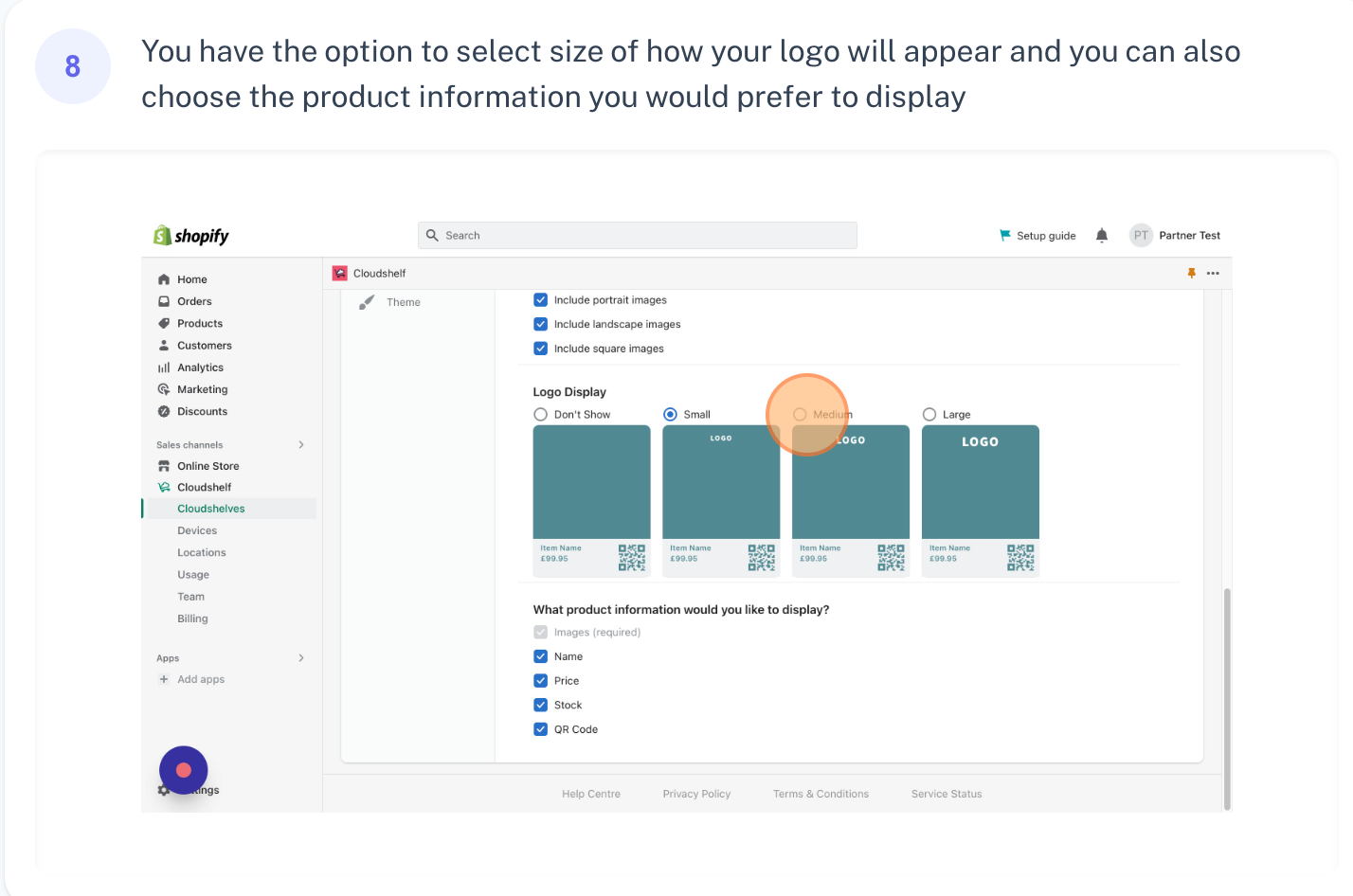
Create a Display mode Cloudshelf, step 8 of 9
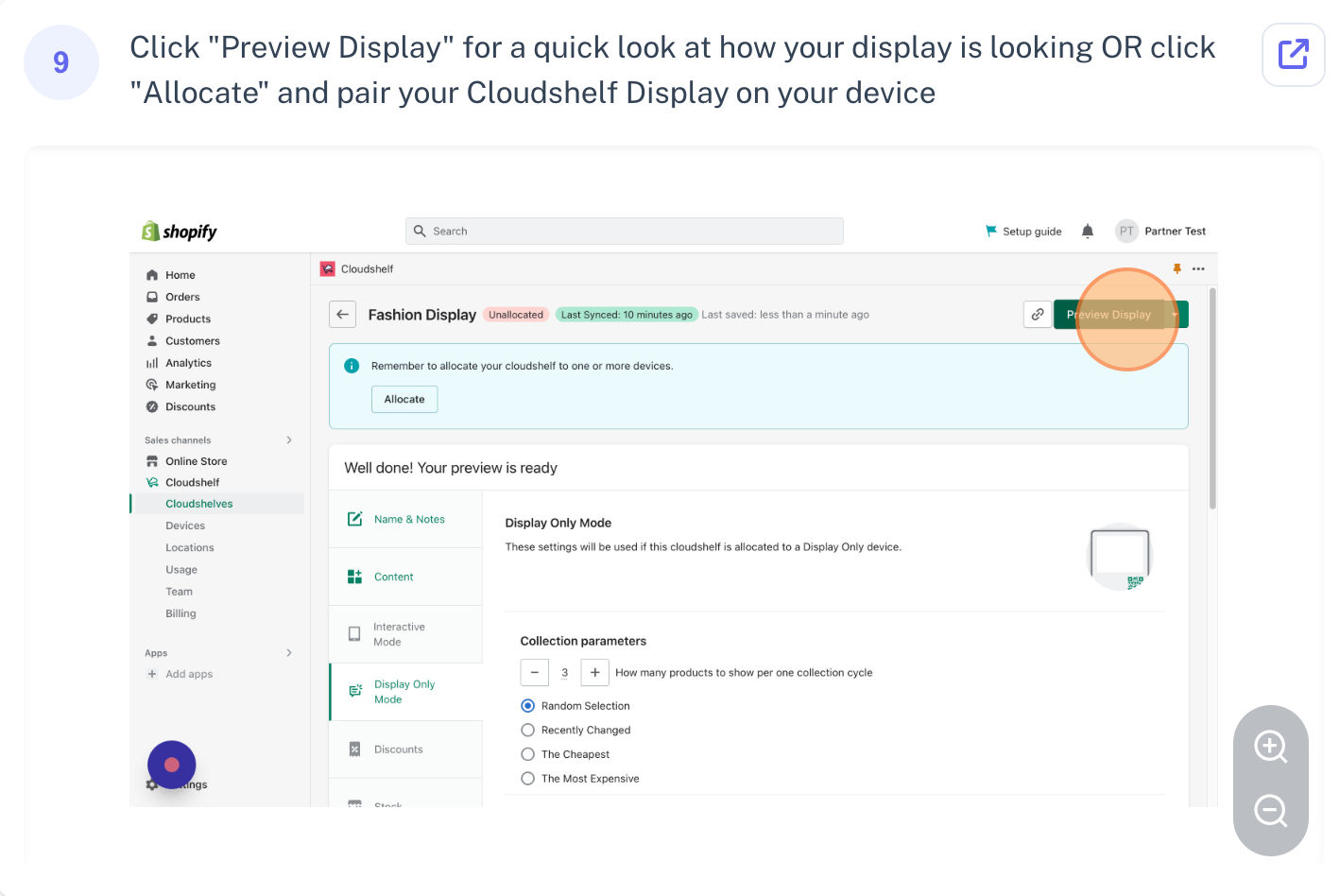
Create a Display mode Cloudshelf, step 9 of 9

If you need any help with this, contact our support team on support@cloudshelf.ai.

Frequently asked questions

Was this helpful?
Thanks for the feedback.
Still stuck?
Tell us the device and what you see on screen. We usually reply within one working day.