How to add a custom screen banner to your Cloudshelf

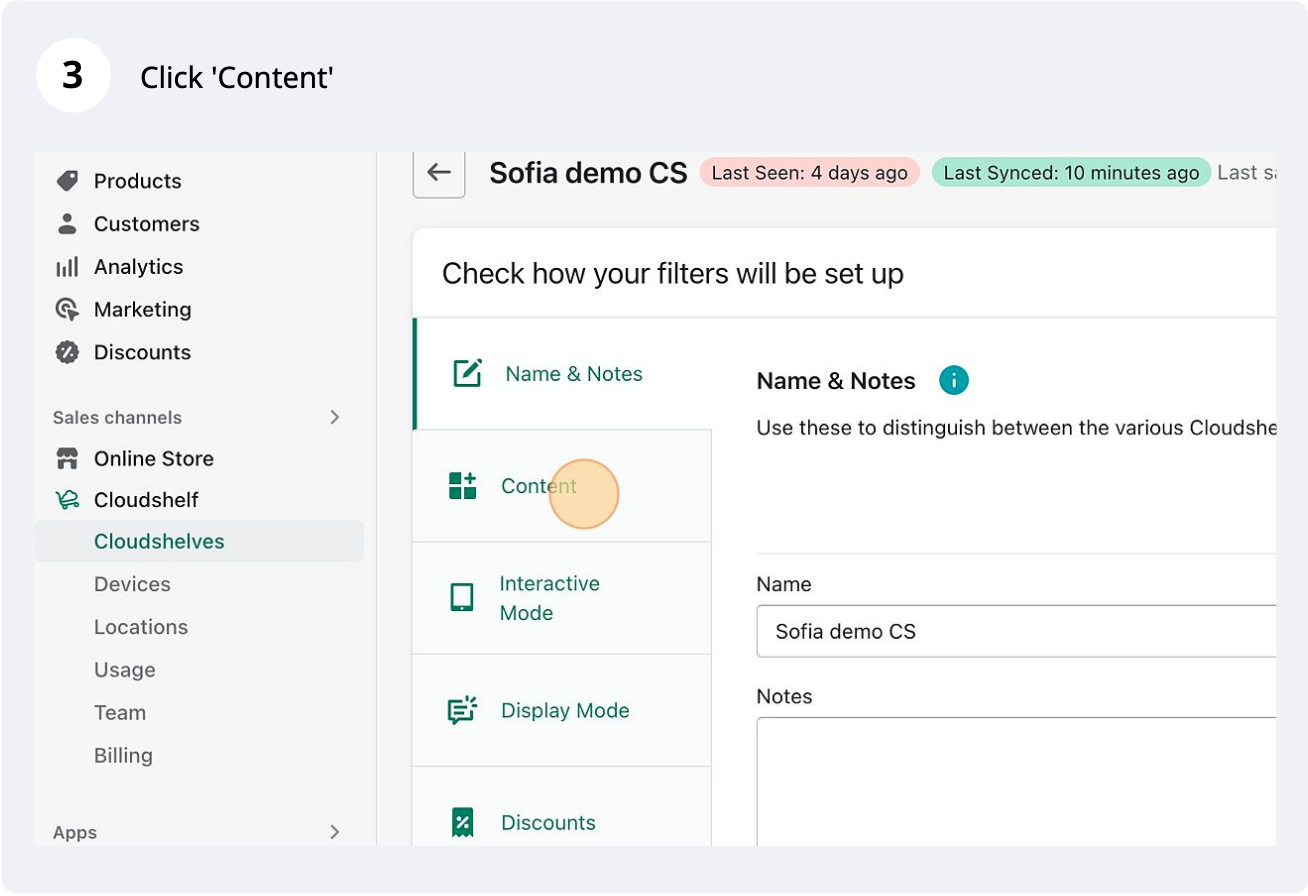
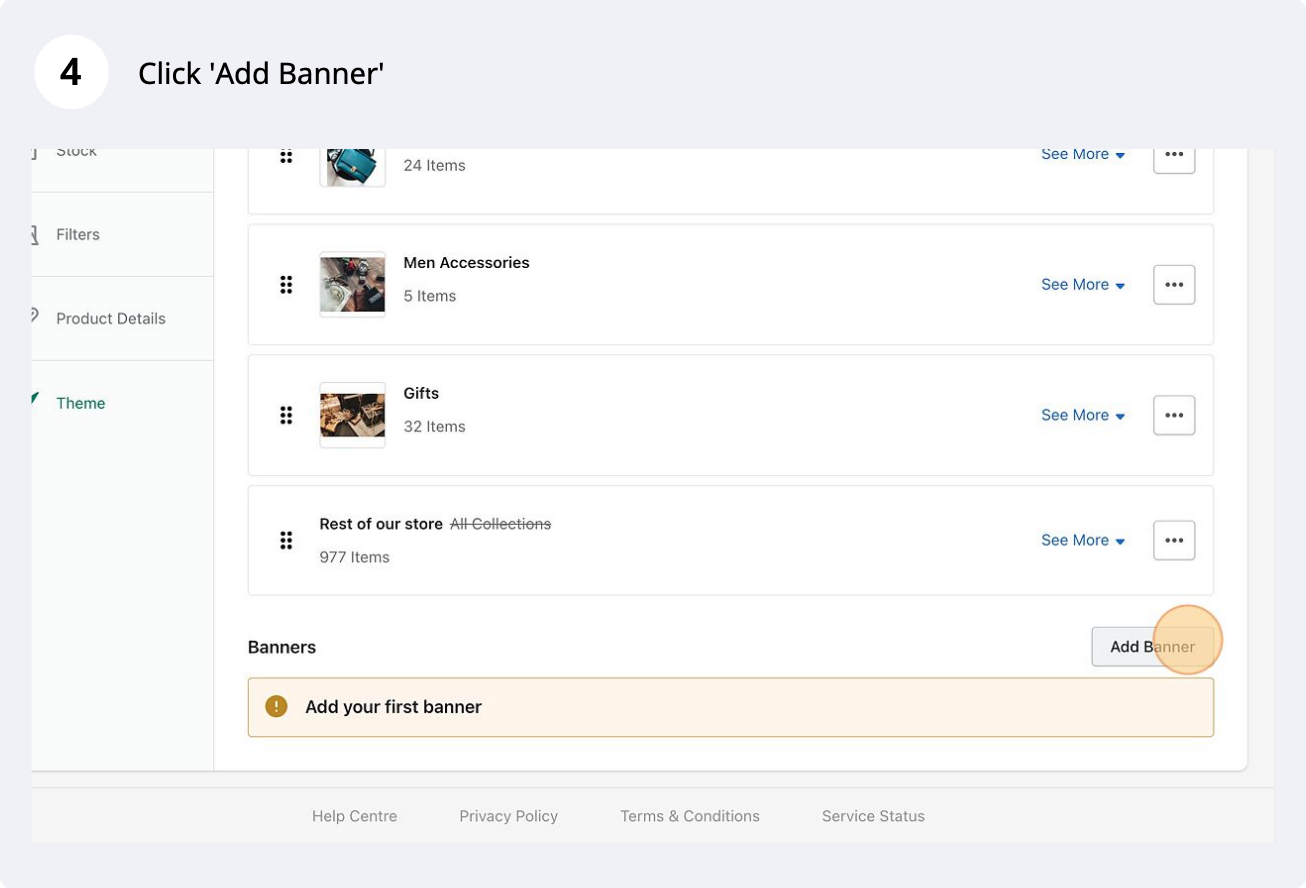
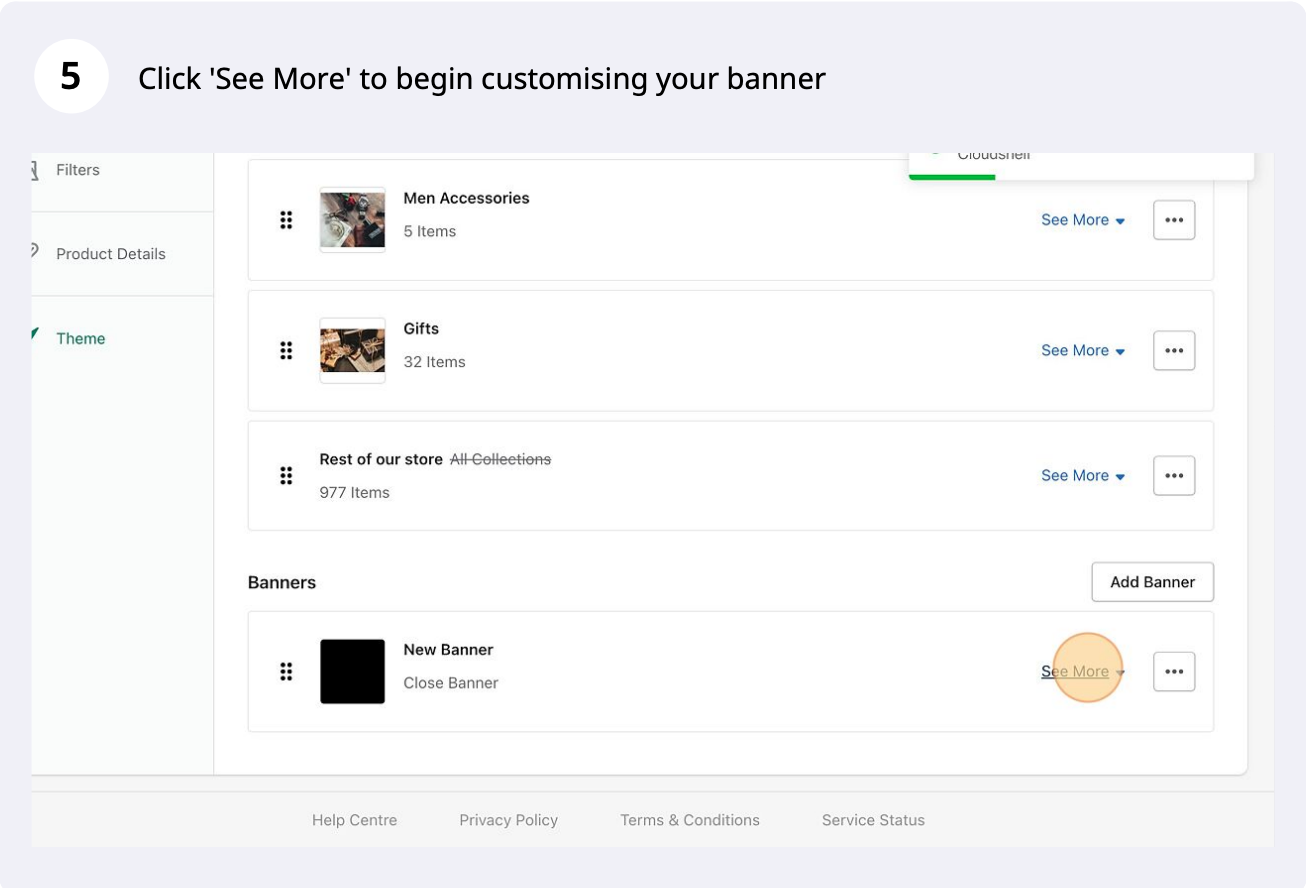
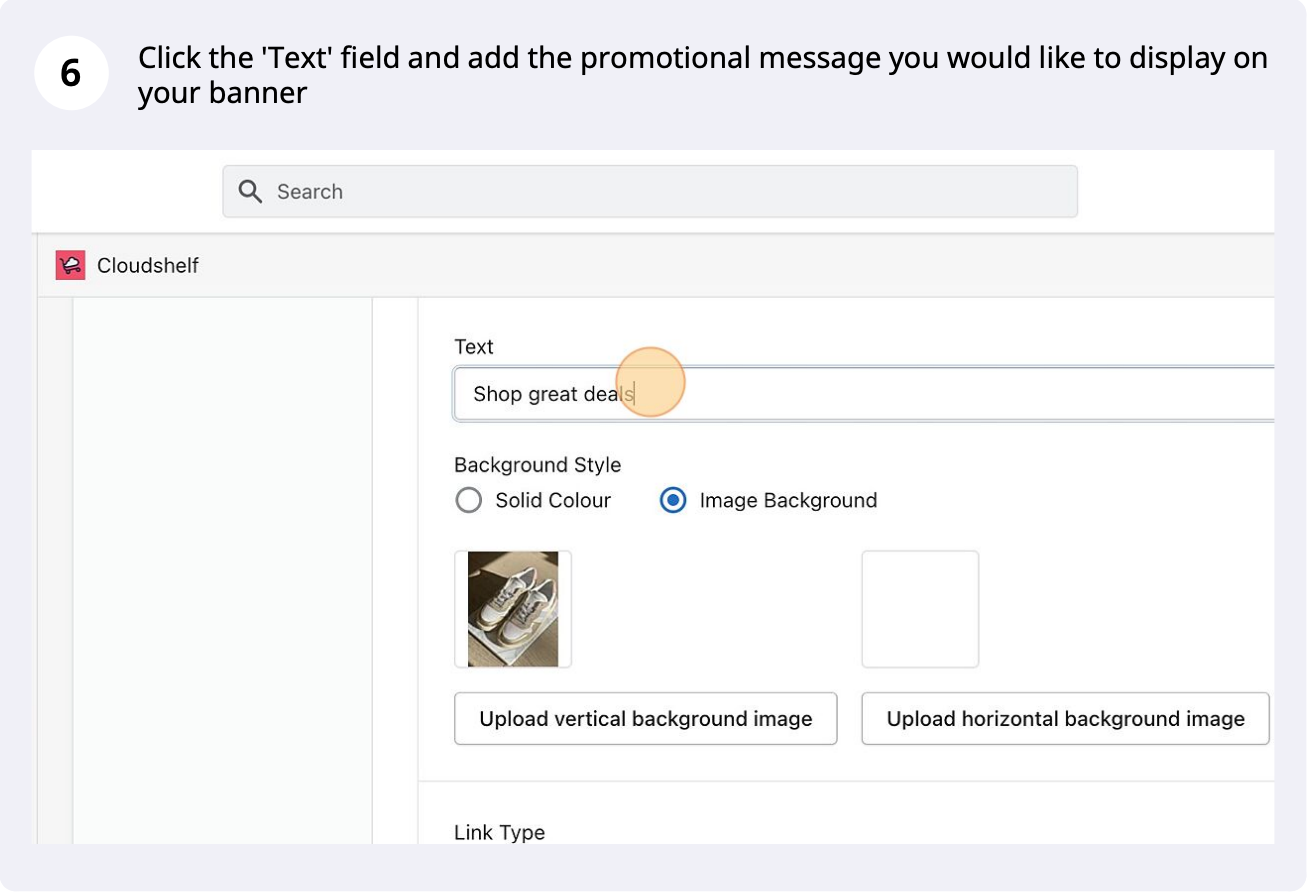
Step-by-step screenshots for uploading your own banner image as a full-screen banner on your Cloudshelf.

Last updated
January 24, 2023

Here are some quick steps to create a custom screen banner for your Cloudshelf:
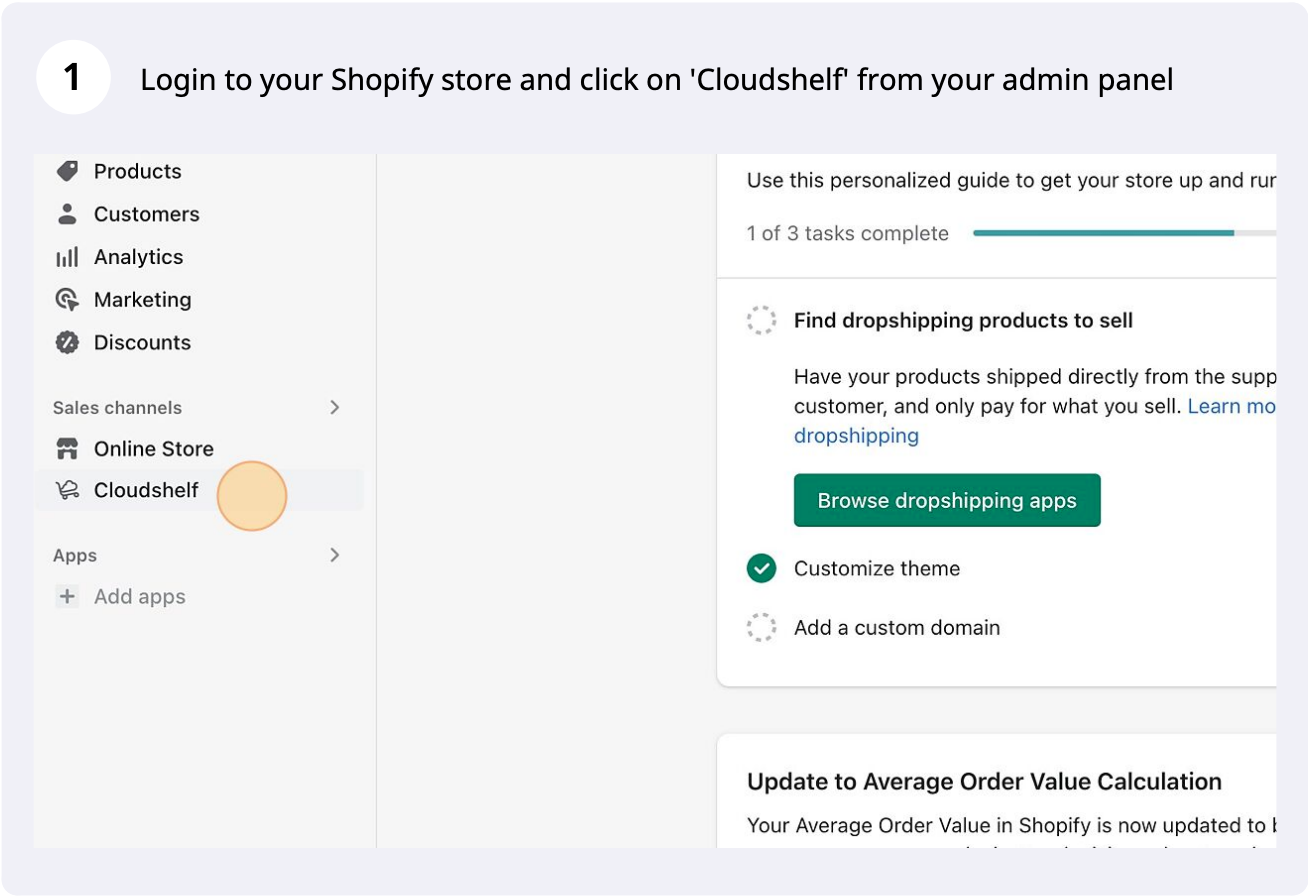
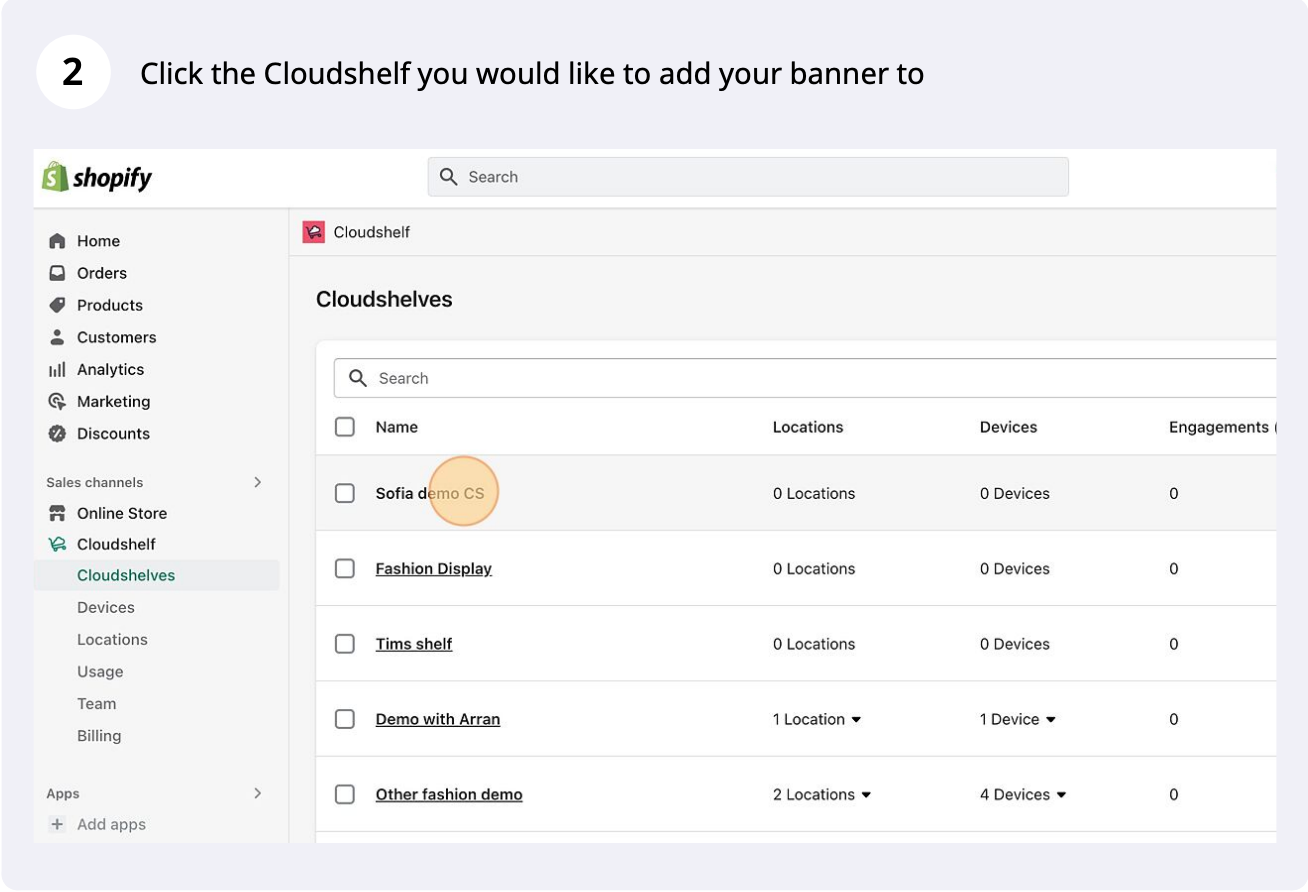
Custom screen banner, step 1 of 14
Custom screen banner, step 2 of 14
Custom screen banner, step 3 of 14
Custom screen banner, step 4 of 14
Custom screen banner, step 5 of 14
Custom screen banner, step 6 of 14
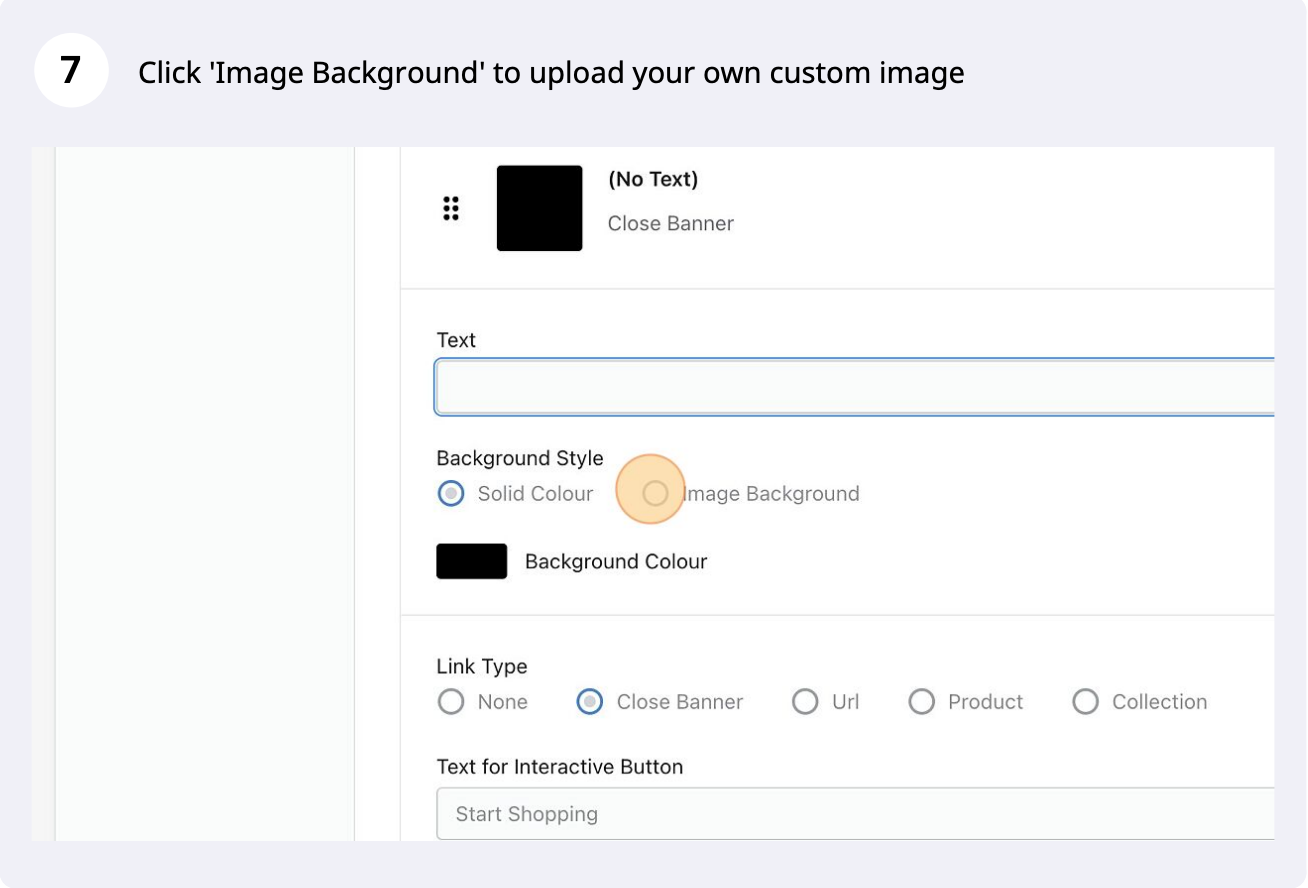
Custom screen banner, step 7 of 14
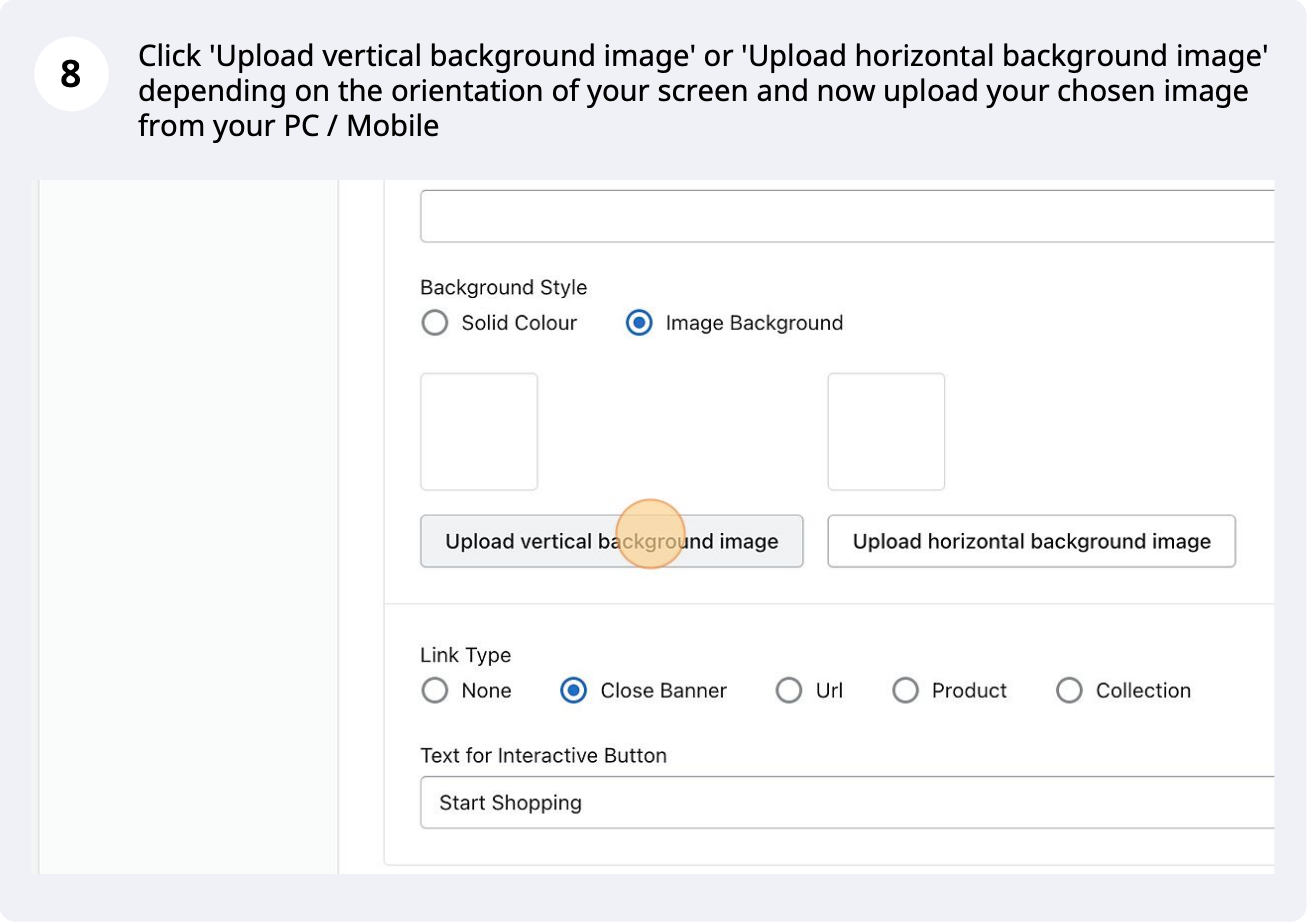
Custom screen banner, step 8 of 14
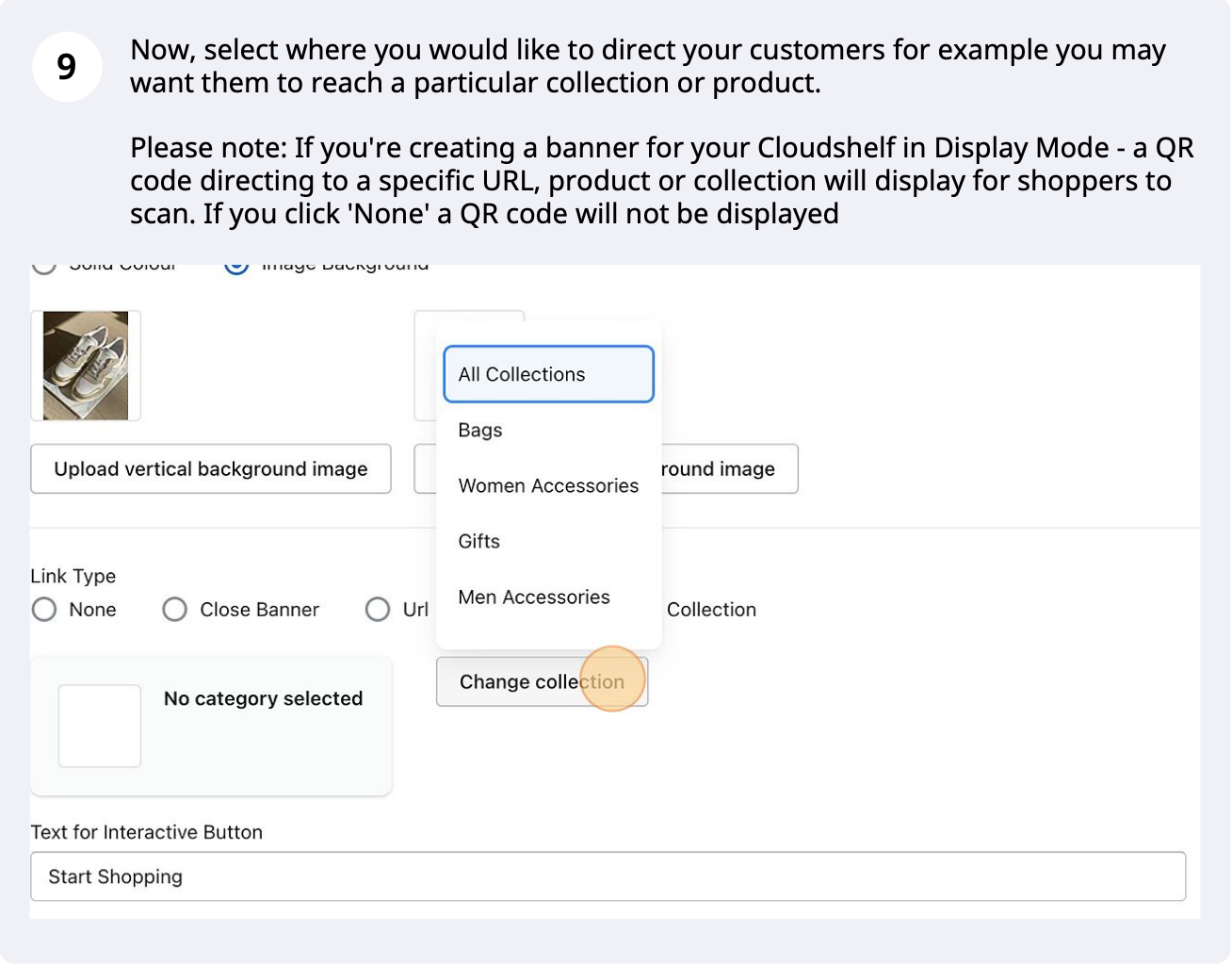
Custom screen banner, step 9 of 14
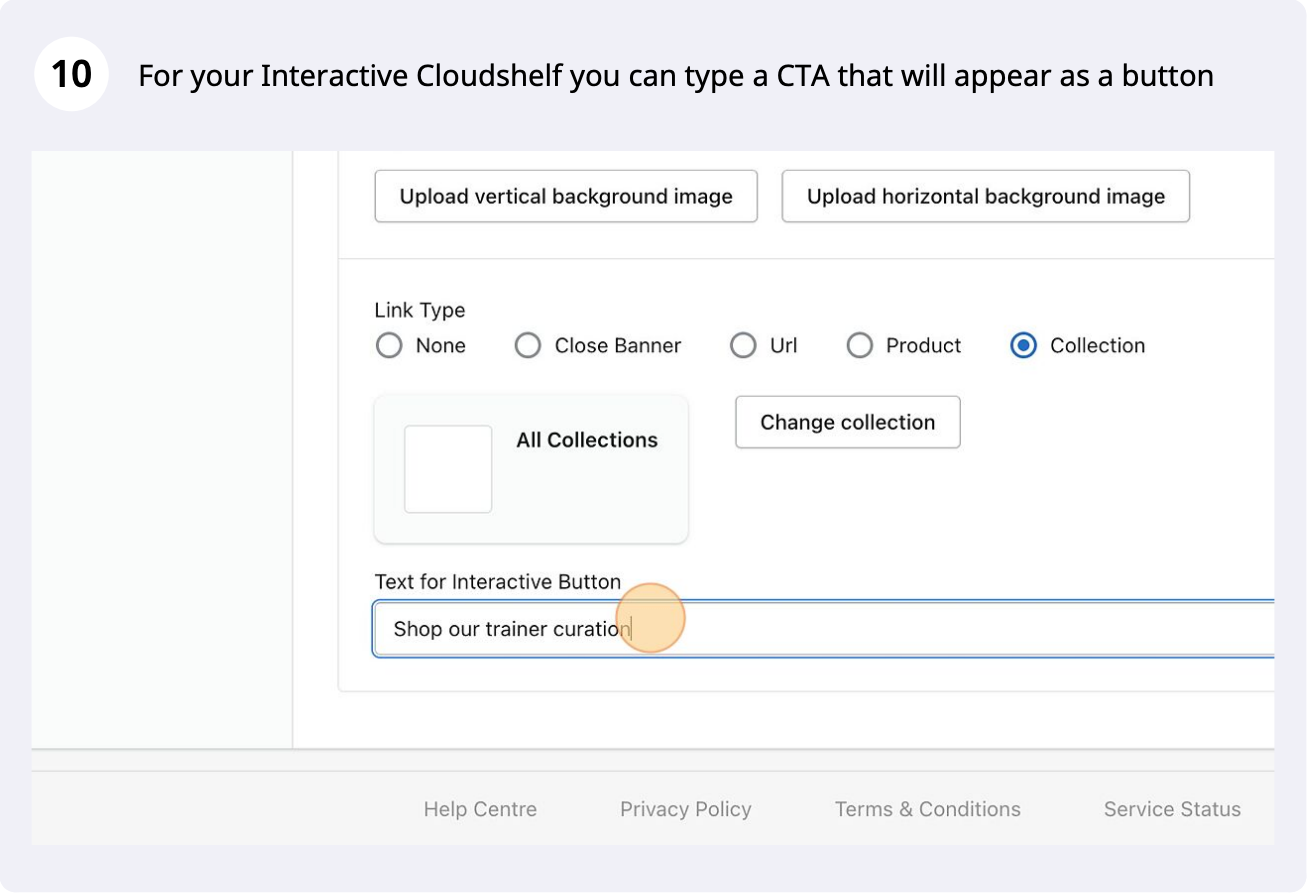
Custom screen banner, step 10 of 14
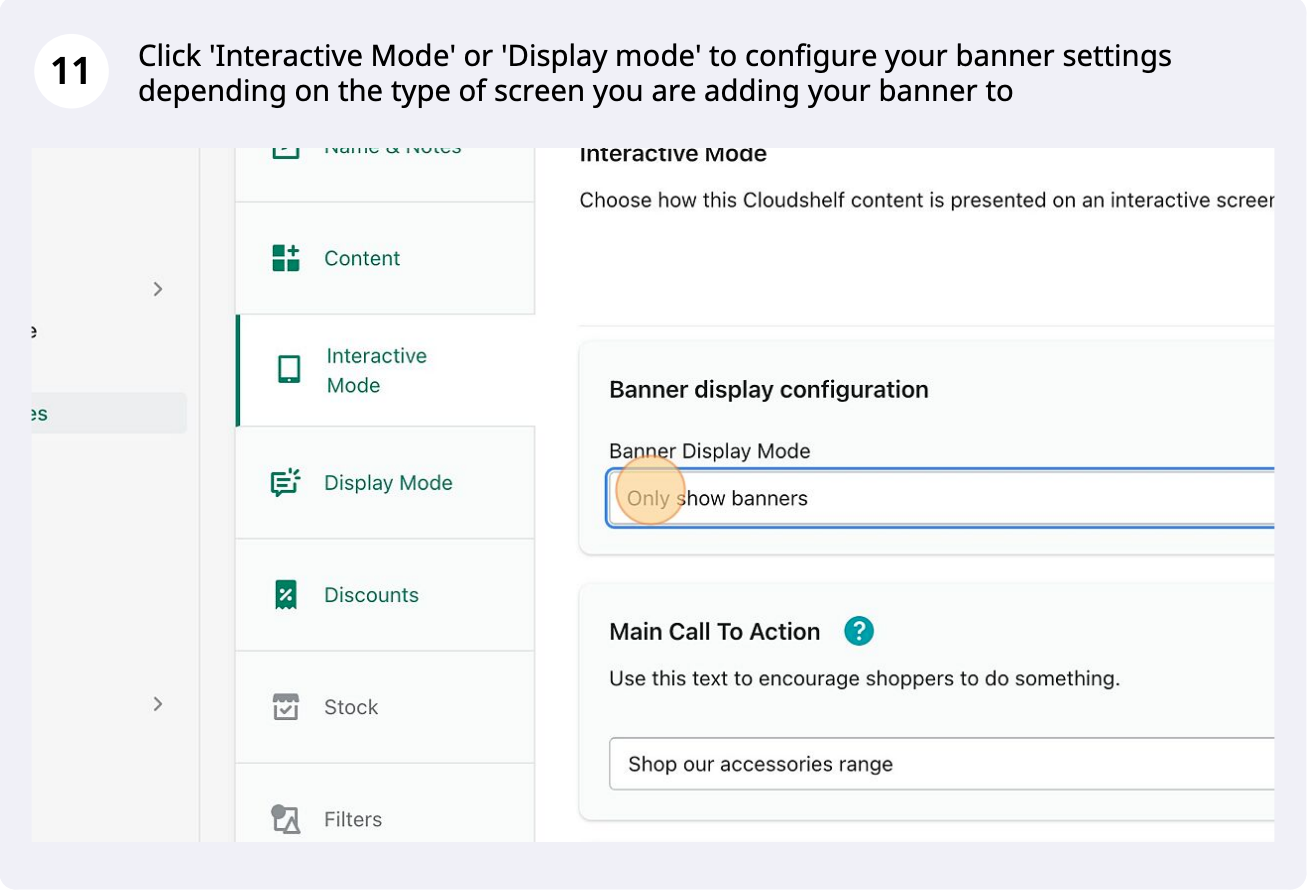
Custom screen banner, step 11 of 14
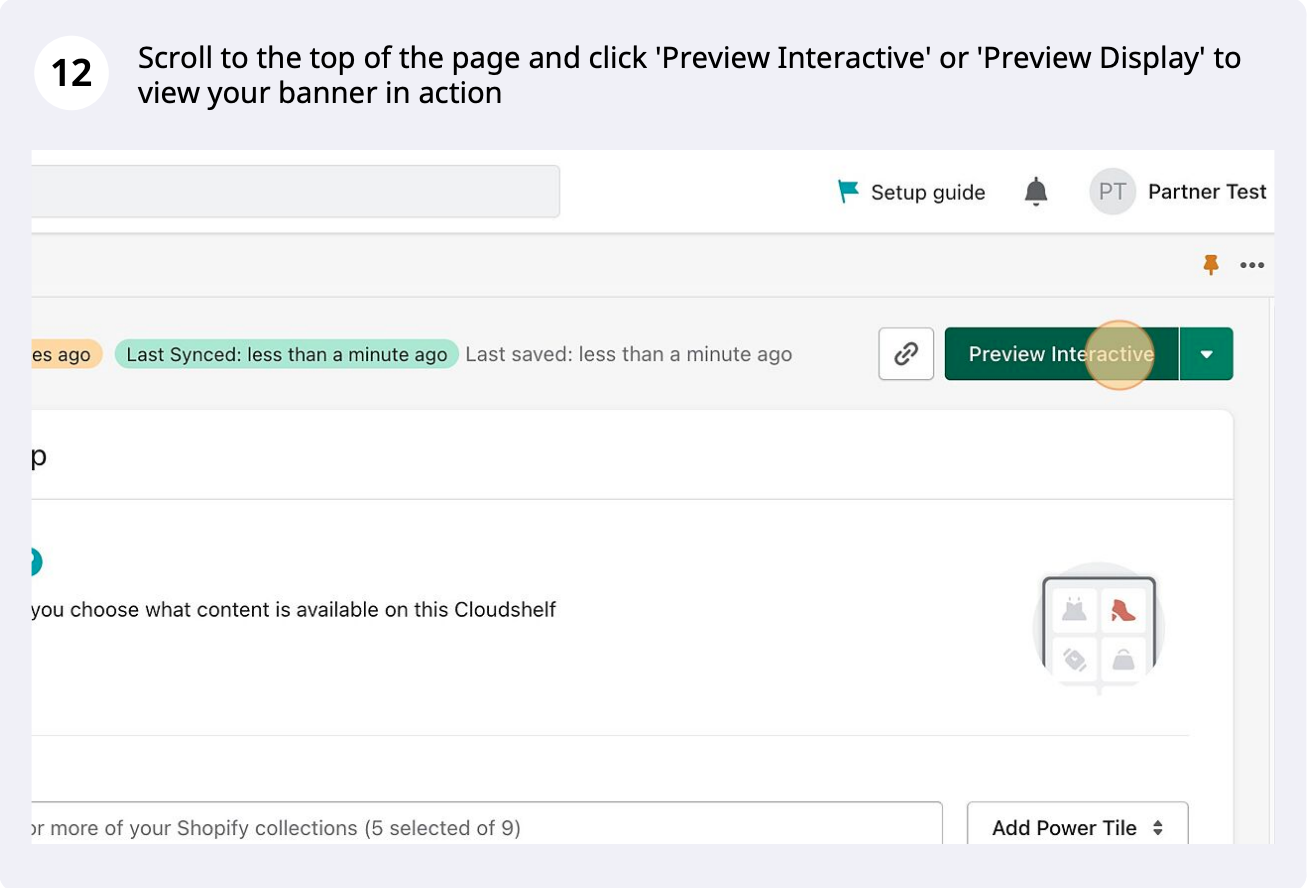
Custom screen banner, step 12 of 14
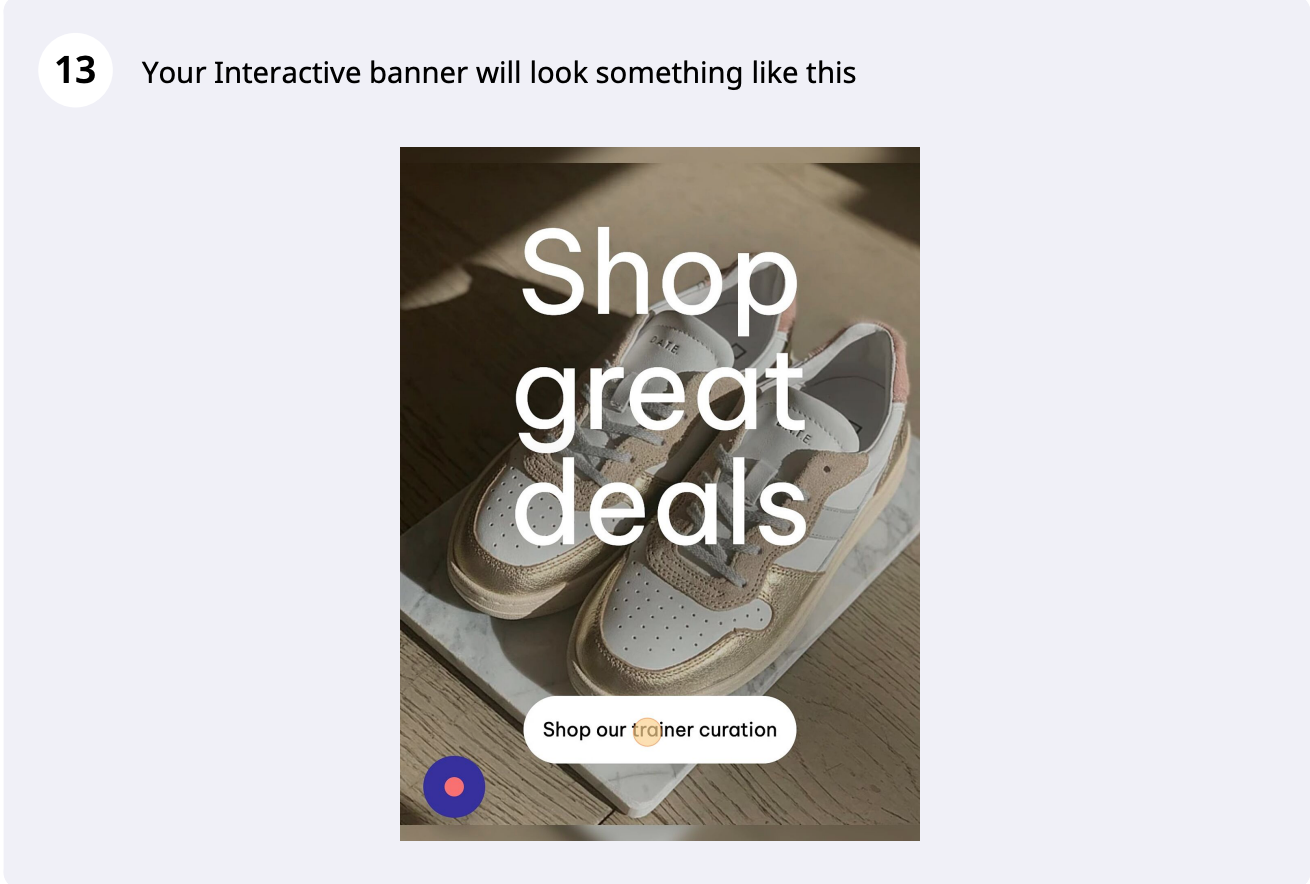
Custom screen banner, step 13 of 14
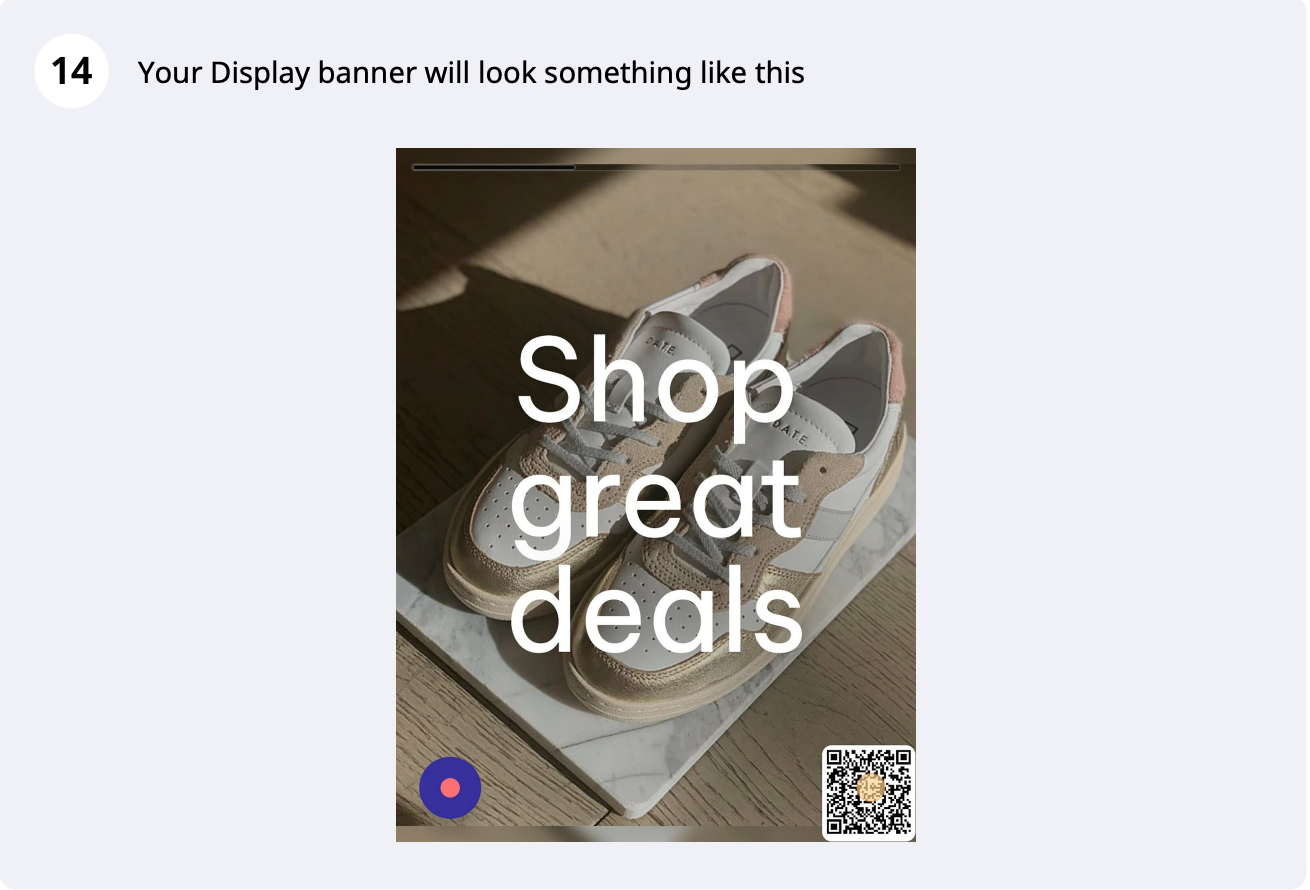
Custom screen banner, step 14 of 14

Want to create a plain screen banner instead? Follow our guide to adding a plain screen banner.

If you need any help with this, contact our support team on support@cloudshelf.ai.

Frequently asked questions

Was this helpful?
Thanks for the feedback.
Still stuck?
Tell us the device and what you see on screen. We usually reply within one working day.