How to activate Online Search on your Cloudshelf kiosks

Turn on Online Search so staff and shoppers can find any product on your website, even if it isn't in a product group.

Last updated
October 1, 2024

With Online Search, staff and shoppers can search for any product on your website, even if it hasn't been added as a product group on the main Cloudshelf kiosk. They can find the product they are looking for within seconds.

Here are the steps to activate Online Search on your Cloudshelf experiences.

Activate Online Search, step 1 of 7
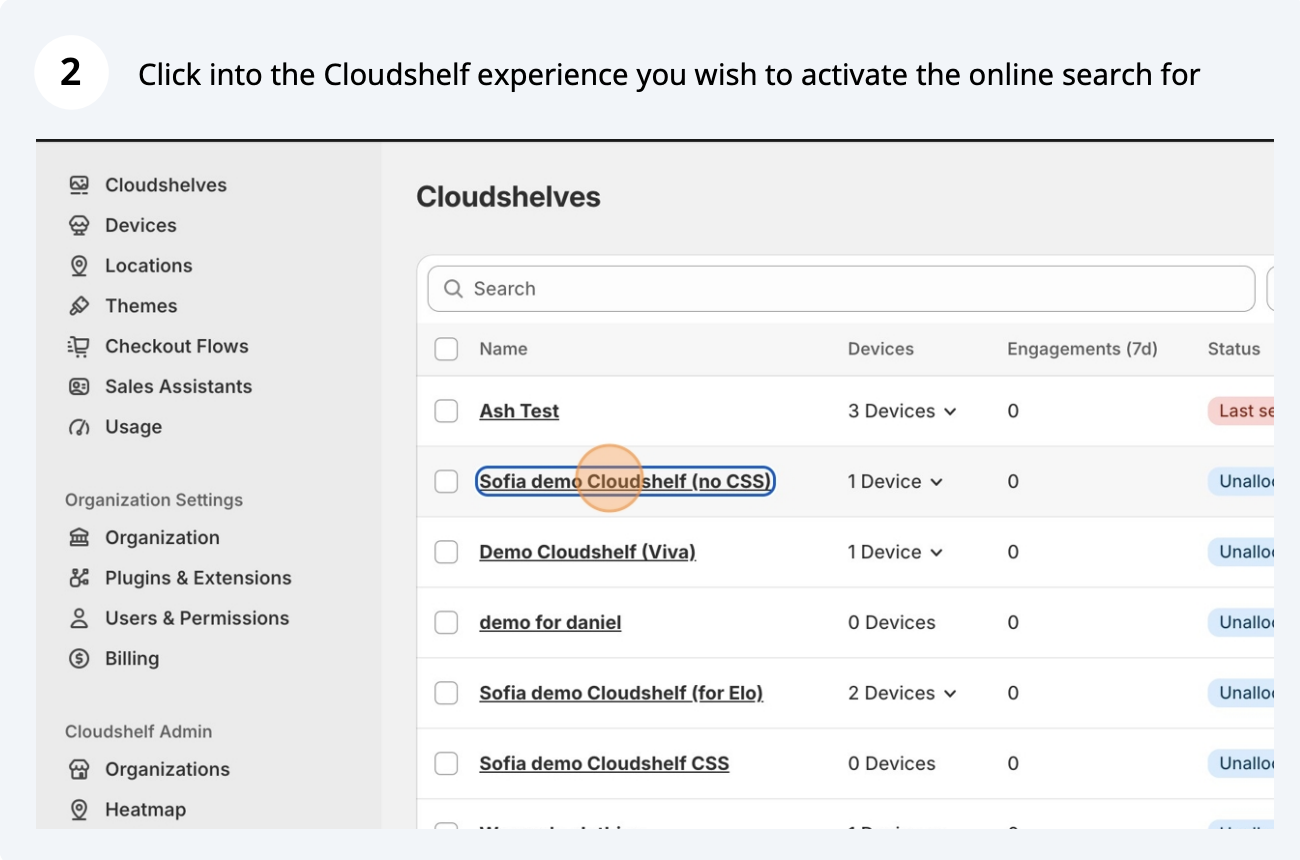
Activate Online Search, step 2 of 7
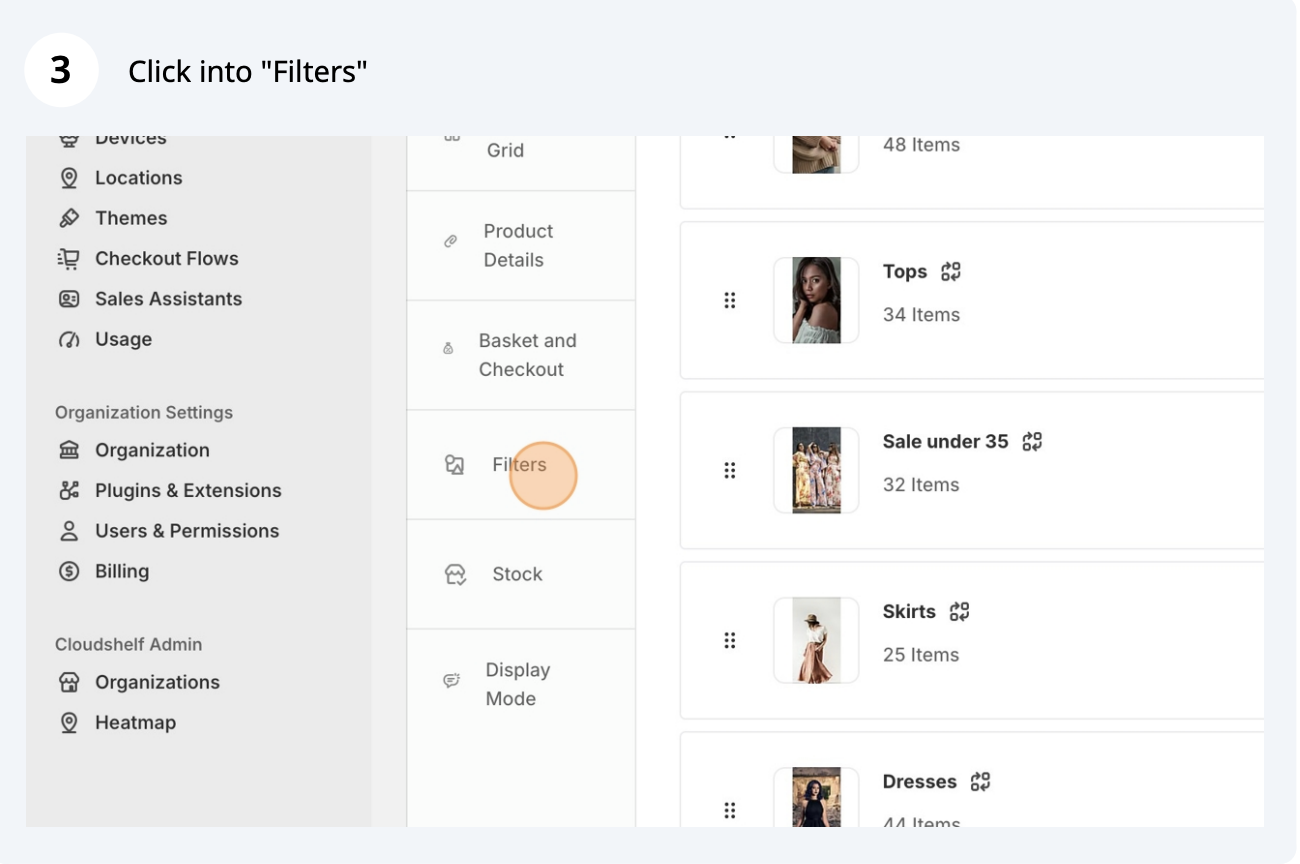
Activate Online Search, step 3 of 7
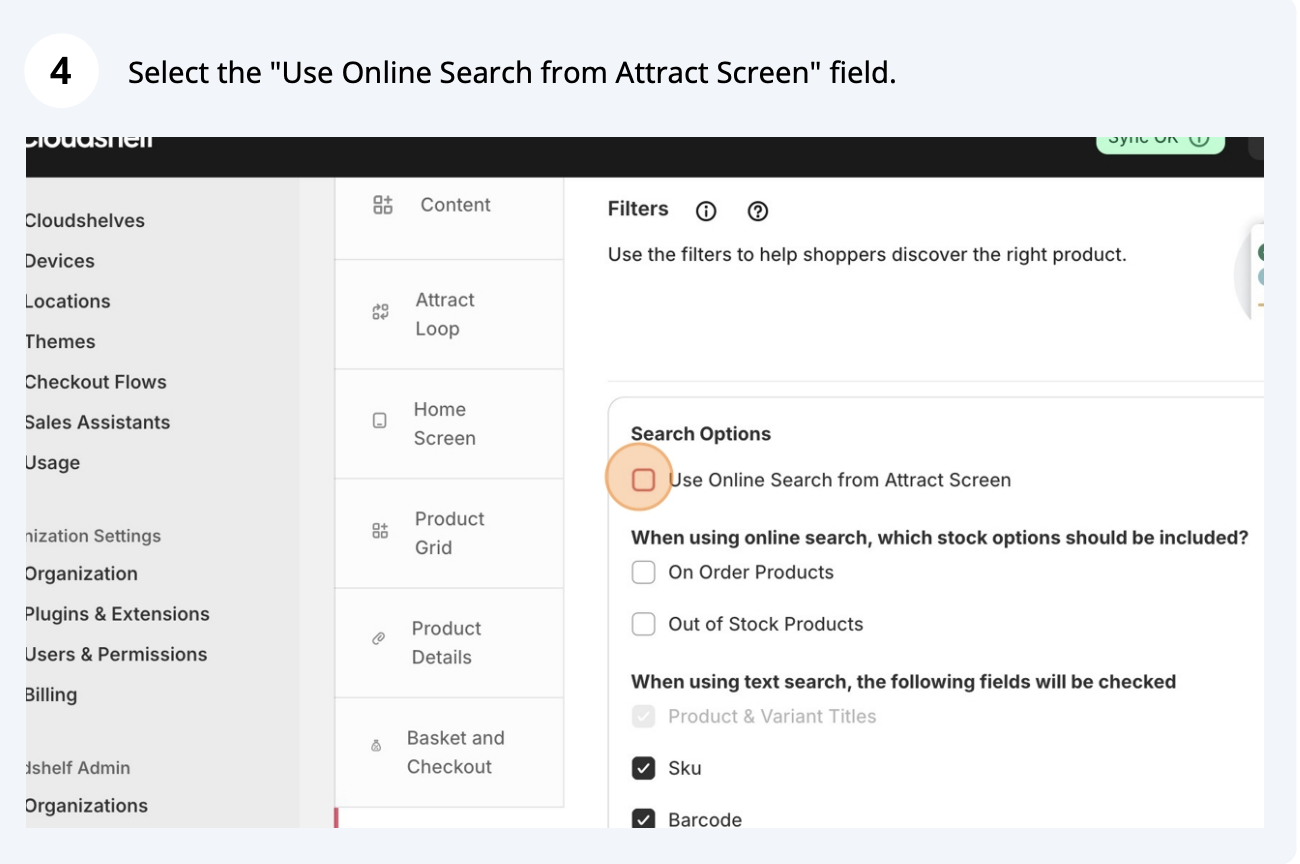
Activate Online Search, step 4 of 7
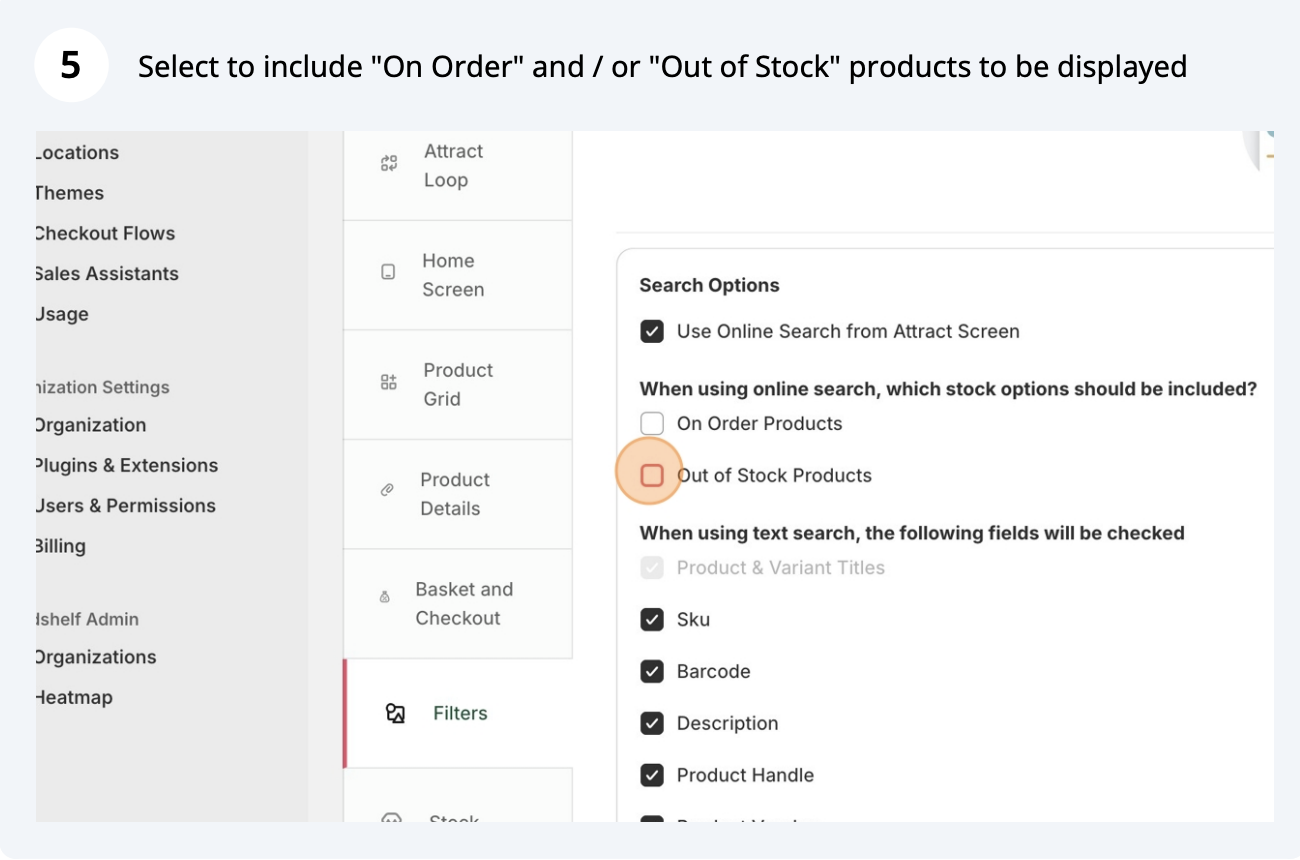
Activate Online Search, step 5 of 7
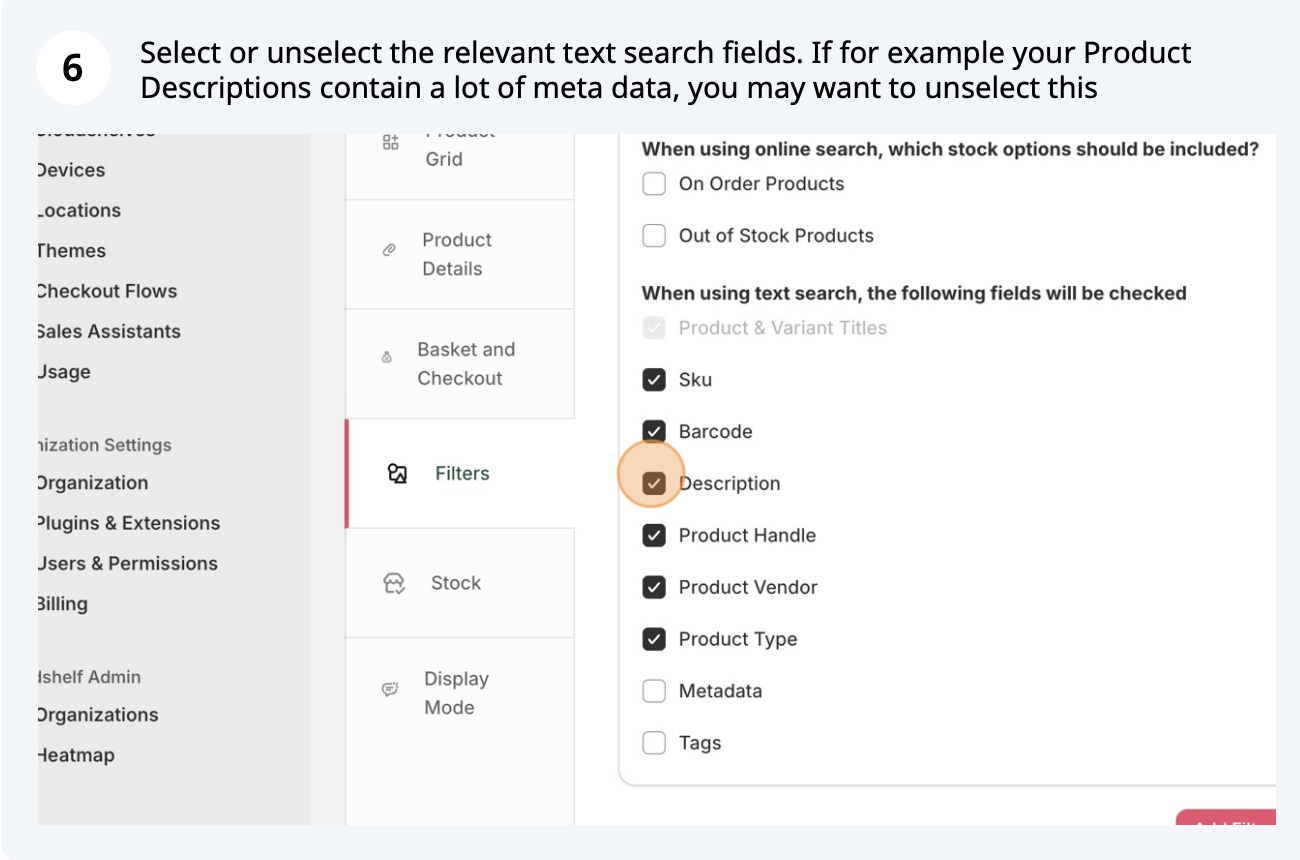
Activate Online Search, step 6 of 7
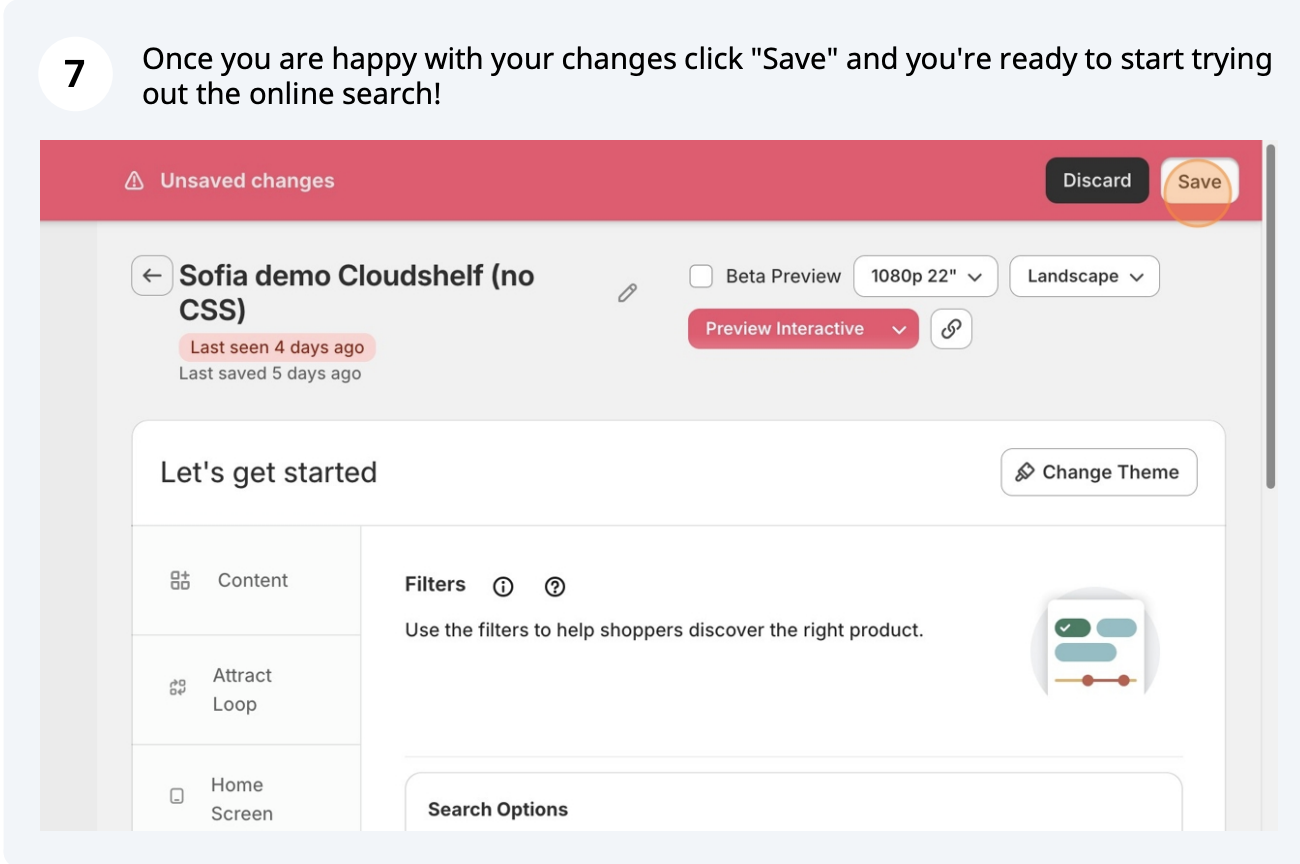
Activate Online Search, step 7 of 7

If you need any help with this, contact our support team on support@cloudshelf.ai.

Frequently asked questions

Can shoppers find products that aren't in a product group on my Cloudshelf?
Yes, once Online Search is activated. It searches every product on your website, so staff or shoppers can find it within seconds.
Was this helpful?
Thanks for the feedback.
Still stuck?
Tell us the device and what you see on screen. We usually reply within one working day.