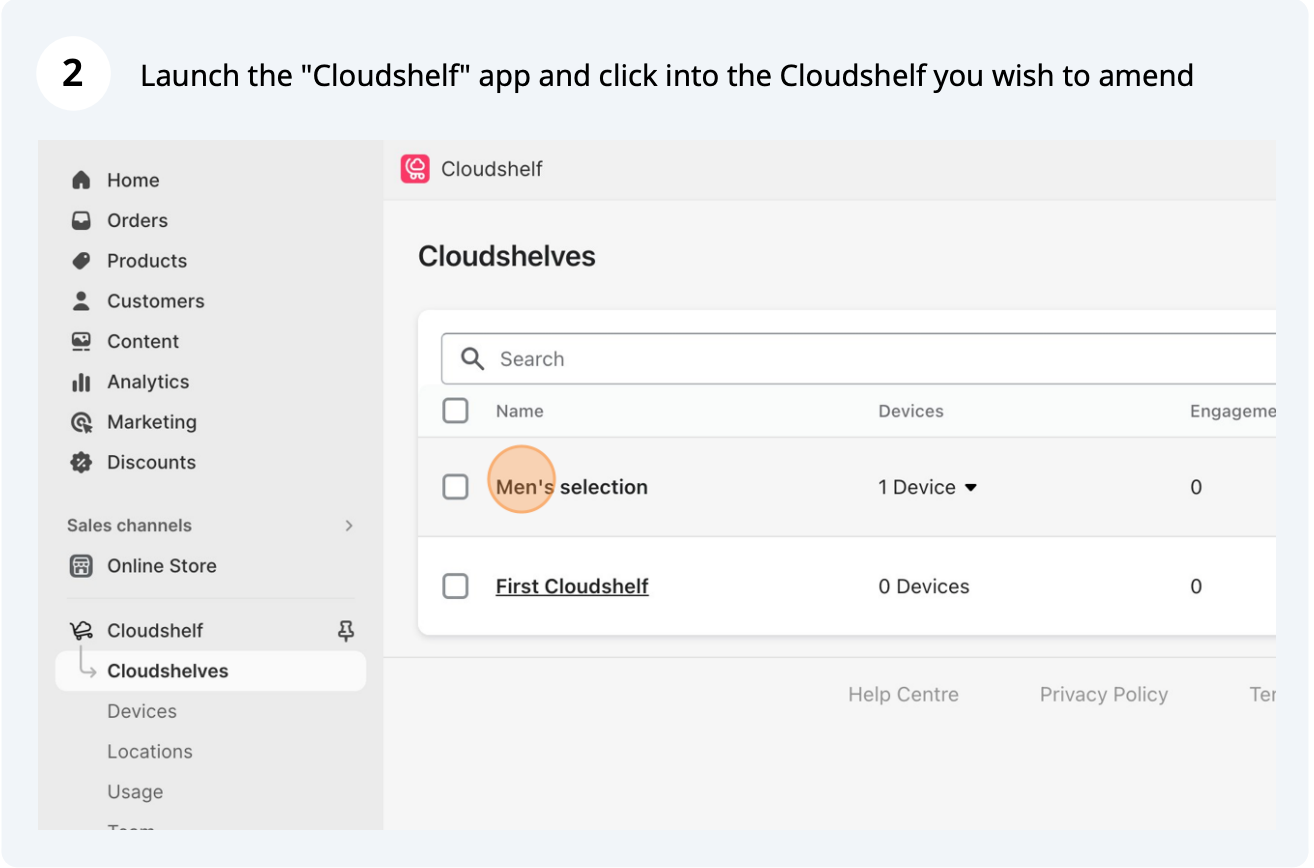
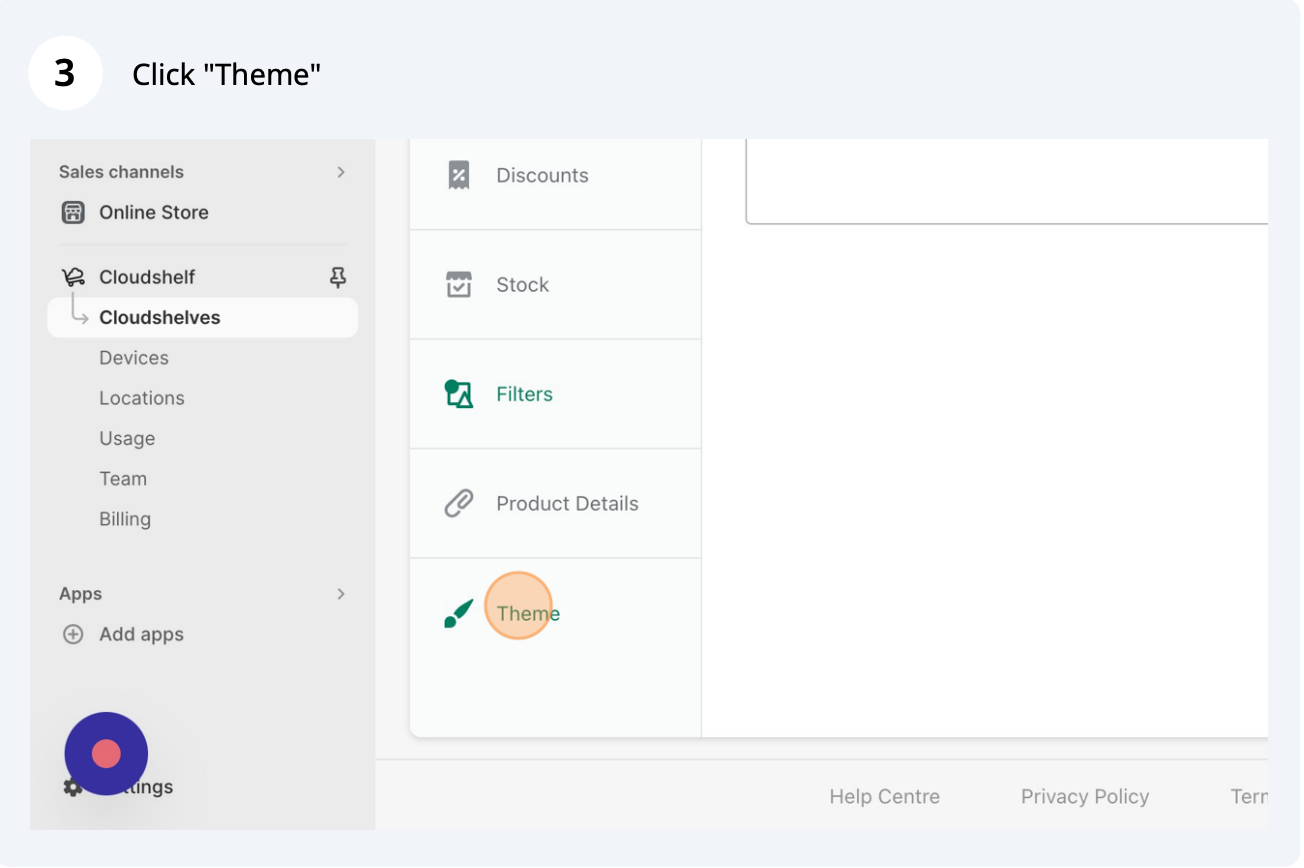
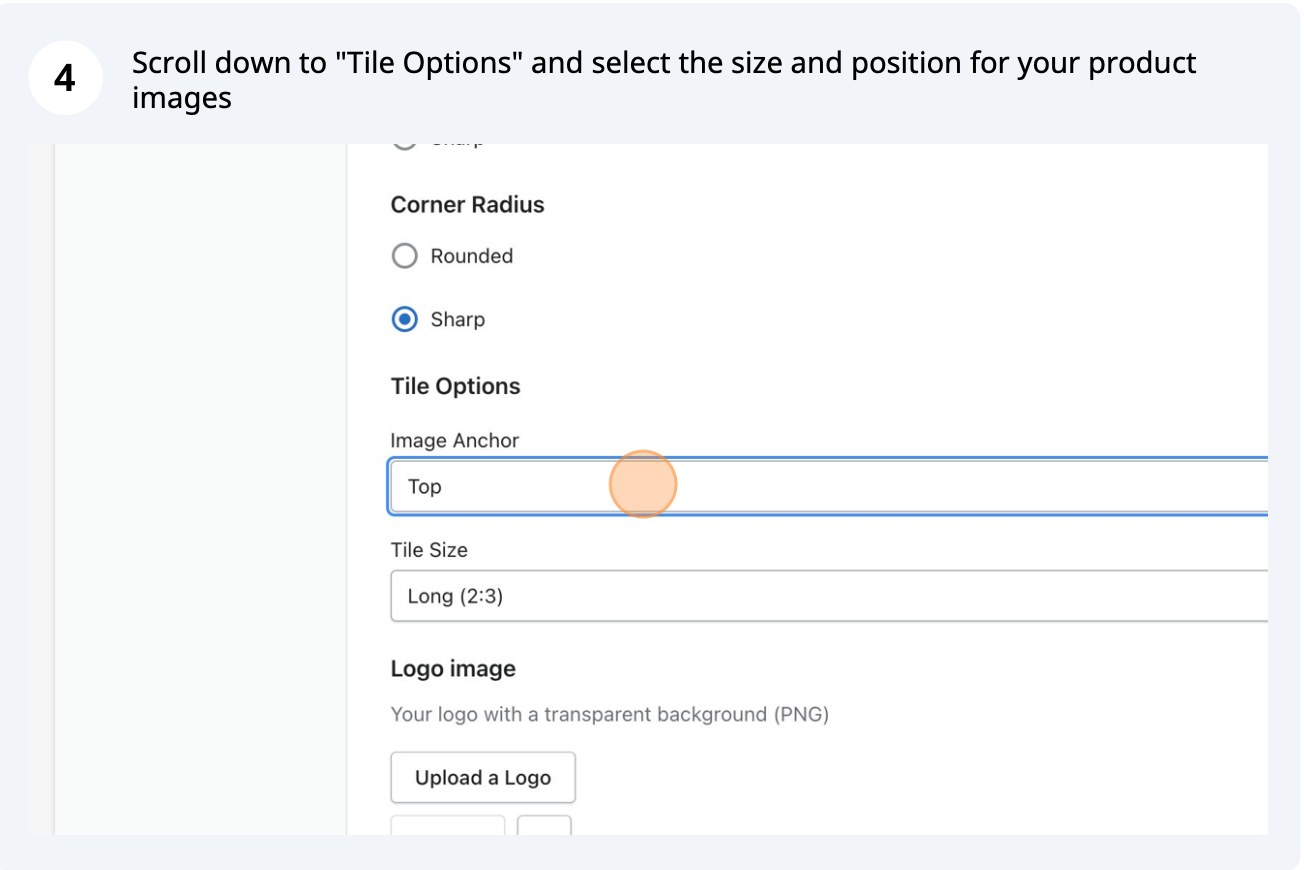
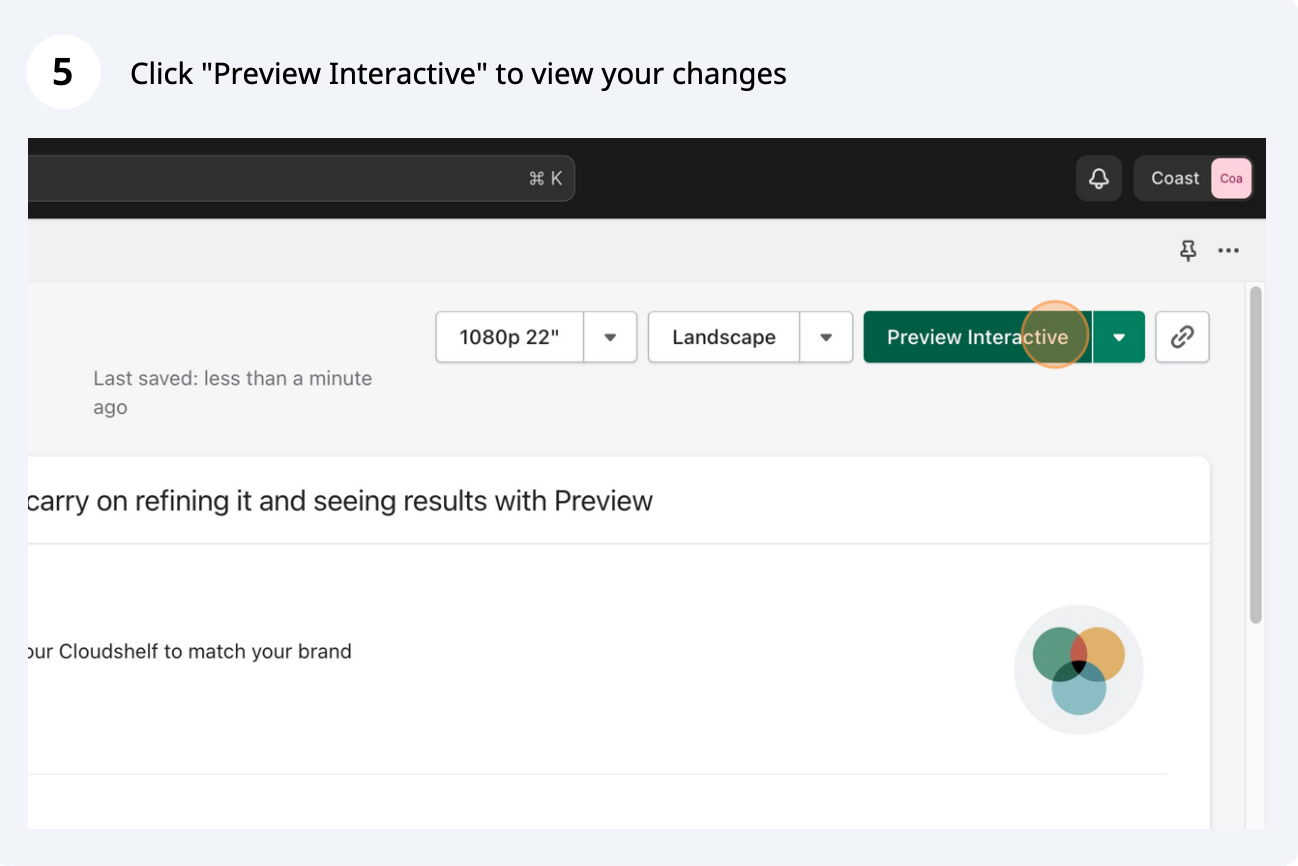
Here are the steps to change your product image layout on your Cloudshelf:

If you need any help, contact our support team on support@cloudshelf.ai.


Step-by-step screenshots for changing how product images are laid out on your Cloudshelf.
Here are the steps to change your product image layout on your Cloudshelf:
If you need any help, contact our support team on support@cloudshelf.ai.