

You can create as many Cloudshelf experiences as you wish in the Cloudshelf app. Here are the areas you can configure to create the most effective digital experiences in-store:
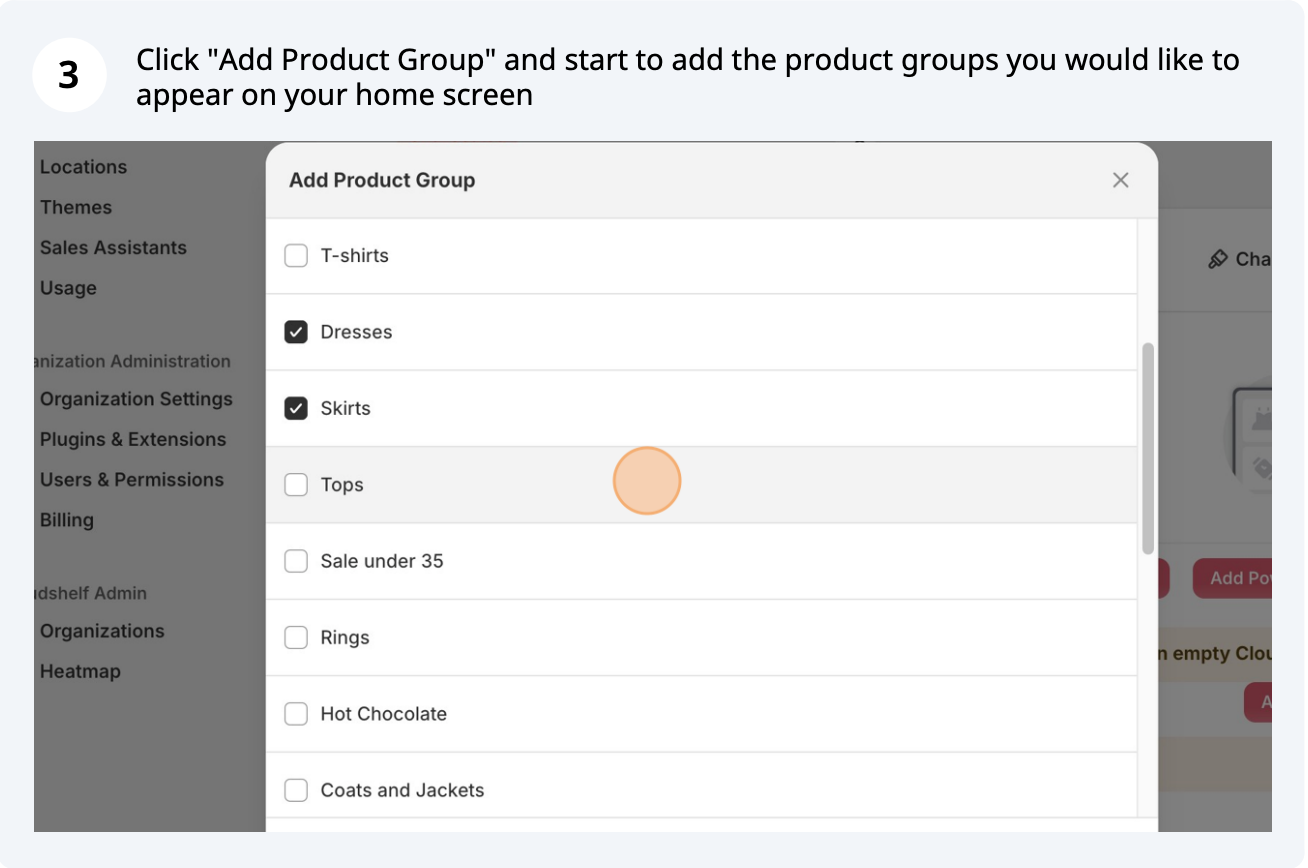
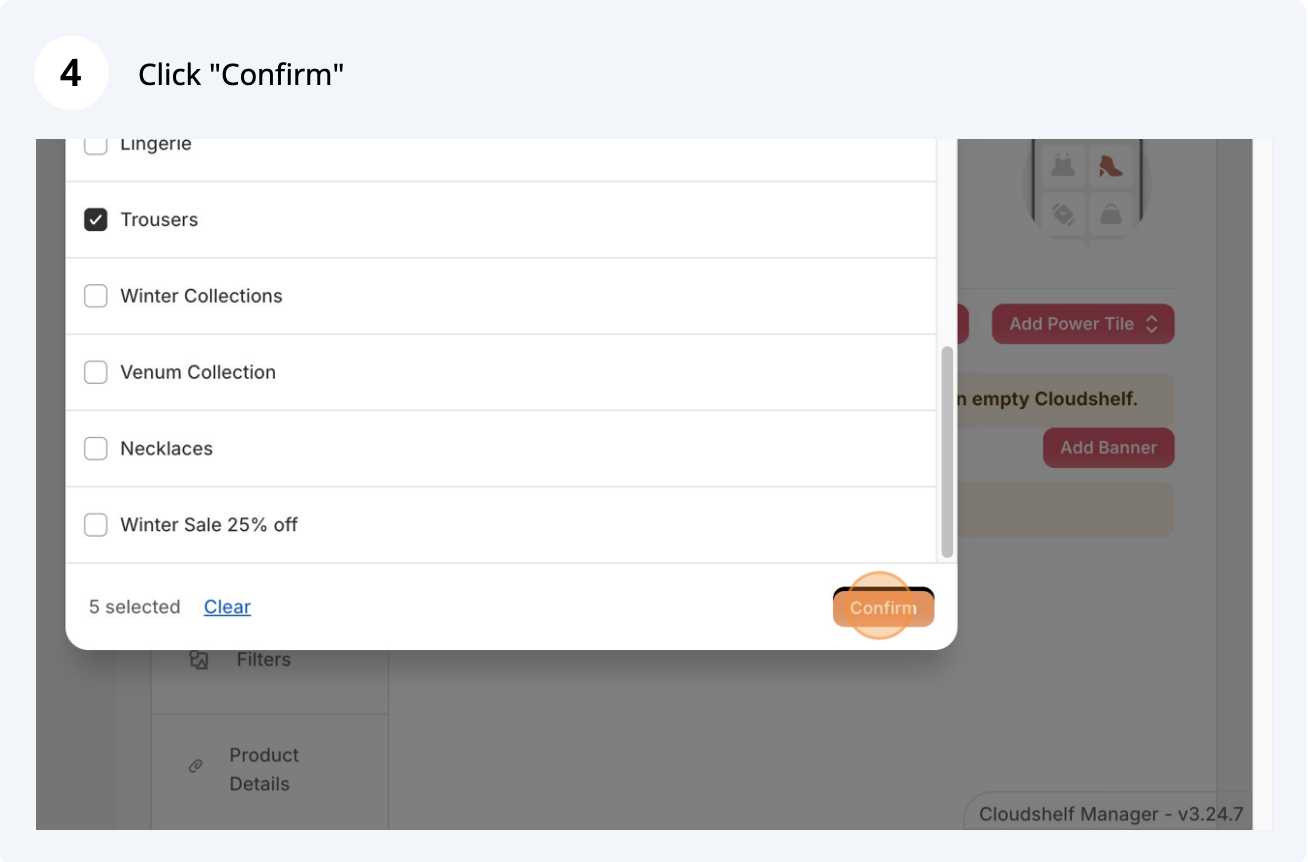
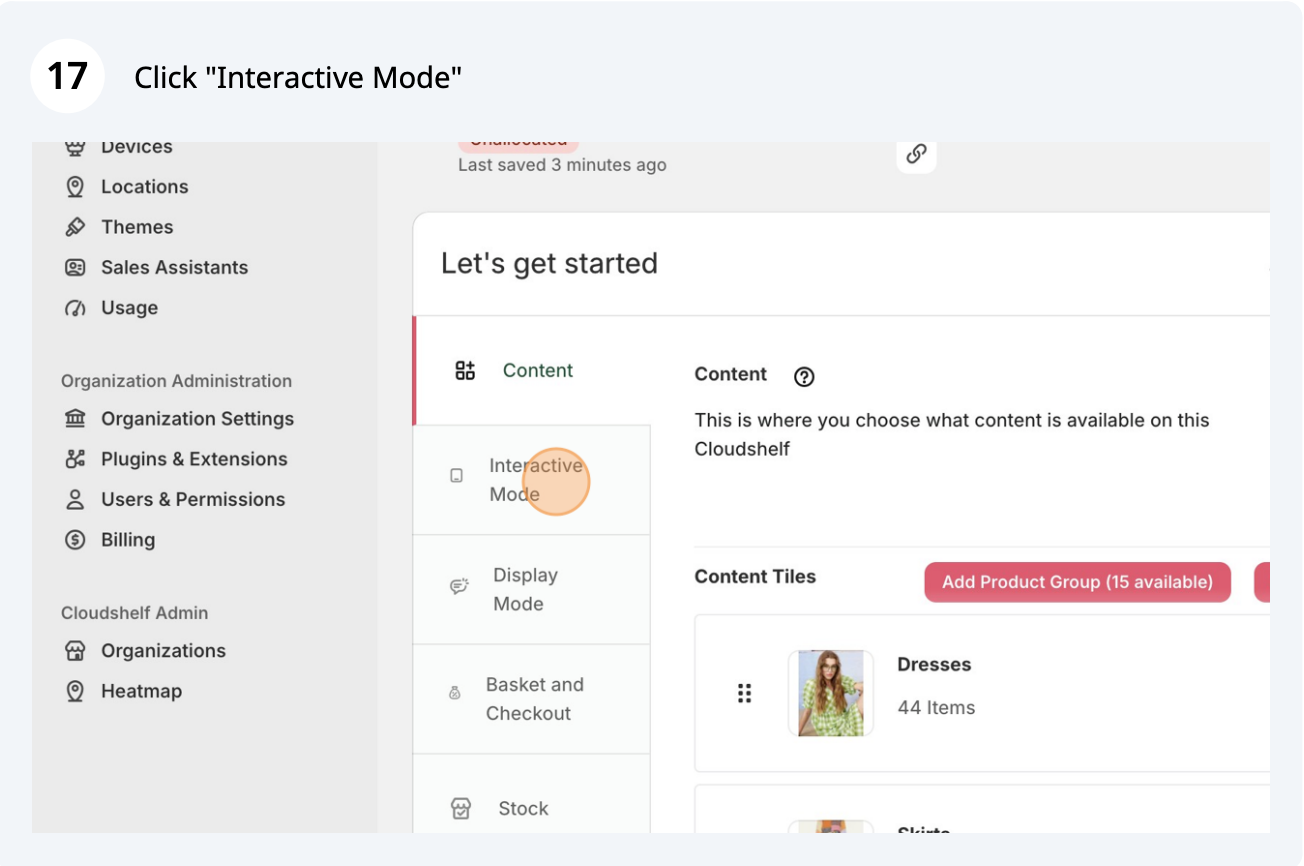
Choose which product groups to include


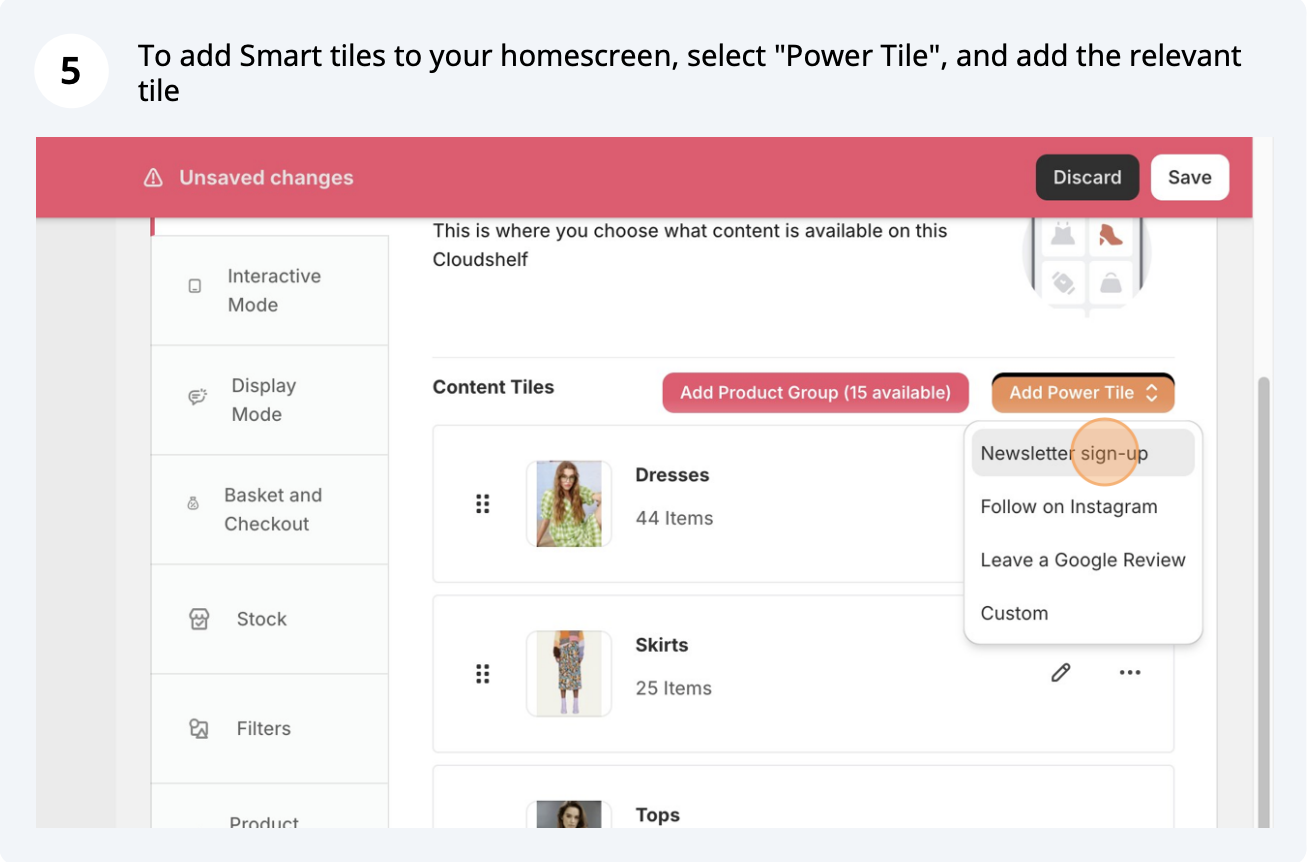
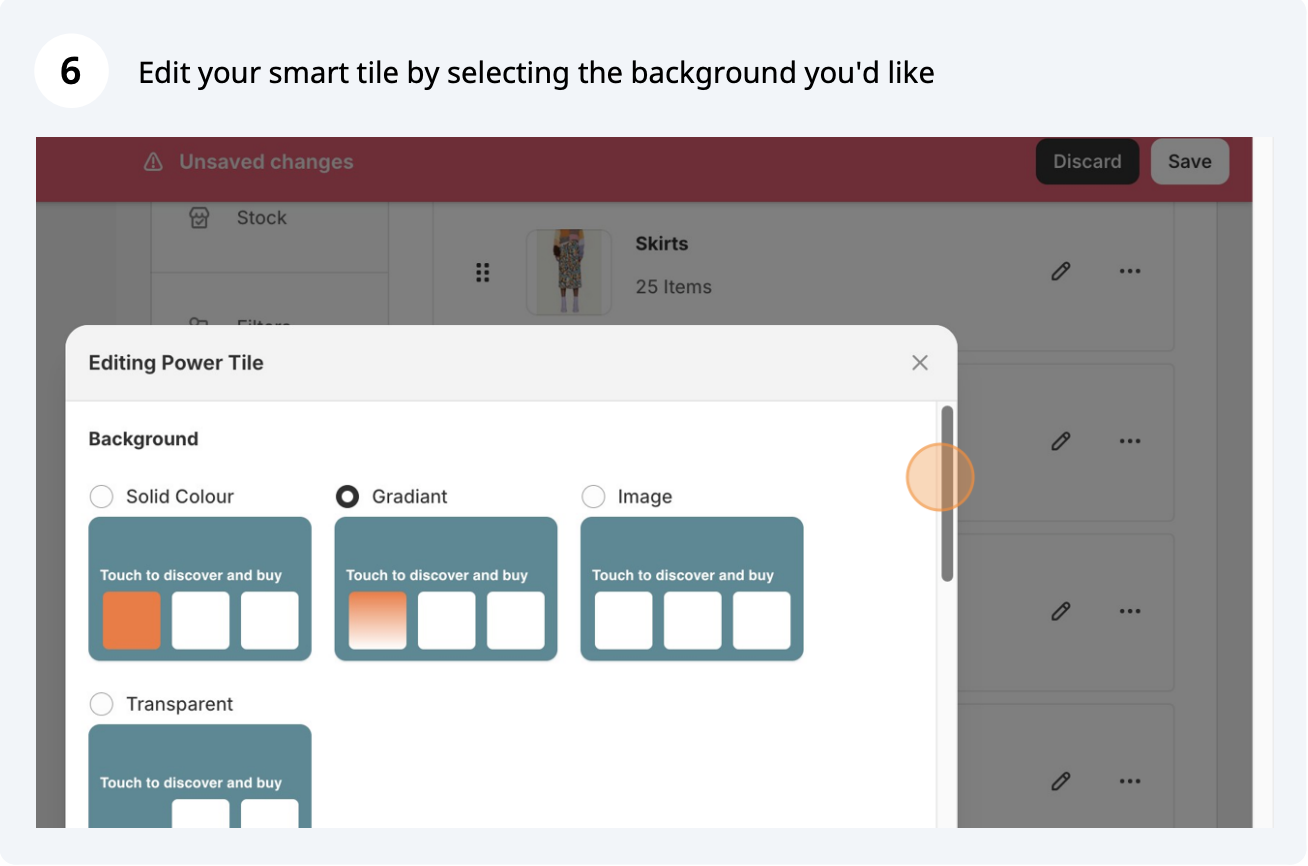
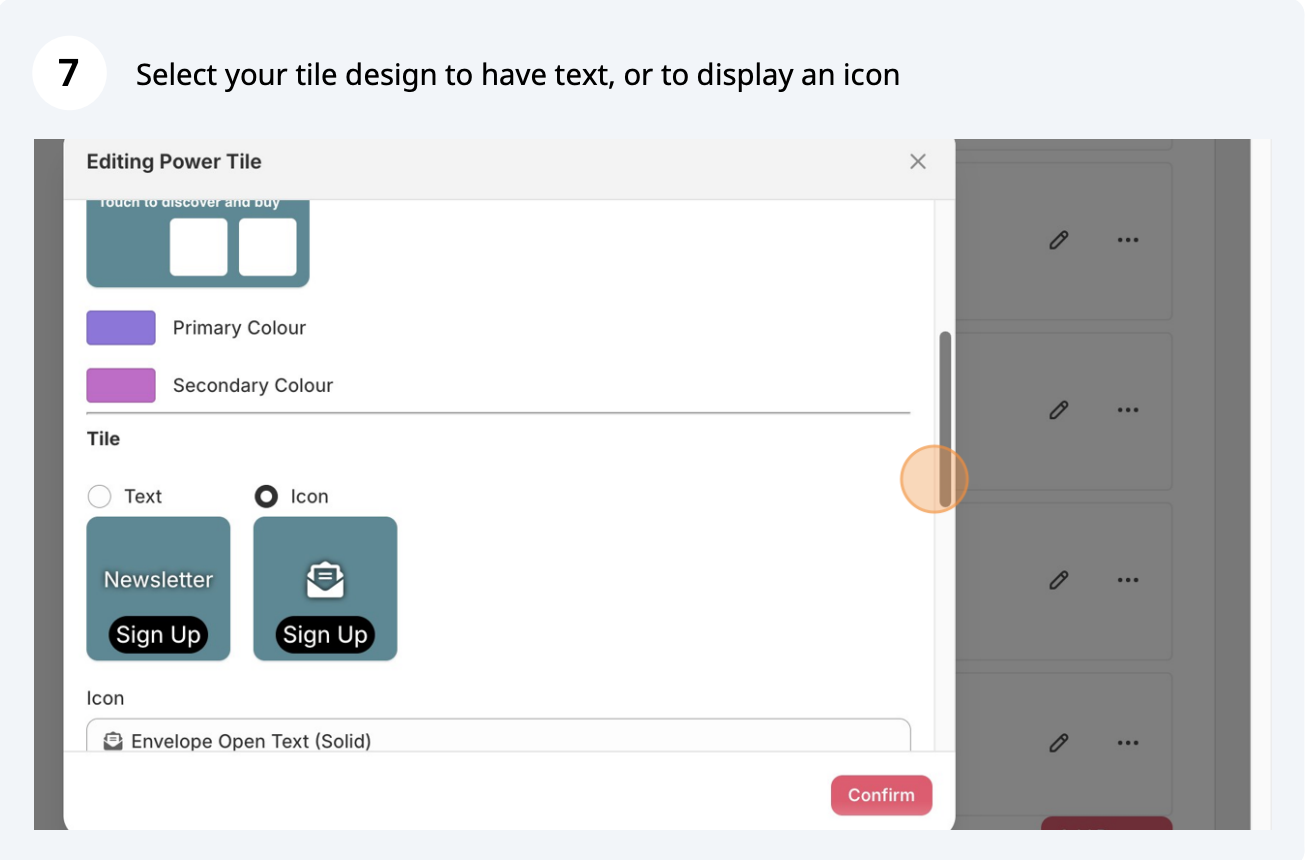
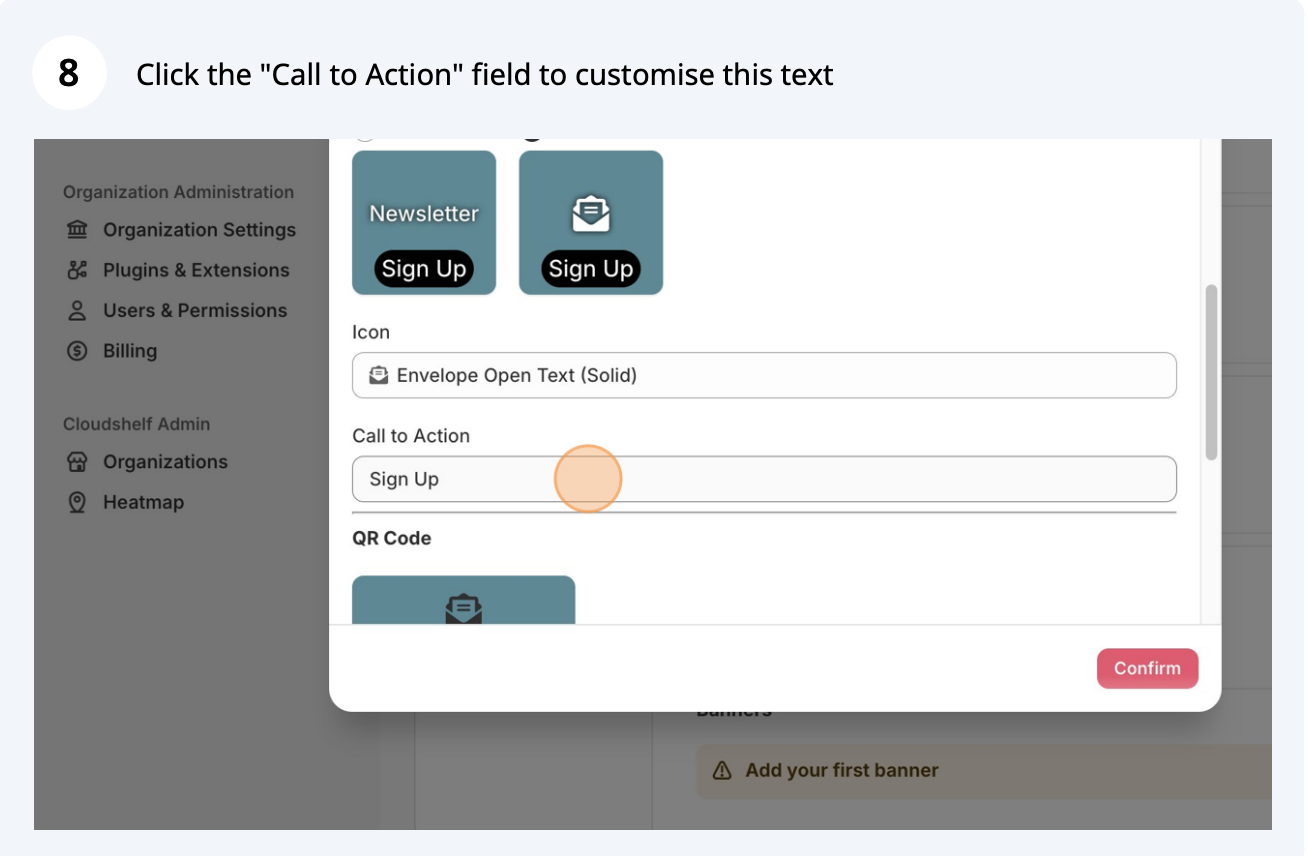
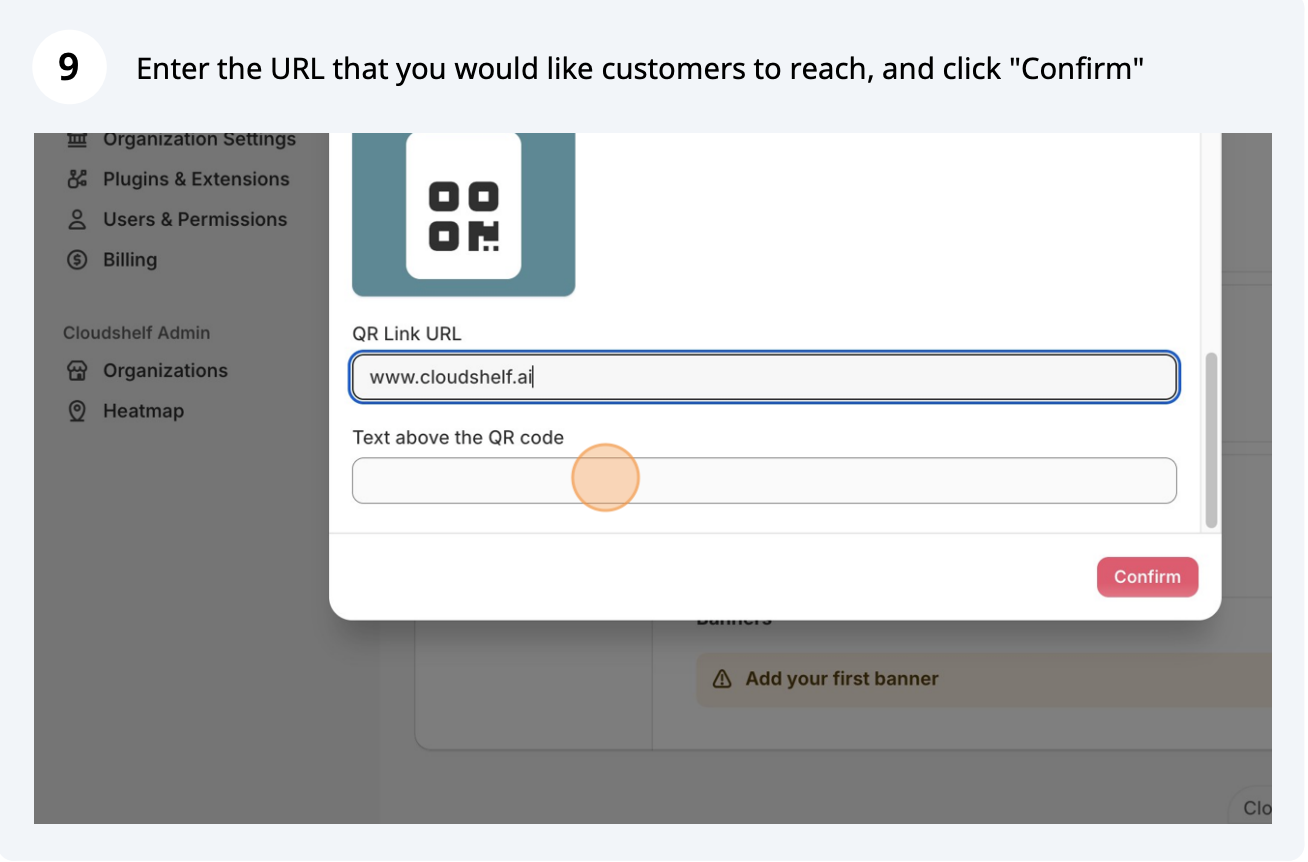
Add smart tiles for links to reviews, newsletter sign-ups, social media or custom
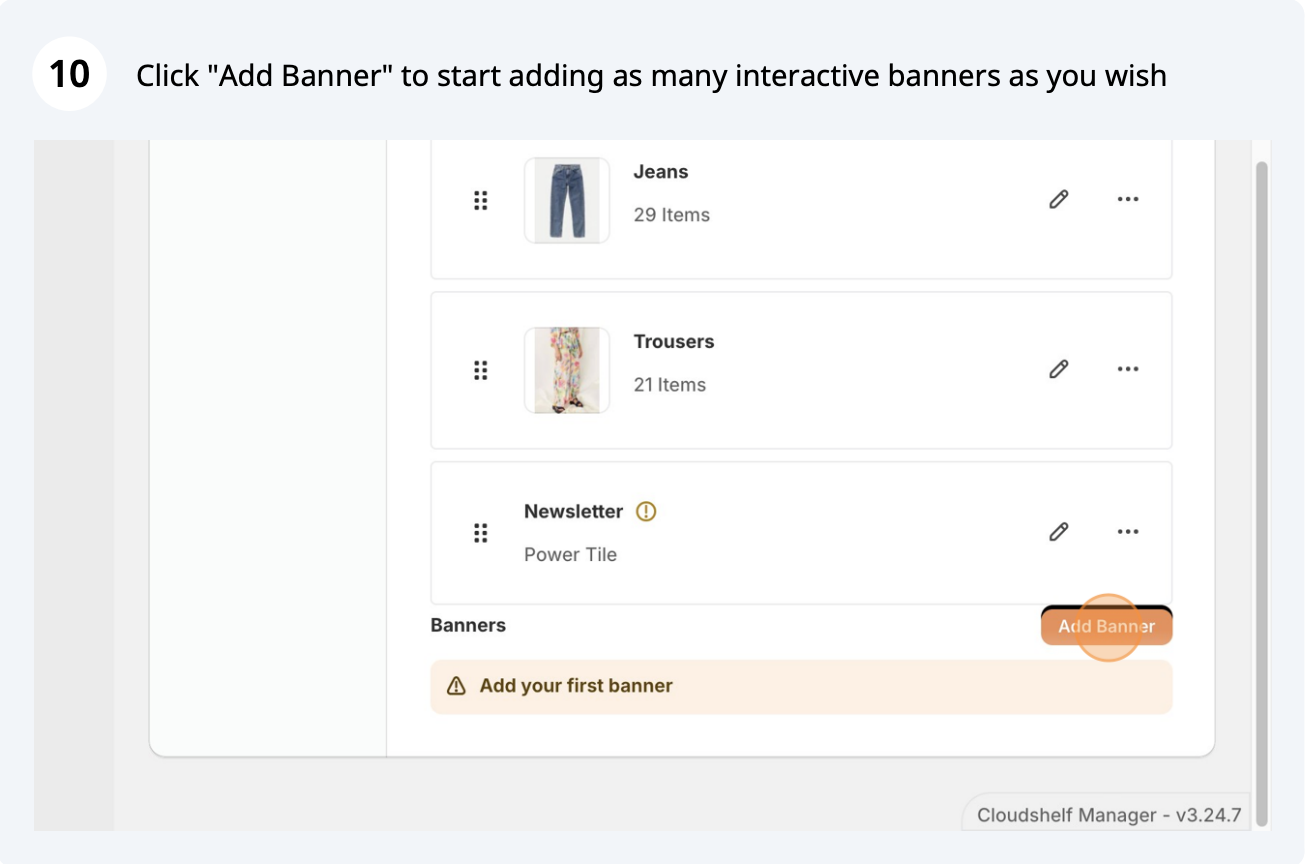
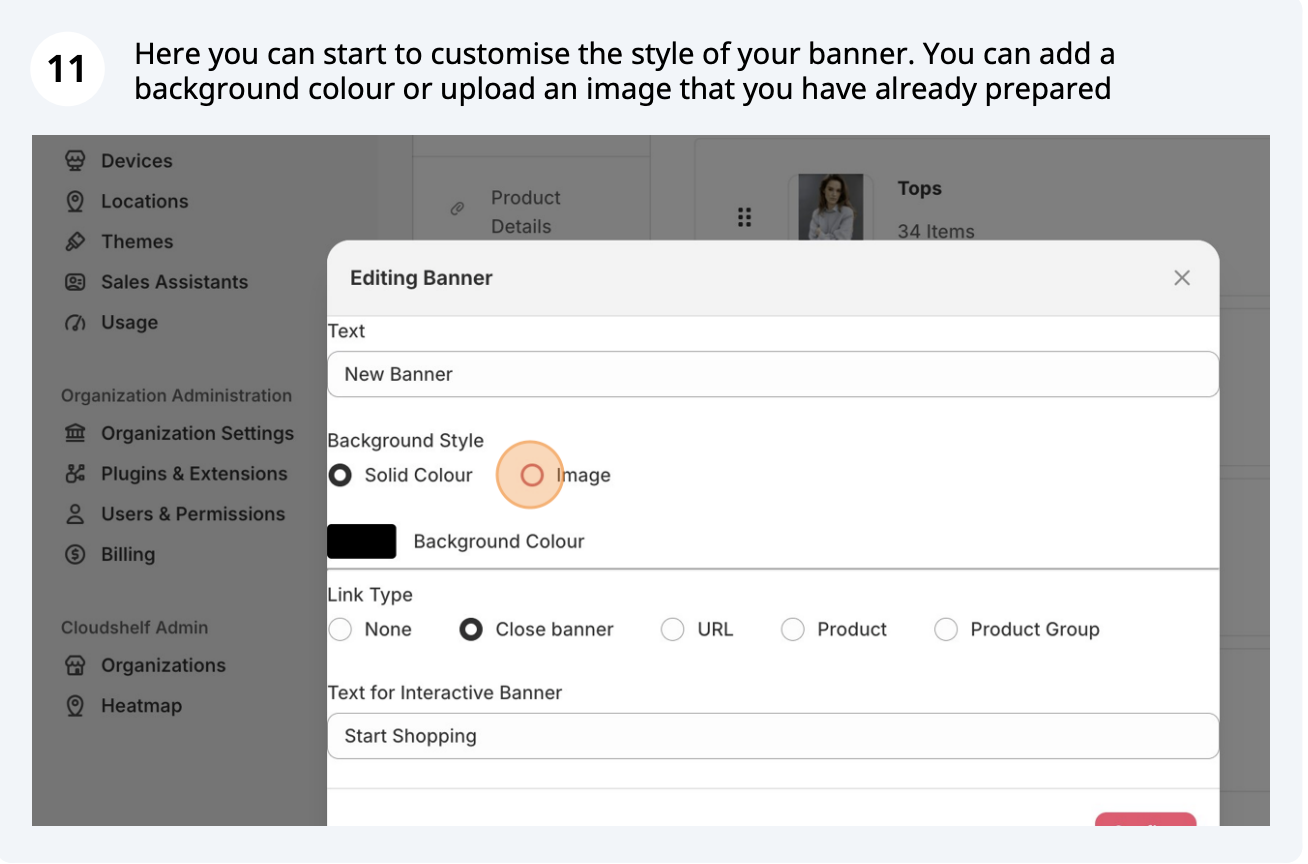
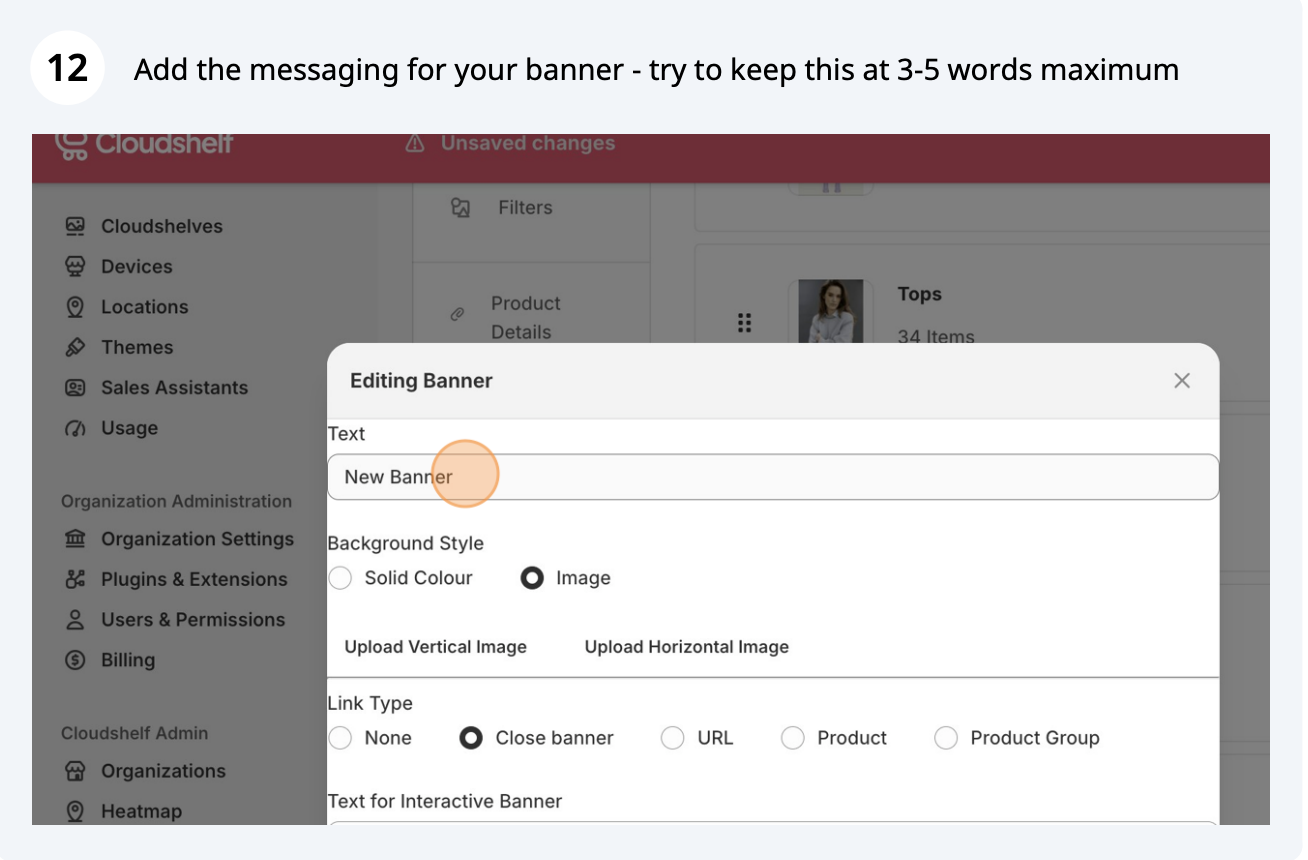
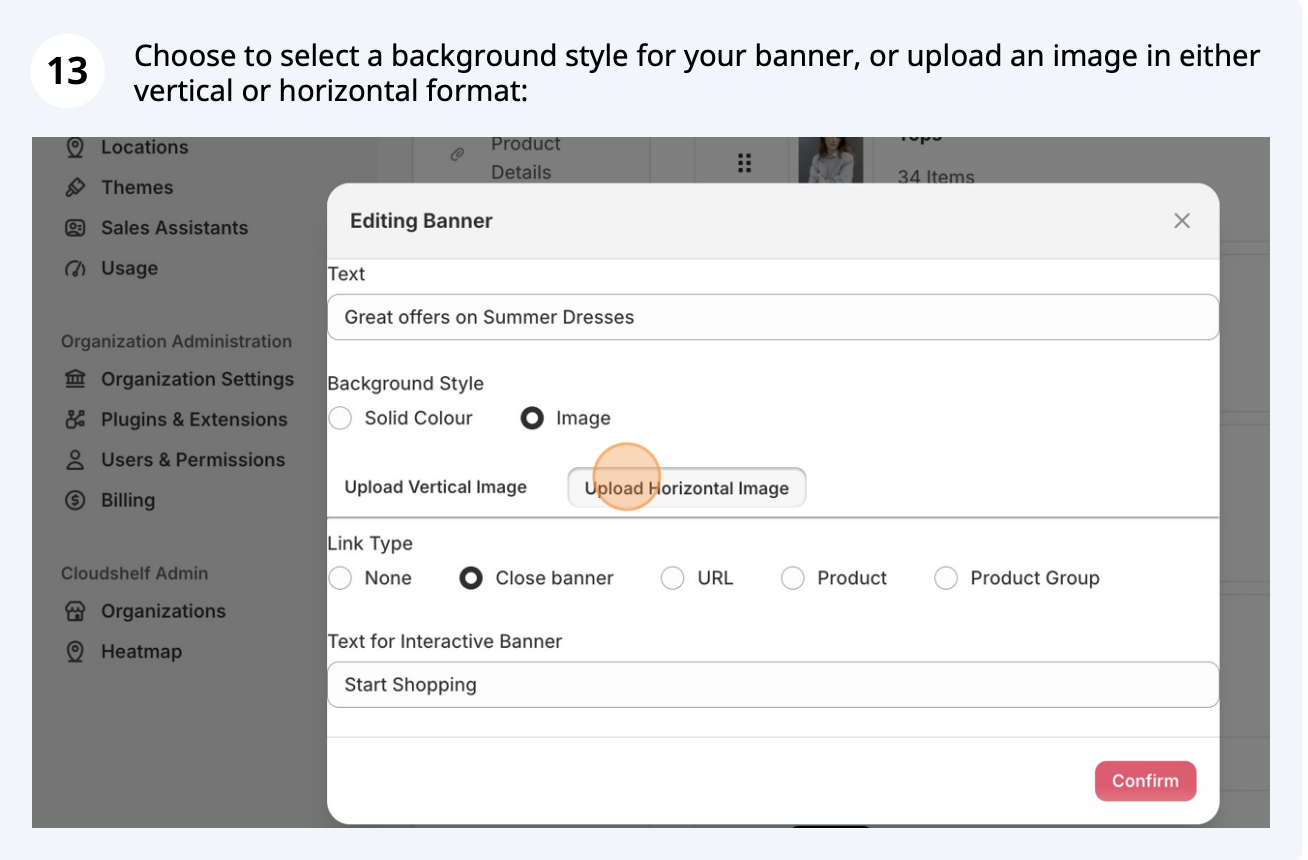
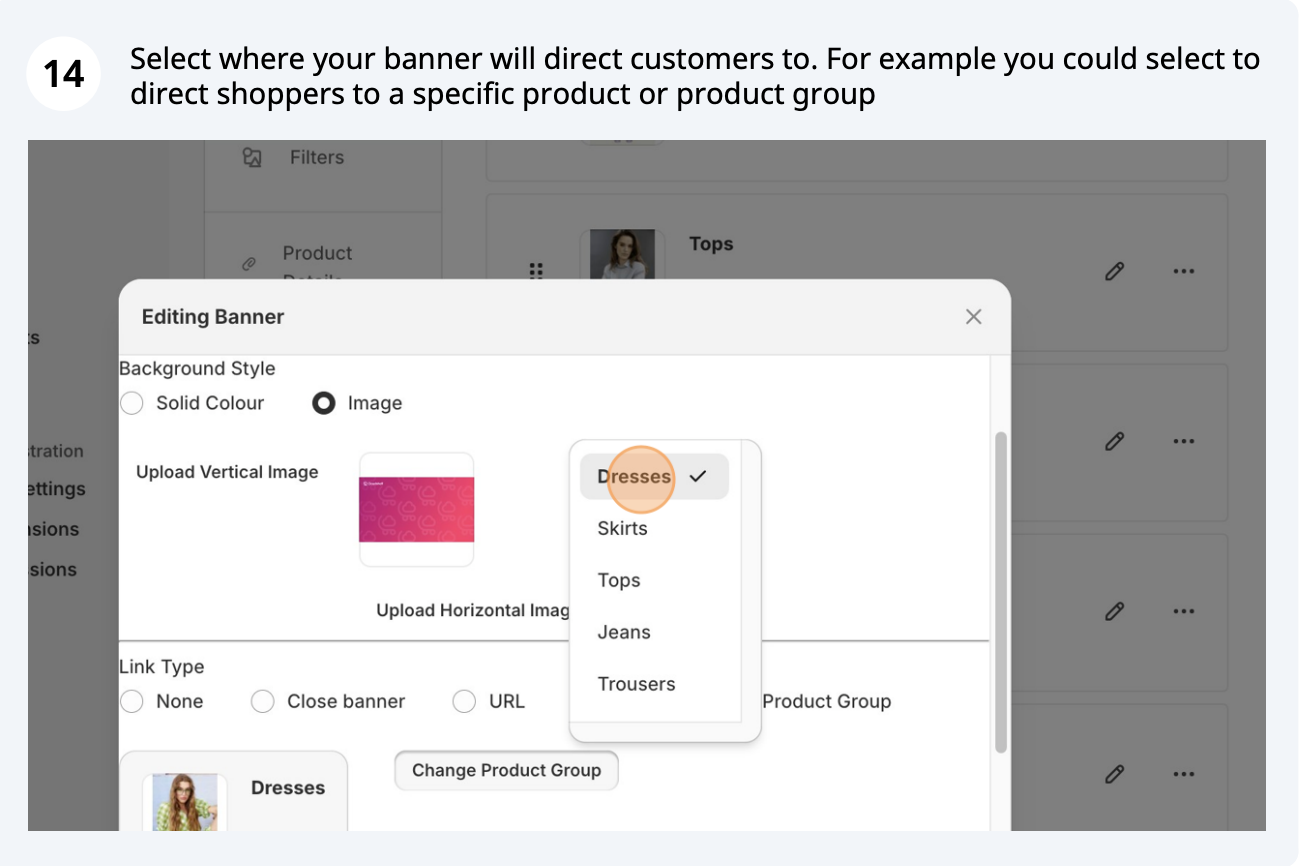
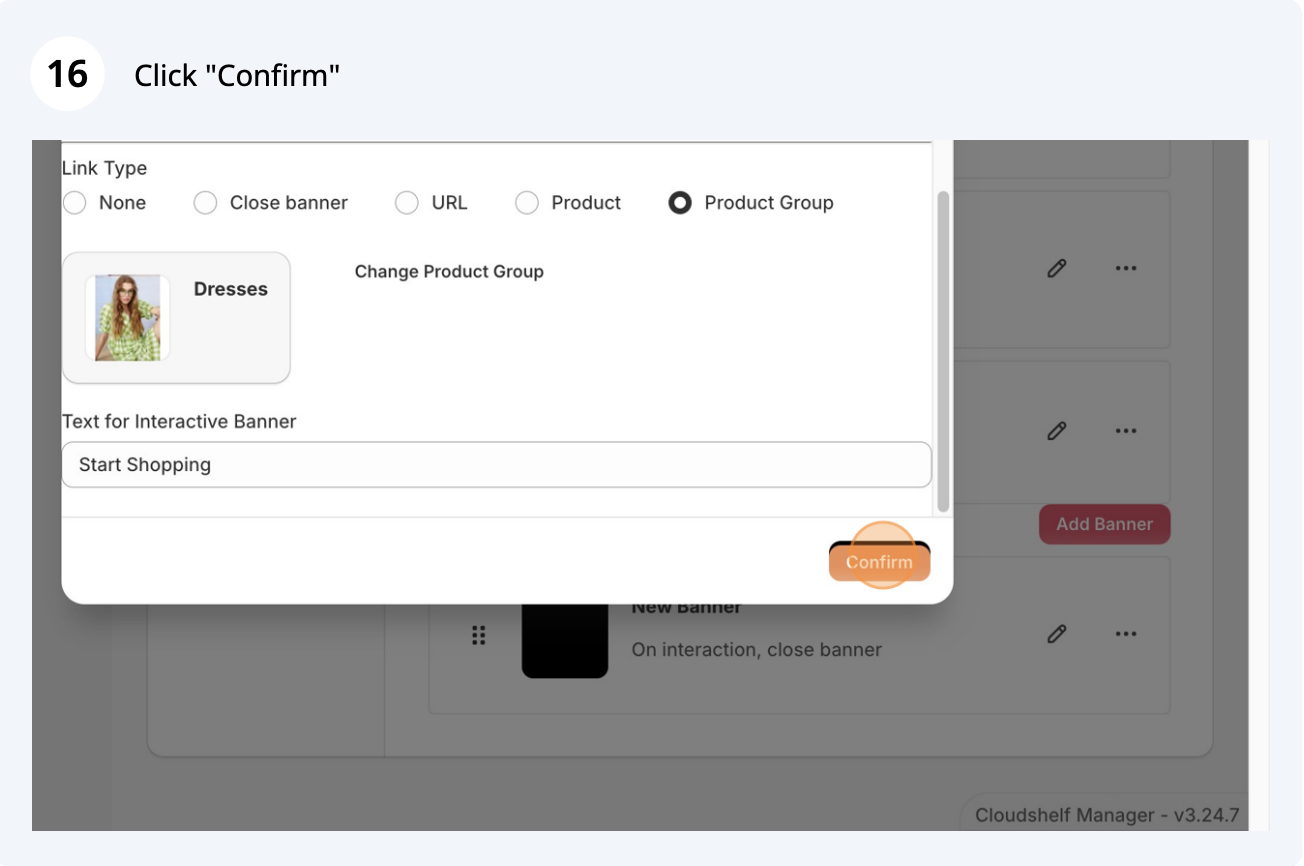
Add interactive banner pages for full-screen promotions

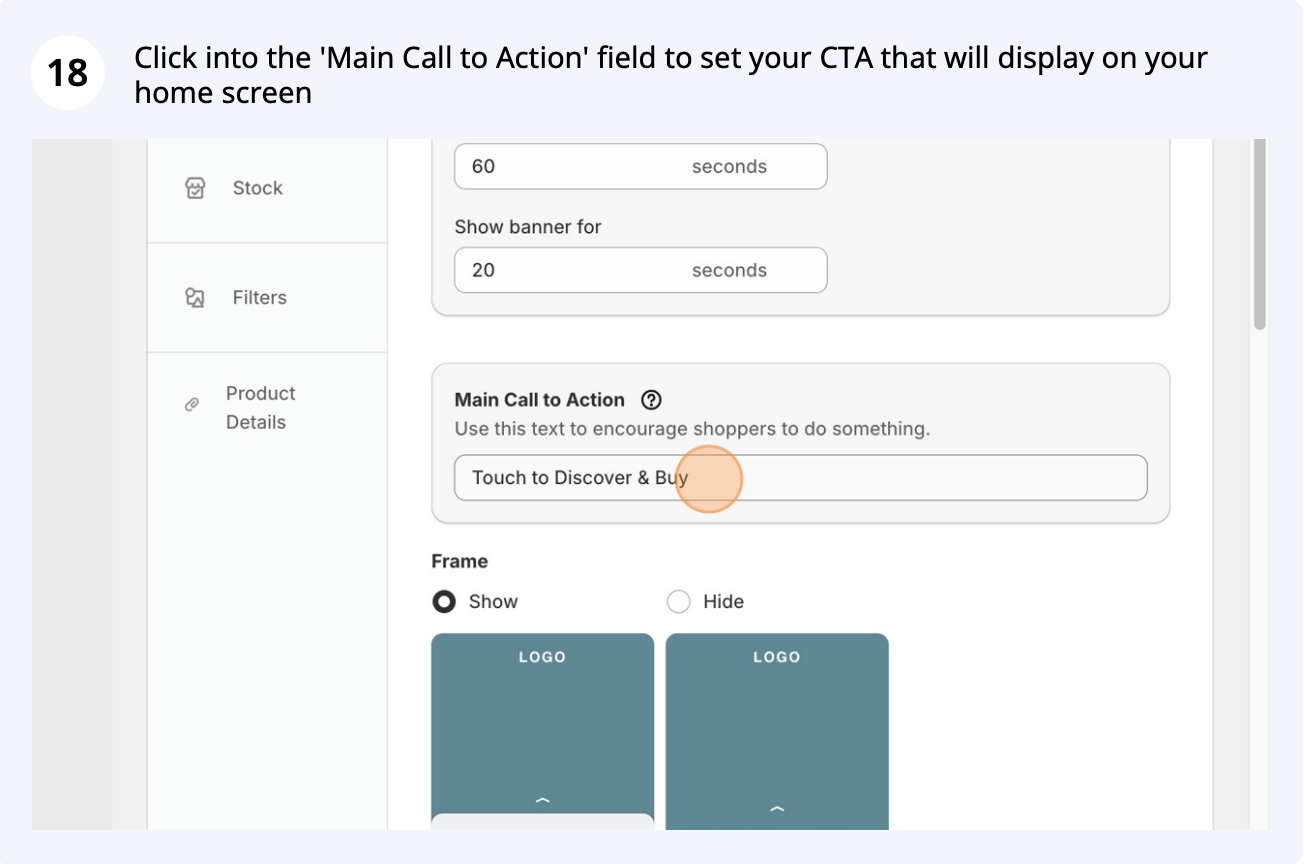
Adapt the call to action on your home screen
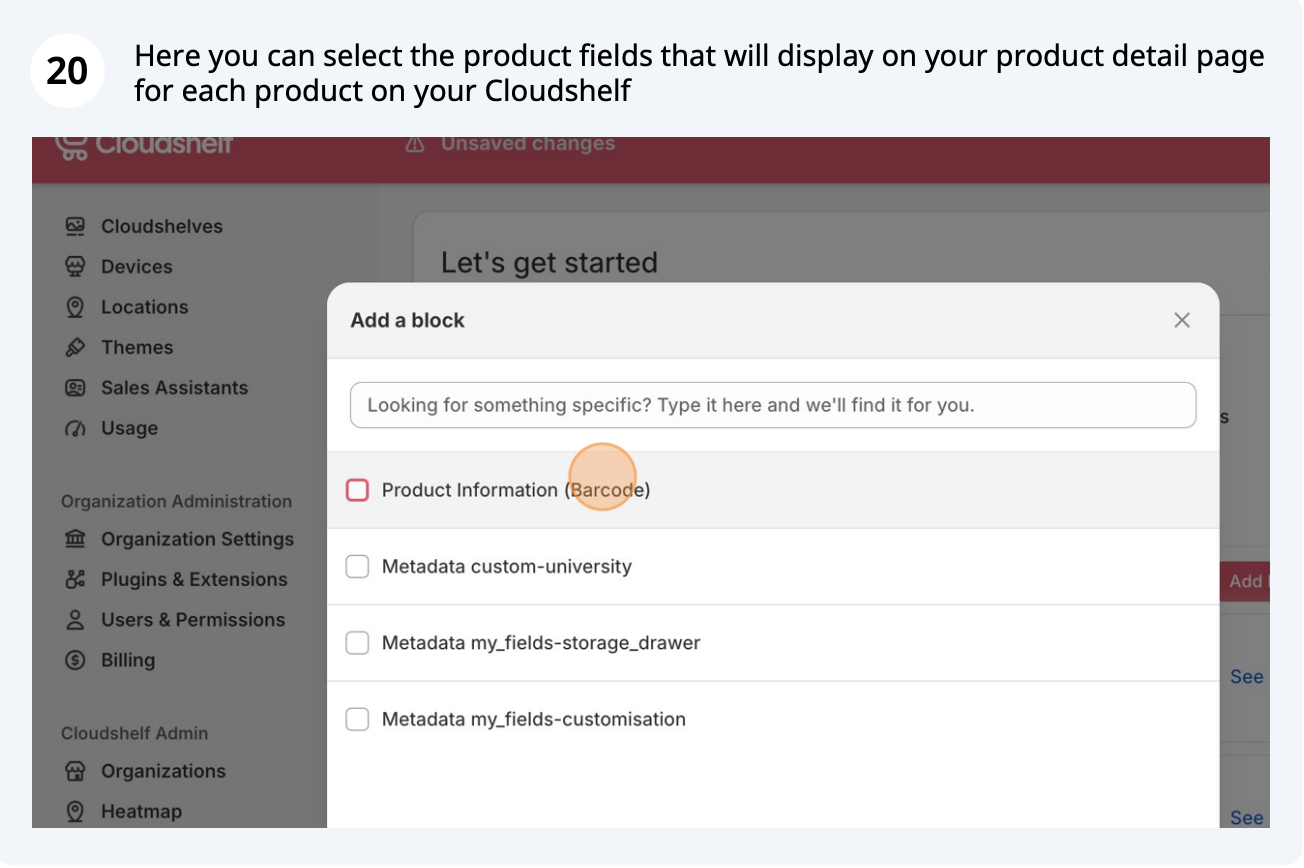
Select fields and metafields (including images and videos) for your product page
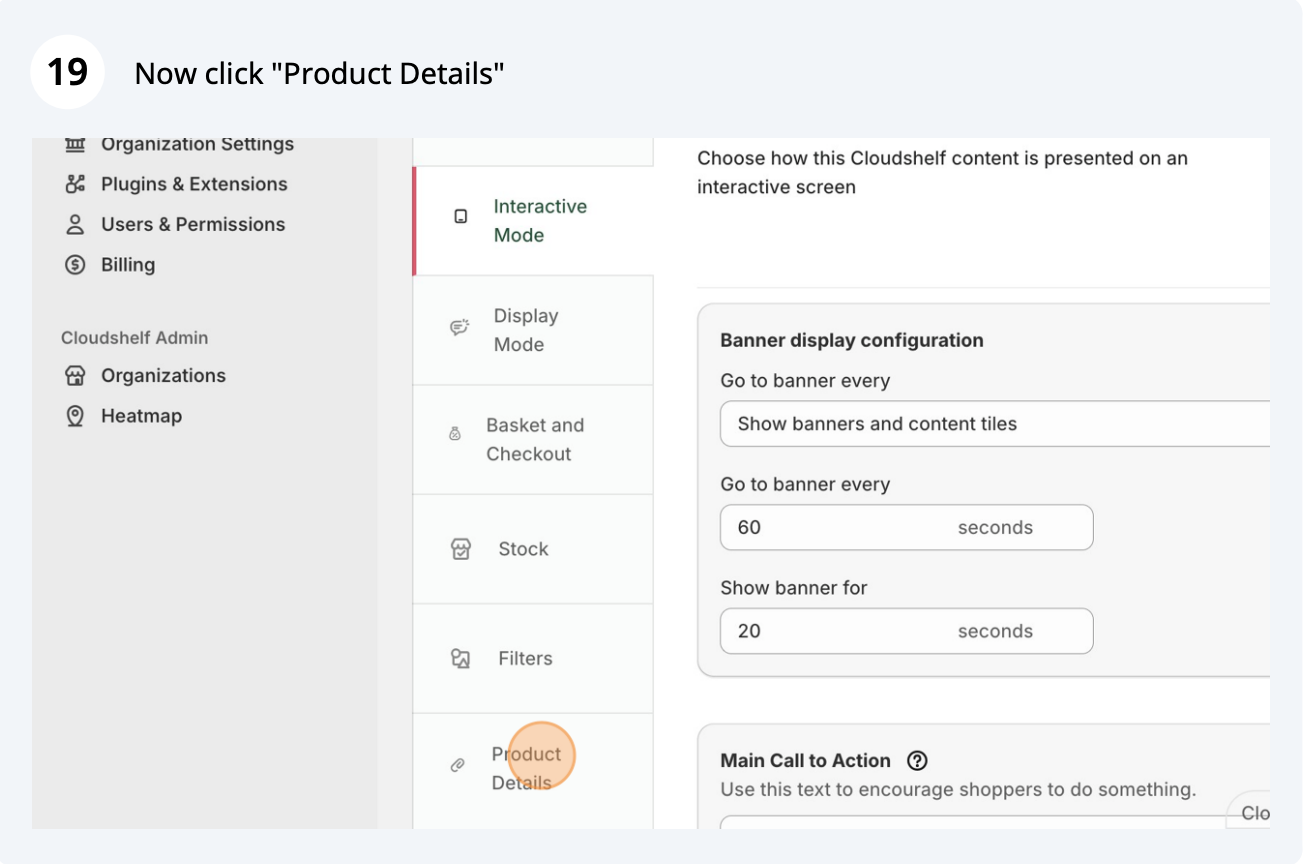
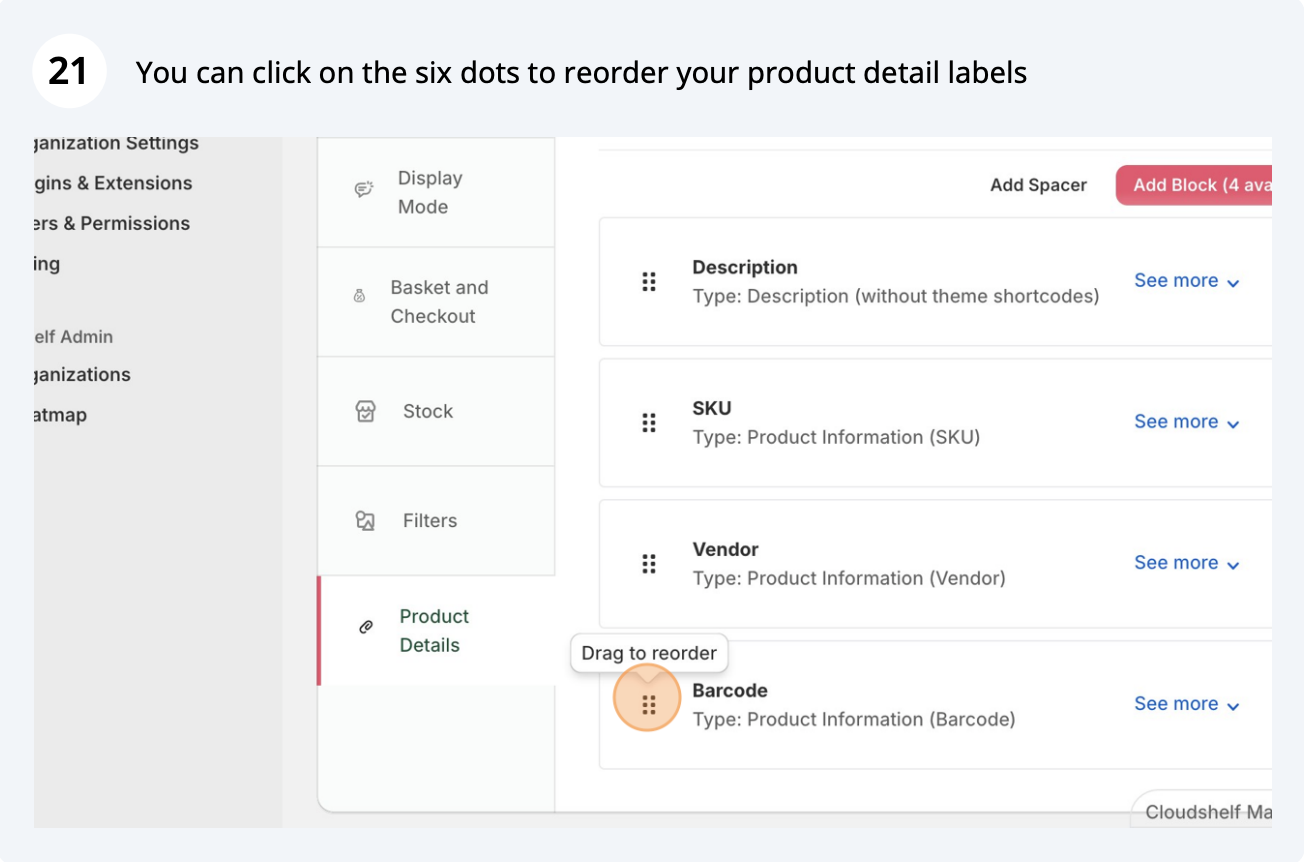
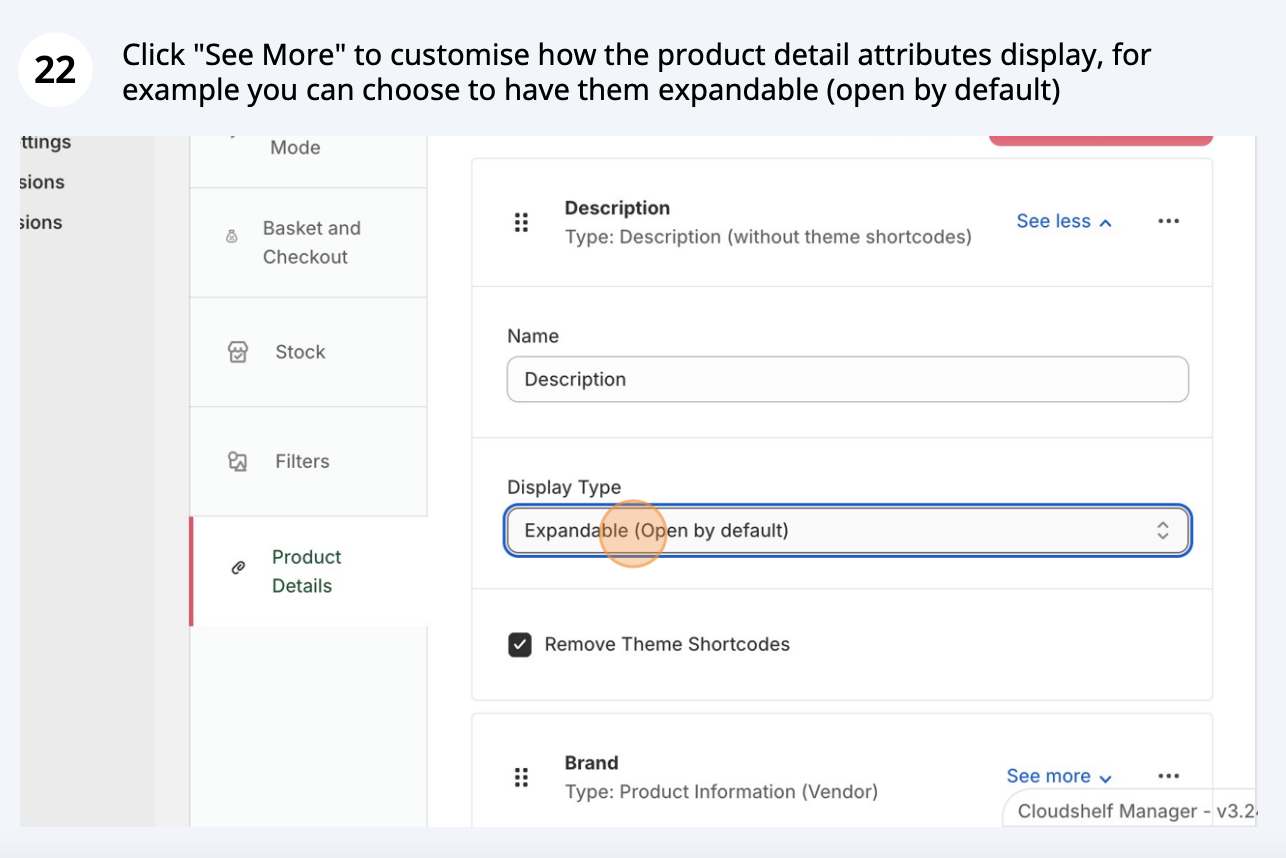
Change the order of fields: expandable or fixed, open or closed
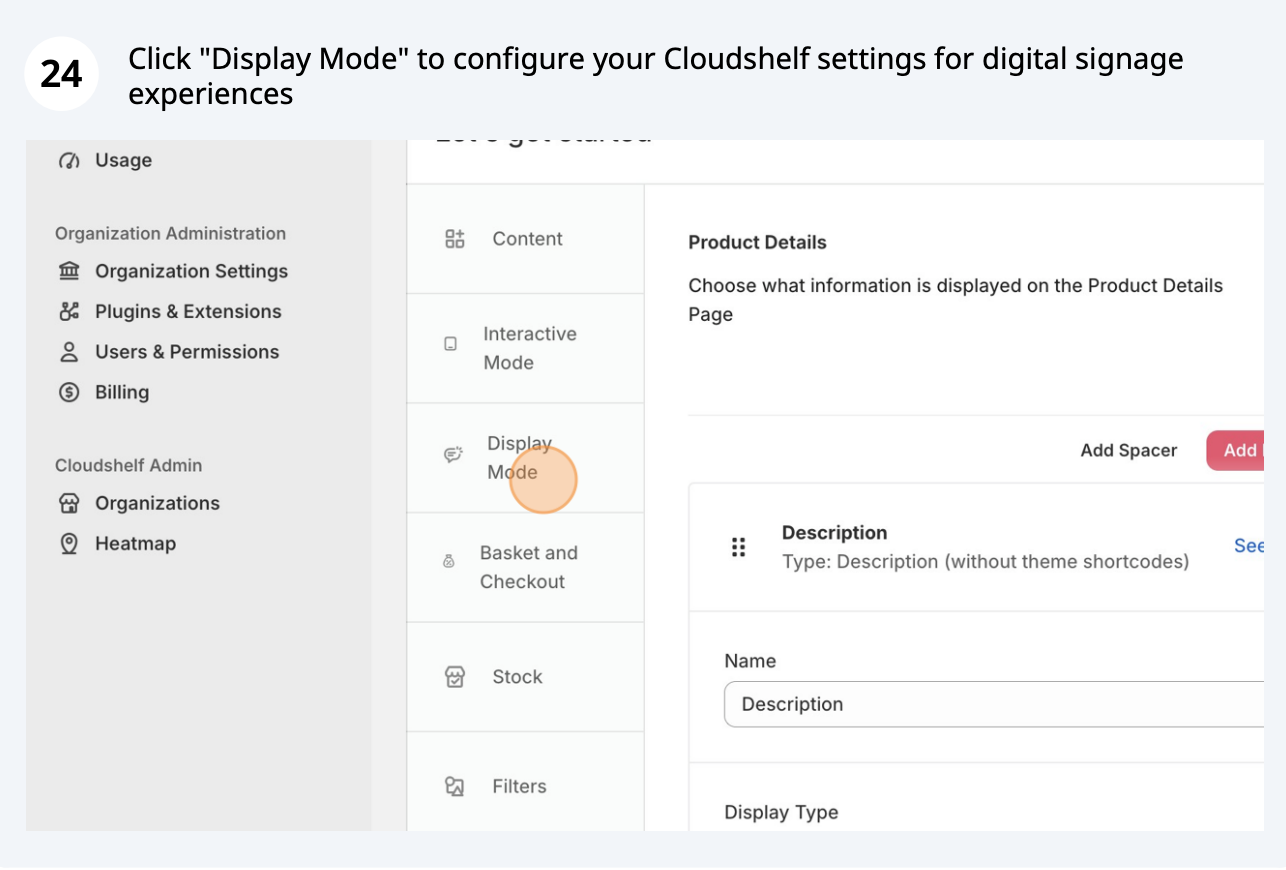
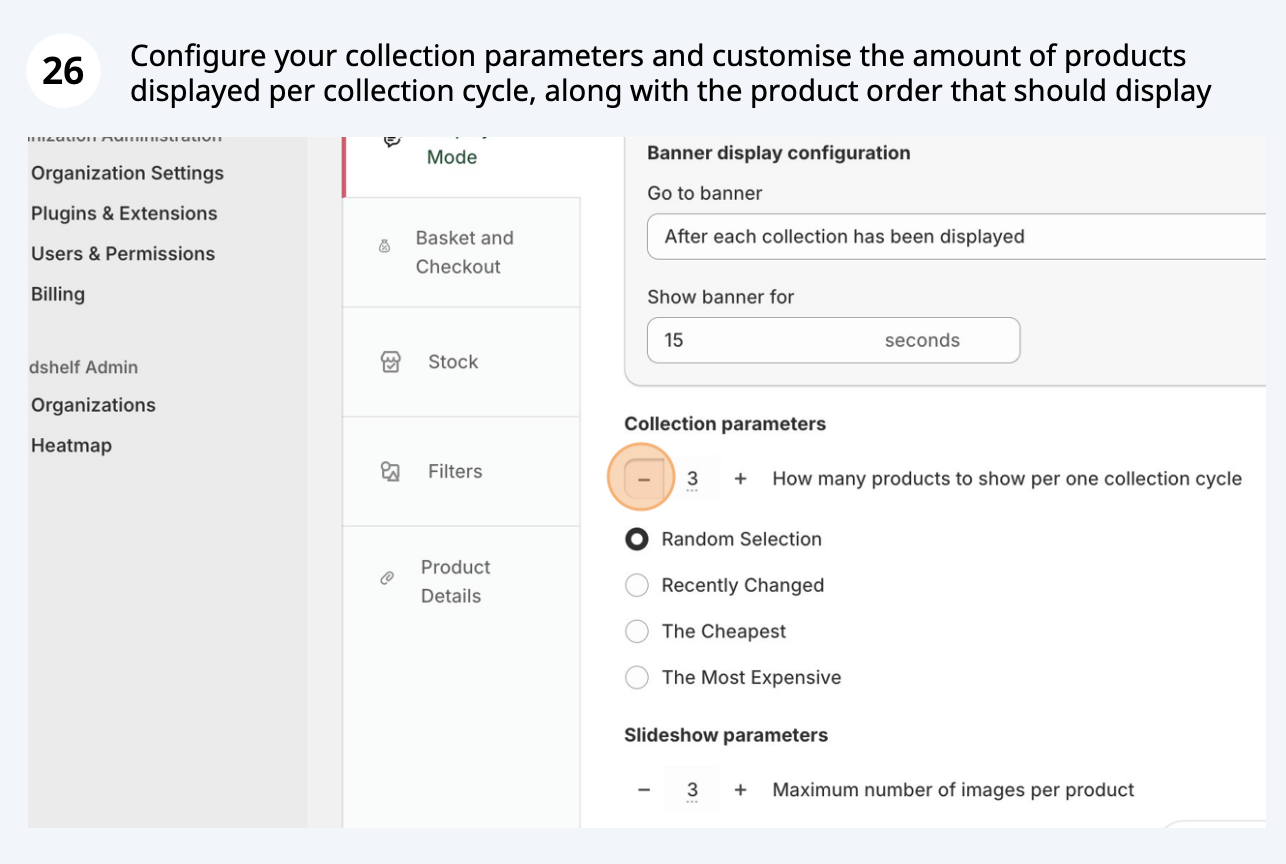
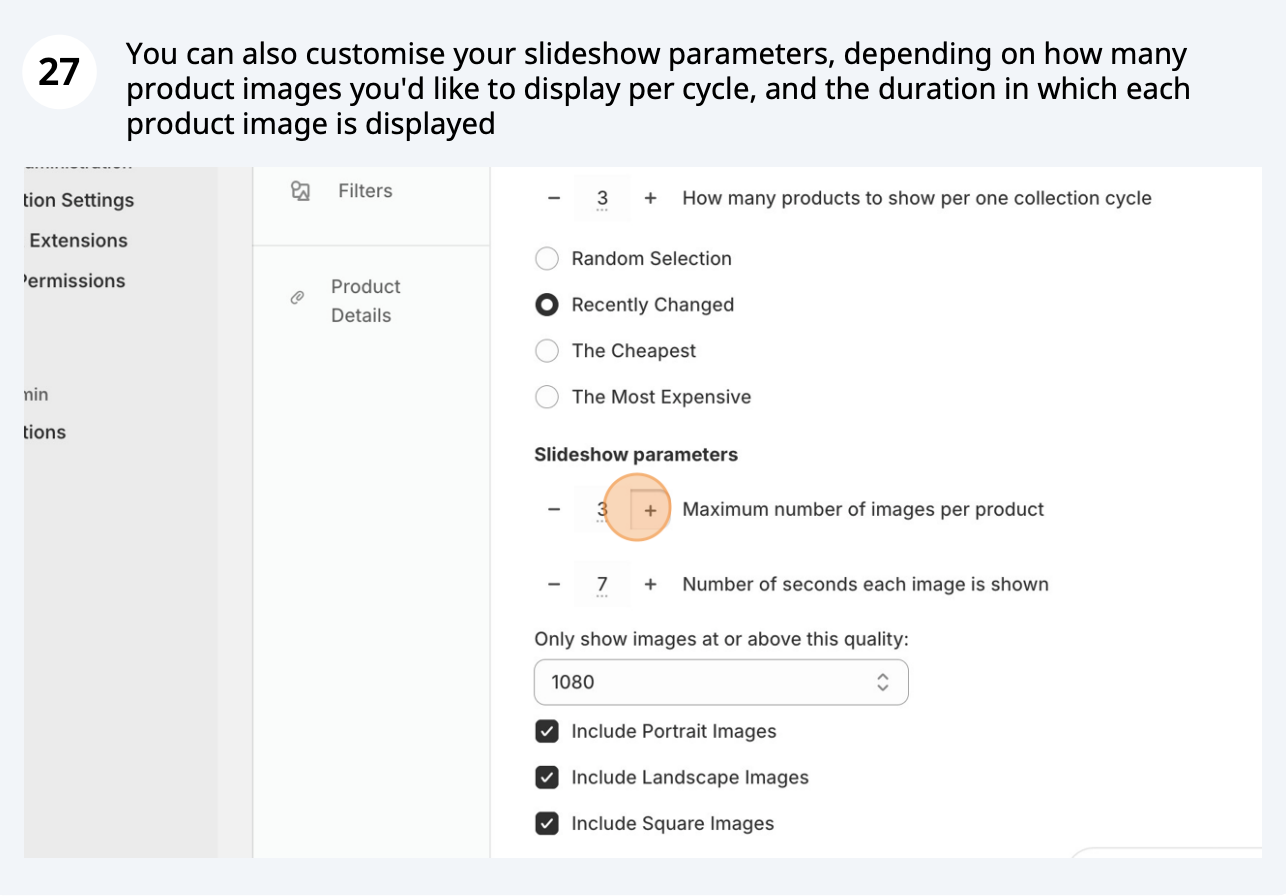
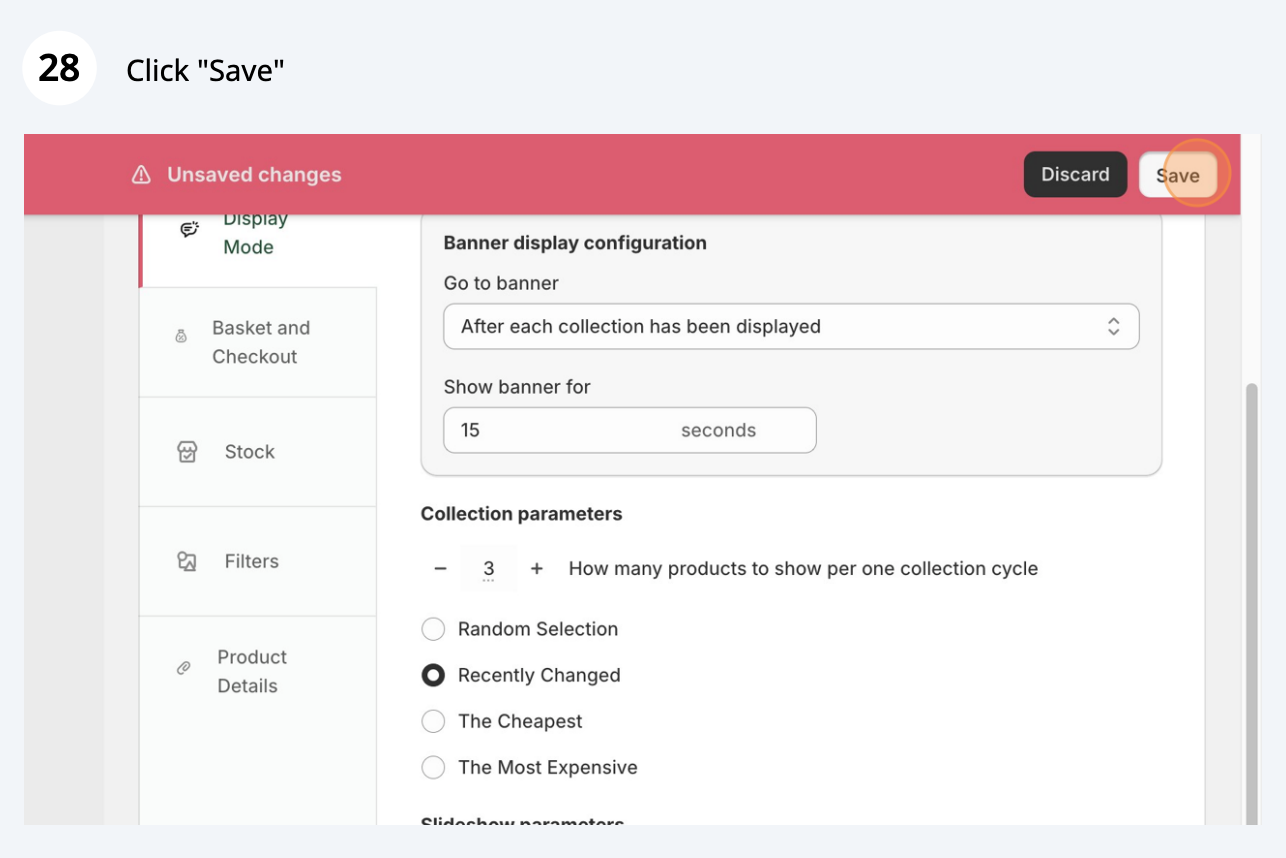
Configure display mode settings for digital signage

Ready to set up your first device? Follow our guide: Video: setting up a new device.
If you need any help, contact our support team on support@cloudshelf.ai.