

You may have products you are still working on that you don't want to appear. There are 3 ways to handle this in Shopify:
Option 1: you don't want it to appear anywhere
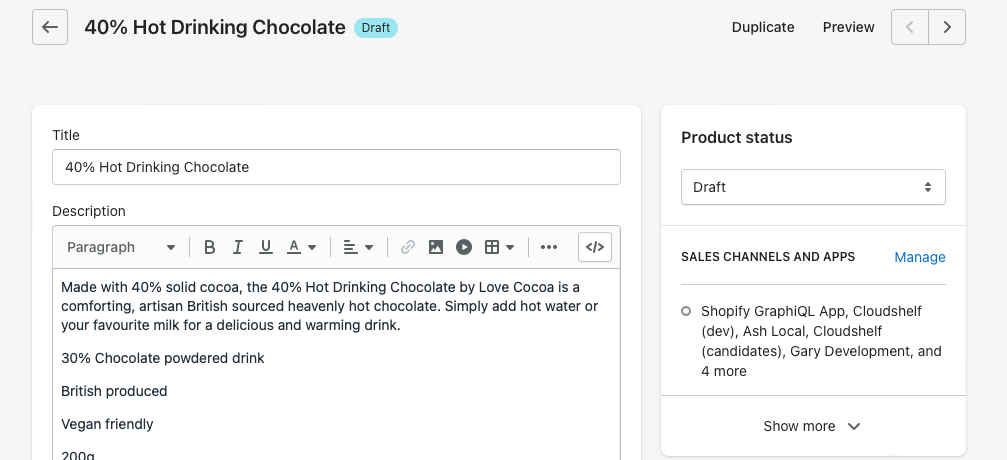
- Go to the product in question.
- Set the product status to Draft.
- Save.
It will no longer appear in any sales channel.
Option 2: you want it in some channels, but not on Cloudshelf
- Go to the product in question.
- Select 'Manage sales channels and apps'.
- Deselect Cloudshelf.
- Save.
It will continue to appear in other sales channels, but not on Cloudshelf.
Option 3: products unavailable on your website are showing on your Cloudshelf
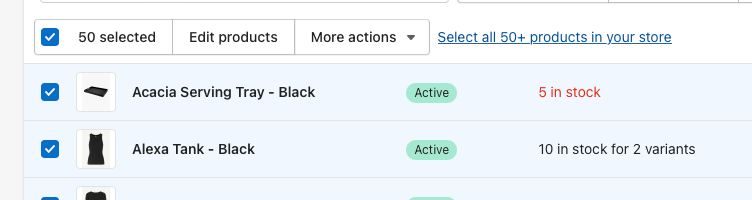
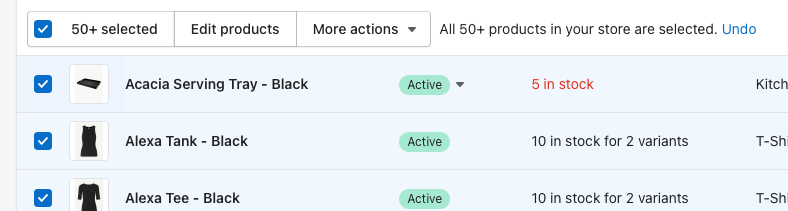
- Select all products. If you have more than 50 products, you'll see an option on the right to 'select all 50+ products in your store'.
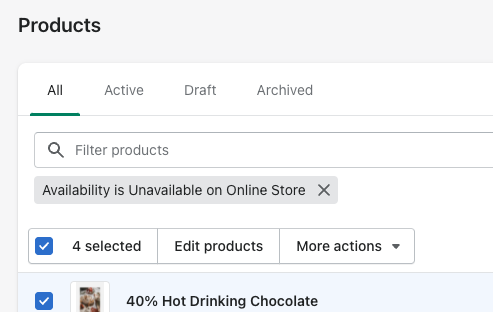
- Set your filter to 'availability is unavailable on online store'.
- Select More actions → Remove channels → Cloudshelf.
This stops all unavailable products from appearing on your Cloudshelf.
If you need any further help, contact our support team on support@cloudshelf.ai.