

Products in my website collections are not displaying

If a collection shows no products on your Cloudshelf, make the products available to the Cloudshelf sales channel in Shopify.

Last updated
January 11, 2023

If you open a collection on your Cloudshelf and can't see any products, go to your Shopify store and select Cloudshelf as a sales channel for those products.

Bulk-select all the products, click 'Manage sales channels and apps', select Cloudshelf and click 'Done' to save:
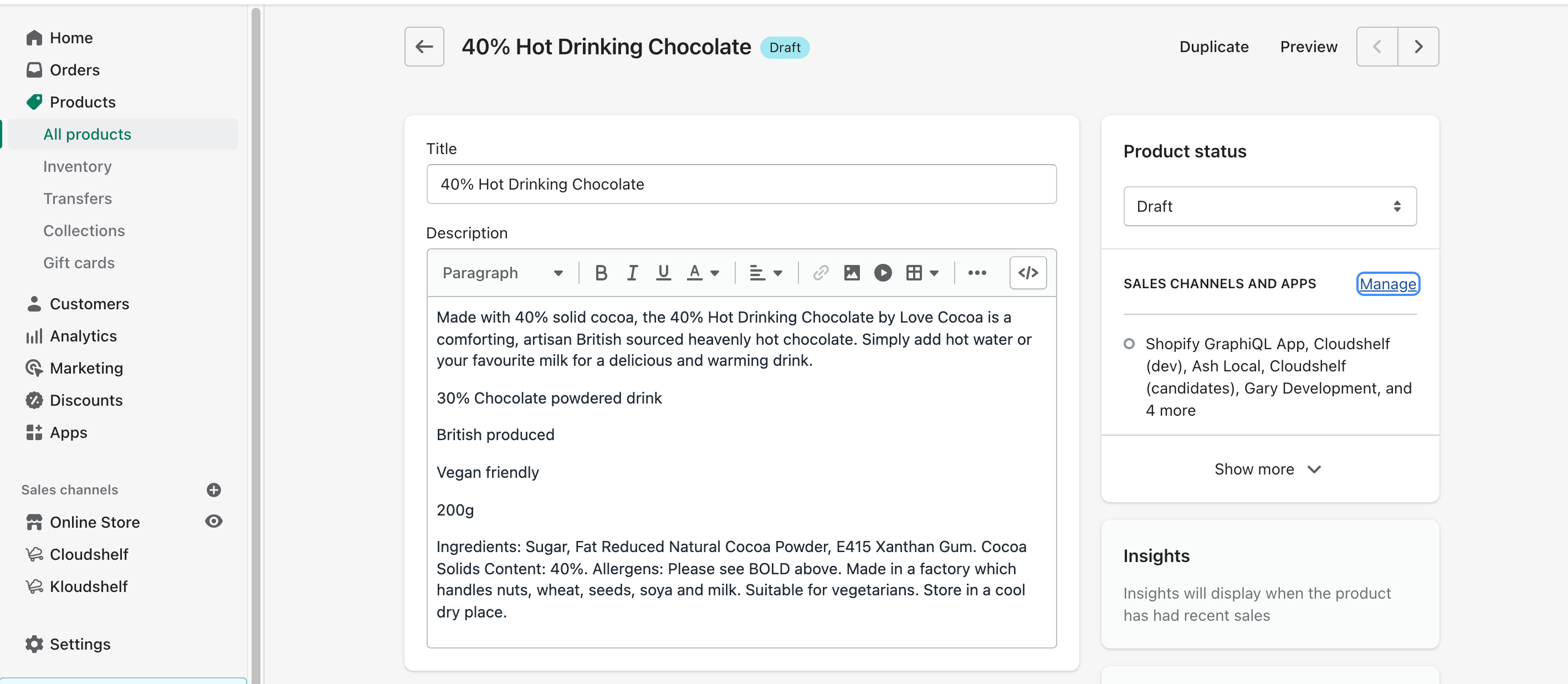
Shopify: manage sales channels and apps for selected products

See also: Products or collections not appearing in Cloudshelf.

If you need any further help, contact our support team on support@cloudshelf.ai.

Frequently asked questions

Why is a collection empty on my Cloudshelf?
The products probably aren't available to the Cloudshelf sales channel. In Shopify, select the products, choose Manage sales channels and apps, and tick Cloudshelf.
Was this helpful?
Thanks for the feedback.
Still stuck?
Tell us the device and what you see on screen. We usually reply within one working day.