

A New Look for Cloudshelf Manager
.jpg)
Cloudshelf Manager is where you build, configure, and manage every display your customers interact with in-store. It should be fast to navigate, easy to orientate, and clear about what matters most. The updated interface is built around those principles.
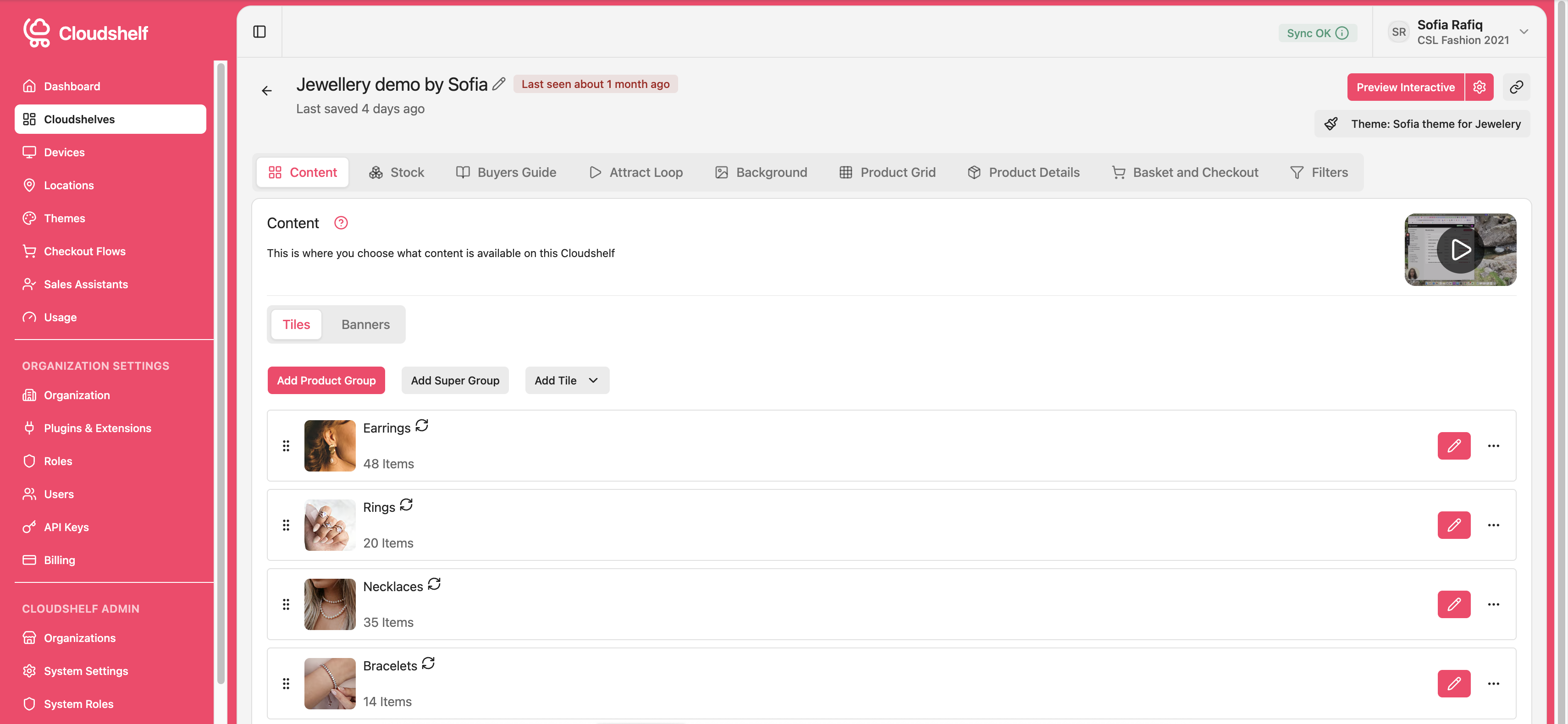
A cleaner, more intuitive layout
The navigation structure in Cloudshelf Manager has been rebuilt from the ground up. The updated version makes it super simple for users to navigate through the app by surfacing the sections you use most, organised in a way that reflects how teams actually move through the platform.
Whether you are adjusting a display configuration, updating a product group, or reviewing your Attract Loop, the path to get there is shorter. The main navigation is cleaner and more consistent, with clear labels and a logical hierarchy that does not require you to learn the tool before you can use it effectively.
A new dashboard
When you log in to Cloudshelf Manager, you now land on a dashboard that gives you an immediate read on what is happening across your account. Active displays, recent changes, and key activity are visible at a glance, without needing to navigate to individual sections first.
For teams managing multiple displays across multiple locations, the dashboard provides a useful starting point for each session: a quick check on the state of your setup before you make changes.

Why this matters
The quality of your in-store experience depends on how quickly your team can act on it. If updating a display configuration takes longer than it should, time-sensitive changes get delayed. If finding the right section requires guesswork, the platform becomes a source of friction rather than a tool.
The updated Manager is designed to reduce that overhead. The same capabilities are there, organised in a way that makes them faster to reach.
What stays the same
Your existing displays, product groups, configurations, and connected integrations are all unchanged. The update is to the interface only. There is nothing to migrate and no setup required. When you next log in, you will find everything where you would expect it, in a layout that is easier to work with.
Find out more
To find out more about Cloudshelf Manager or to enquire about how Cloudshelf can help you build better in-store experiences, reach out to us at sales@cloudshelf.ai.