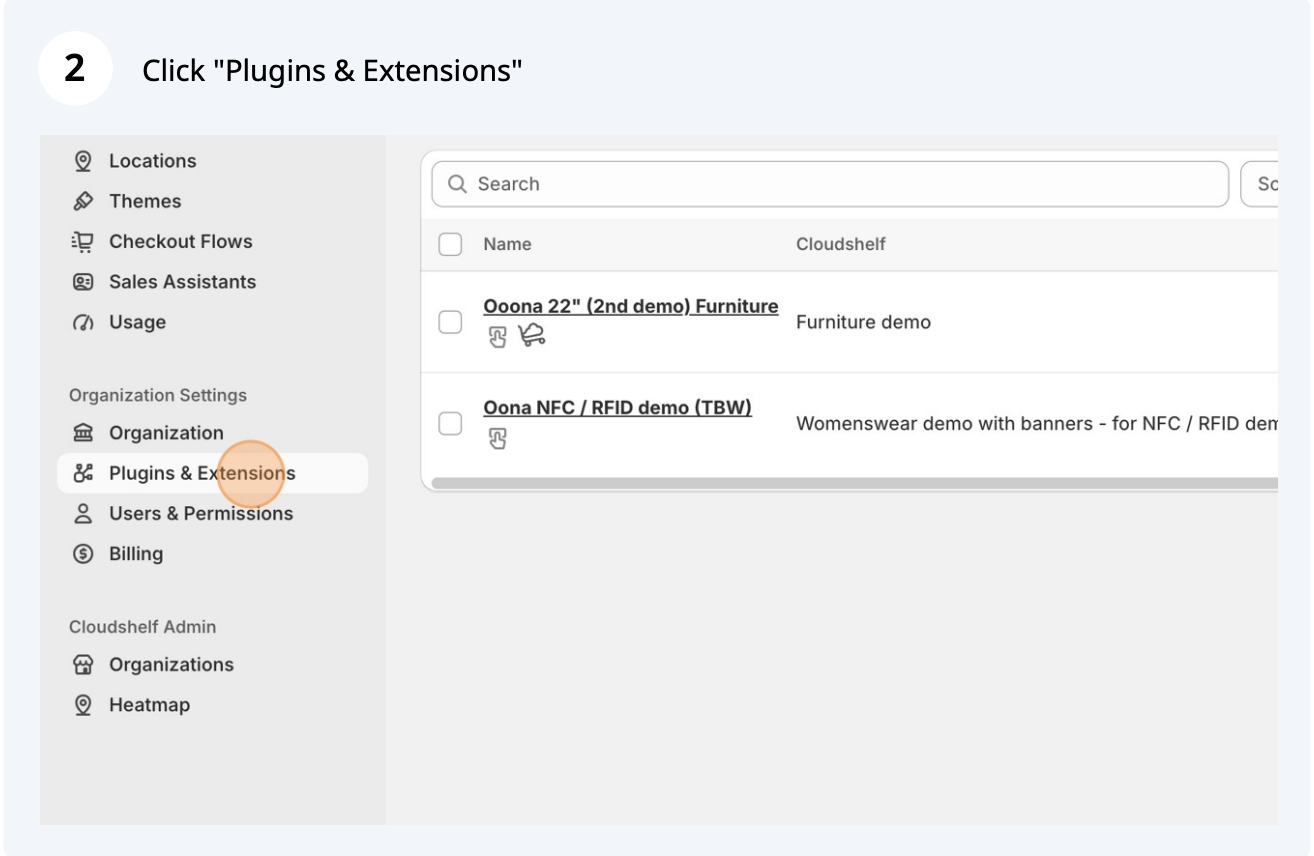
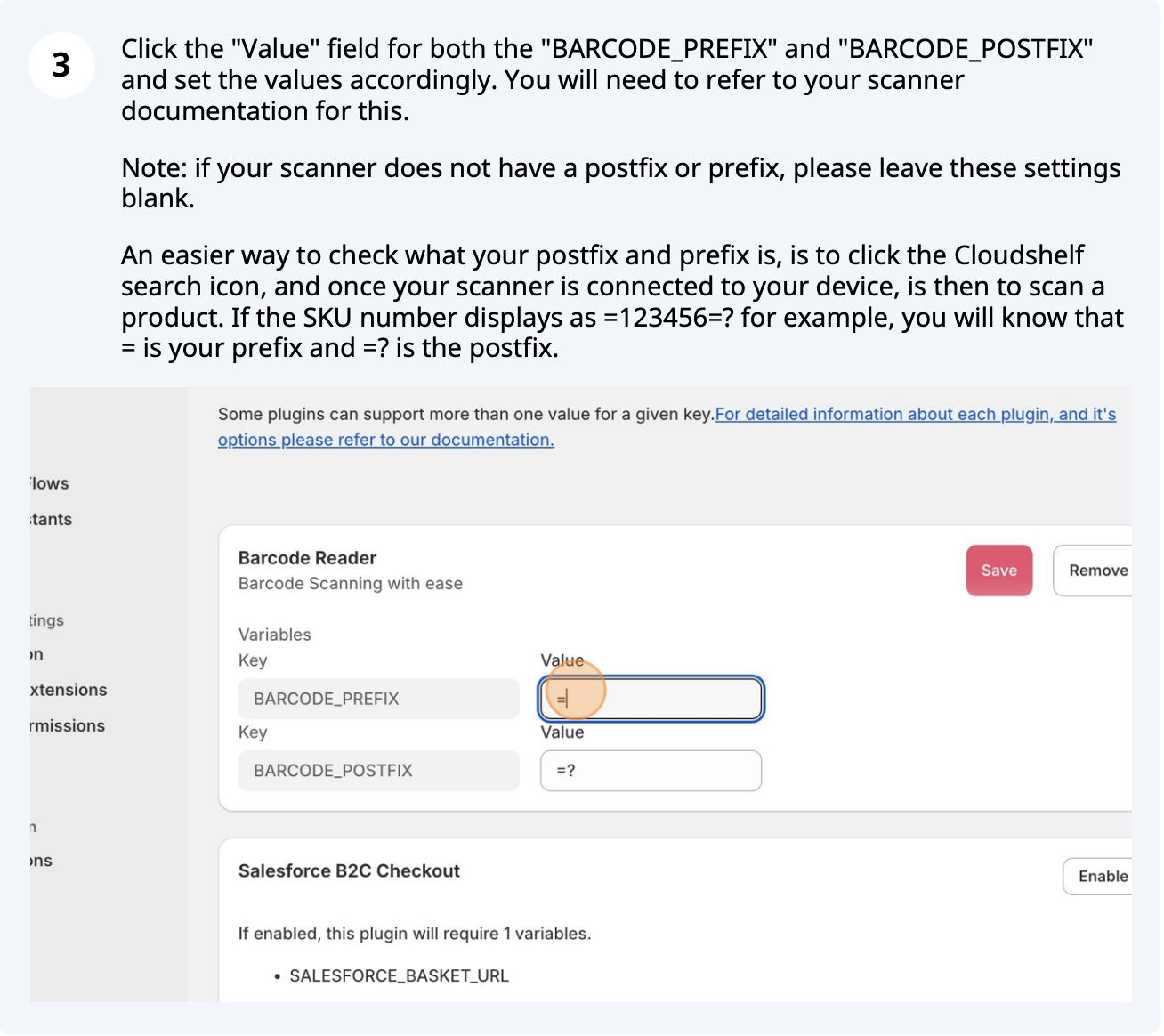
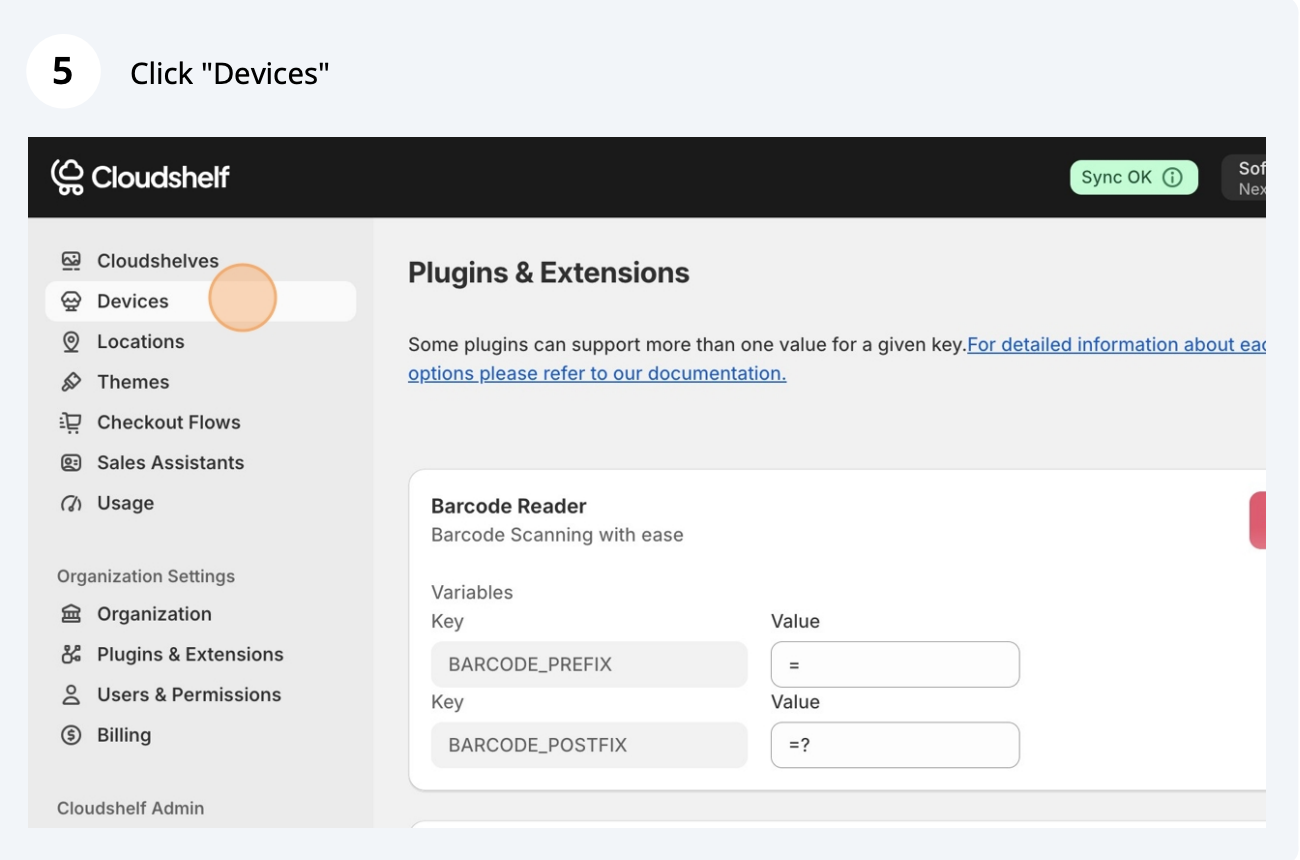
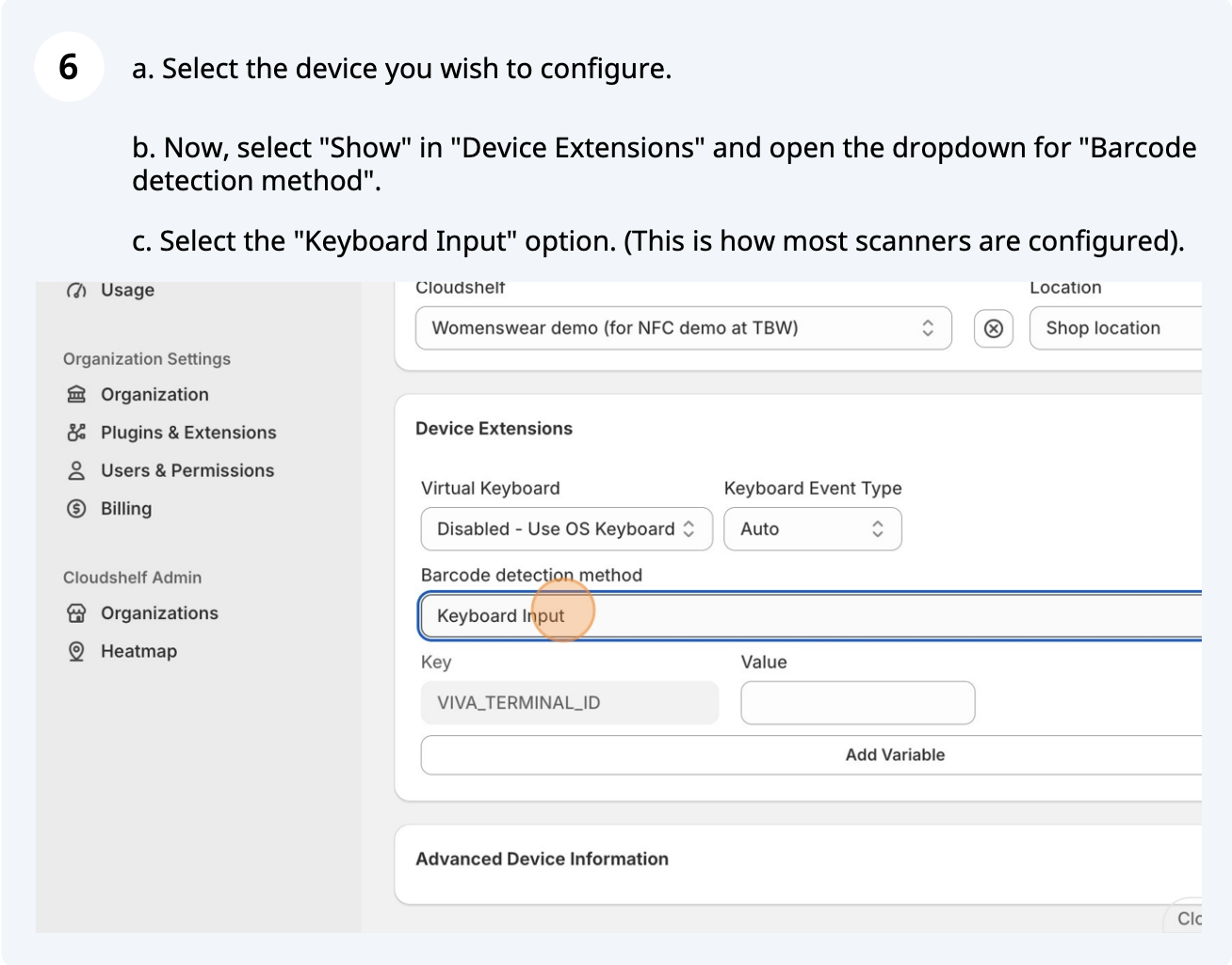
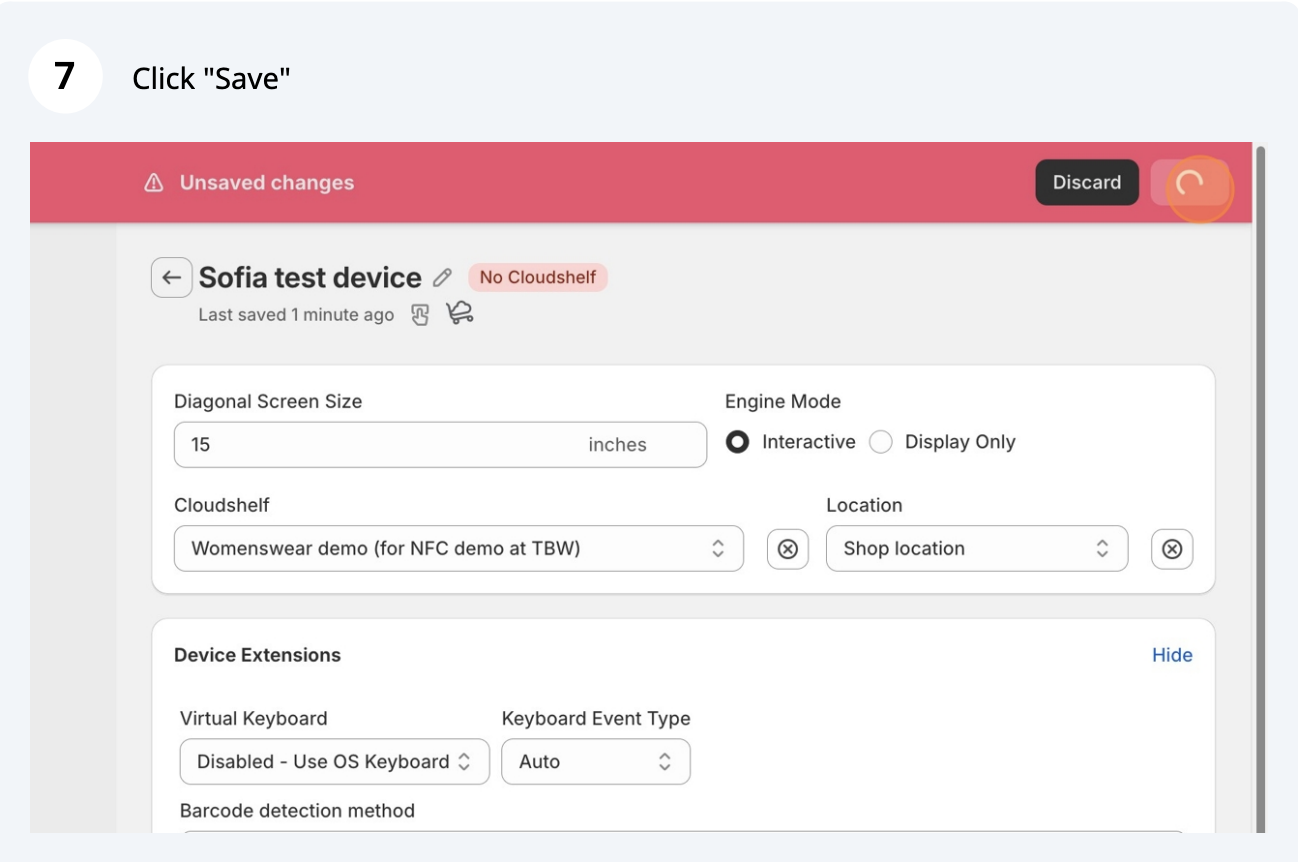
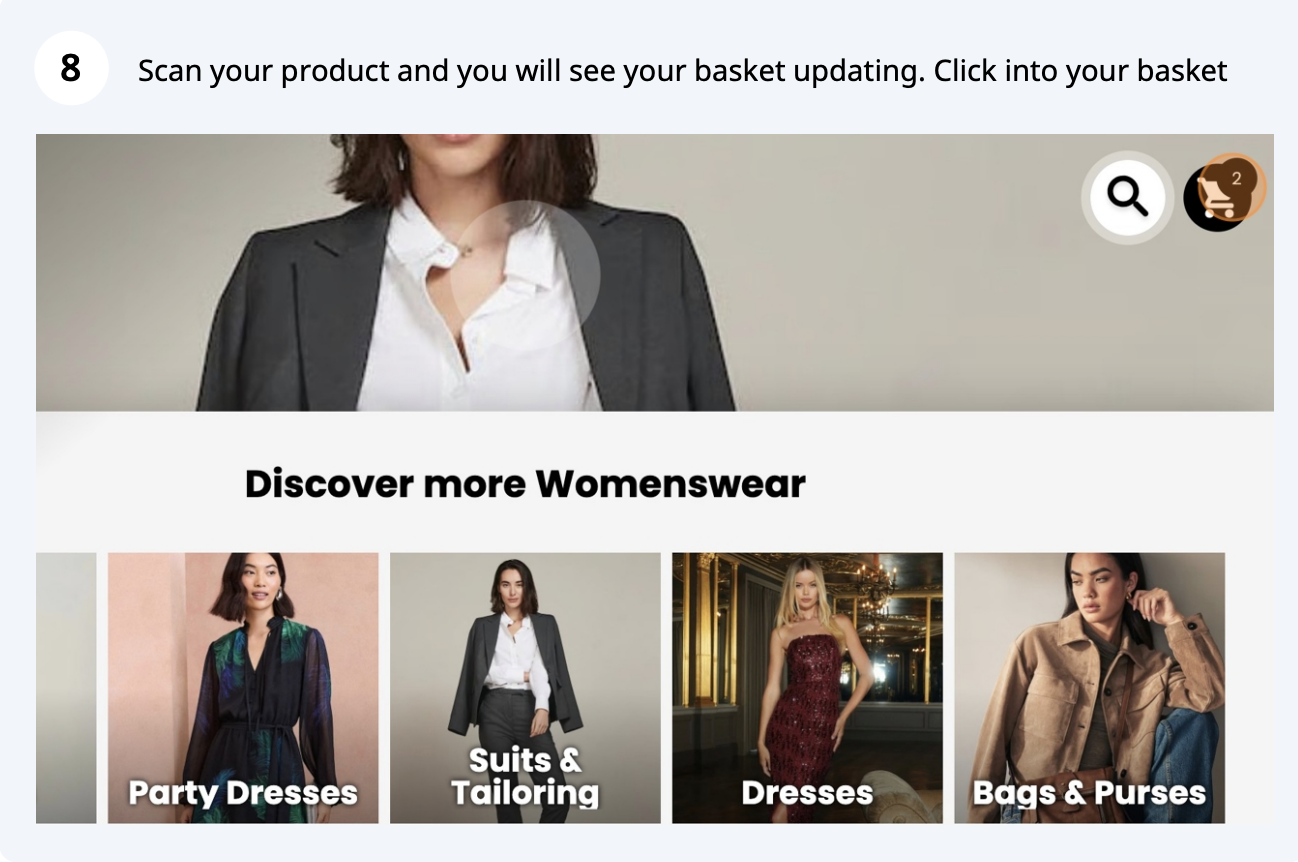
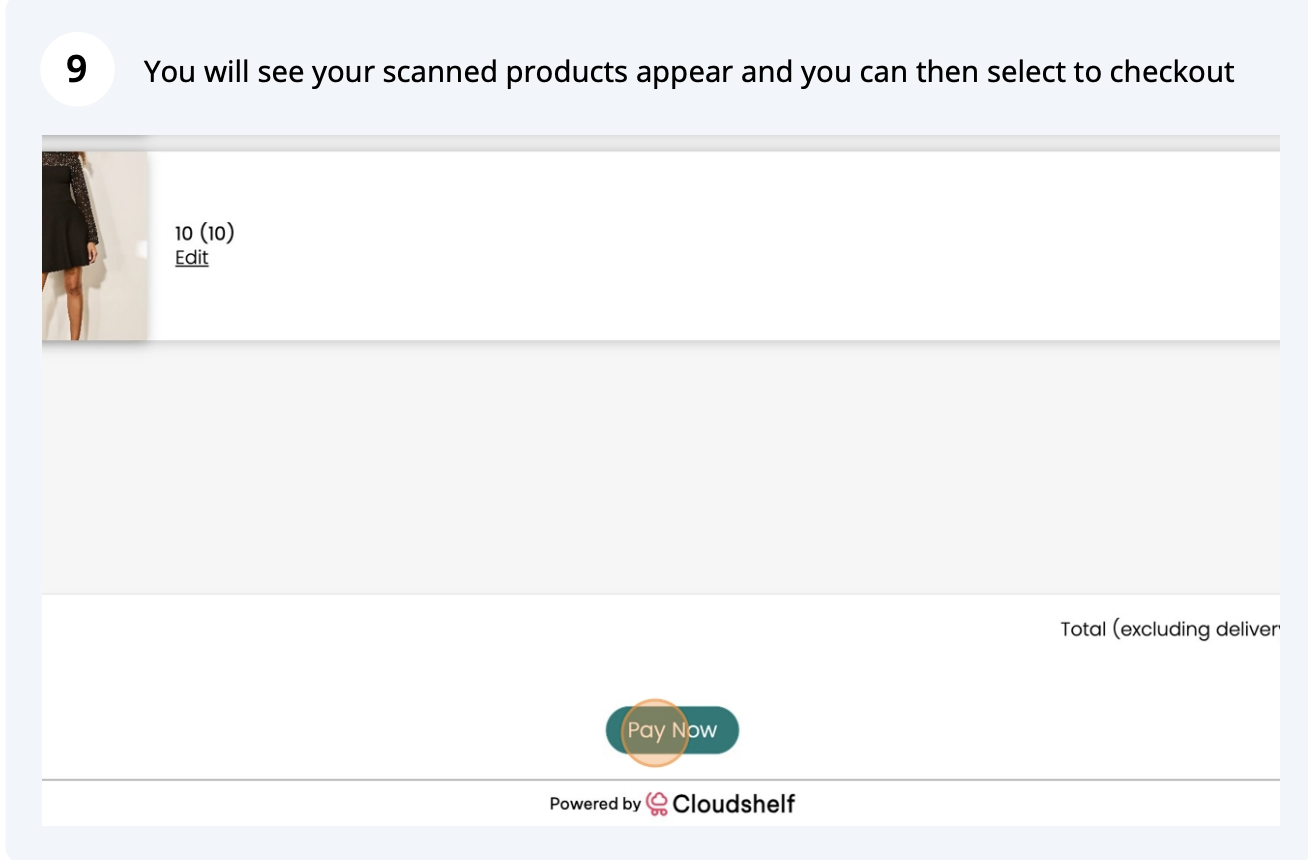
Here are the steps to set up your barcode or QR code scanner, so customers can scan products and buy them on their Cloudshelf kiosks in-store.


If you need any help with this, contact our support team on support@cloudshelf.ai.


Connect a barcode or QR code scanner so shoppers can scan products and buy them on the kiosk.
Here are the steps to set up your barcode or QR code scanner, so customers can scan products and buy them on their Cloudshelf kiosks in-store.
If you need any help with this, contact our support team on support@cloudshelf.ai.