

To test how Cloudshelf works end to end in 15 minutes:
1. Create a free Shopify partner account
Sign up at shopify.com/partners.
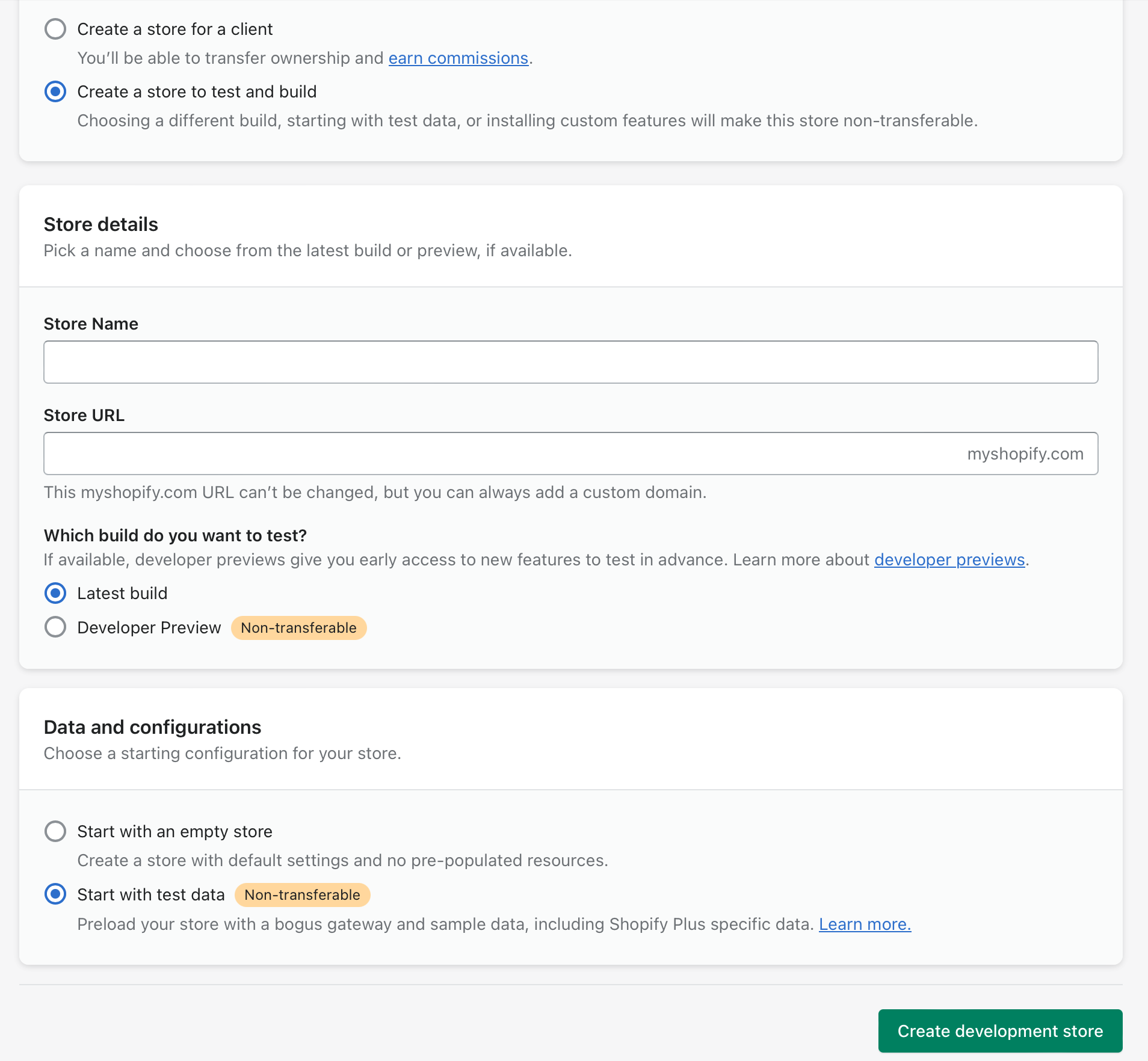
2. Create a demo store

Then either:
- select "Create a store to test and build" and "Start with data", and Shopify will populate it with sample data, or
- select "Create a store for a client" if you want to import a client's catalogue (Shopify's import format is here: product_template.csv)
3. Add the Cloudshelf app
Install the app from apps.shopify.com/cloudshelf and let it do its magic. It automatically creates a first Cloudshelf. You can update the branding, fonts, colours and attract images to make it feel just right.
4. Allocate it to a device
Click the Devices tab to allocate the Cloudshelf you created to a device of your choice.
This gives you a free, live Cloudshelf. You can tune it, use it, check the usage stats and more.