

Our research with shoppers shows that Cloudshelves deliver when their purpose is clear. This is most obviously the case when exposing a specific range.
Cloudshelf’s appeal to shoppers is that it is visual and intuitive. Keep that in mind when choosing how to set it up in your store.
Best-practice set-up for a single Cloudshelf
- A clear call to action
- 3–12 collections (see how to create collections on your Shopify store)
- Each collection should contain around 10–200 products
- Consistent use of variant attributes in Shopify to make filters easy to use (eg avoid Colour, colour, color)
- Enough tags or product type attributes to help shoppers make their choice
- Use in-store media to promote specific products or collections. These display on your devices while the screens are not being used. See our guide on creating screen banners.
Encouraging discovery: showcasing a specific range
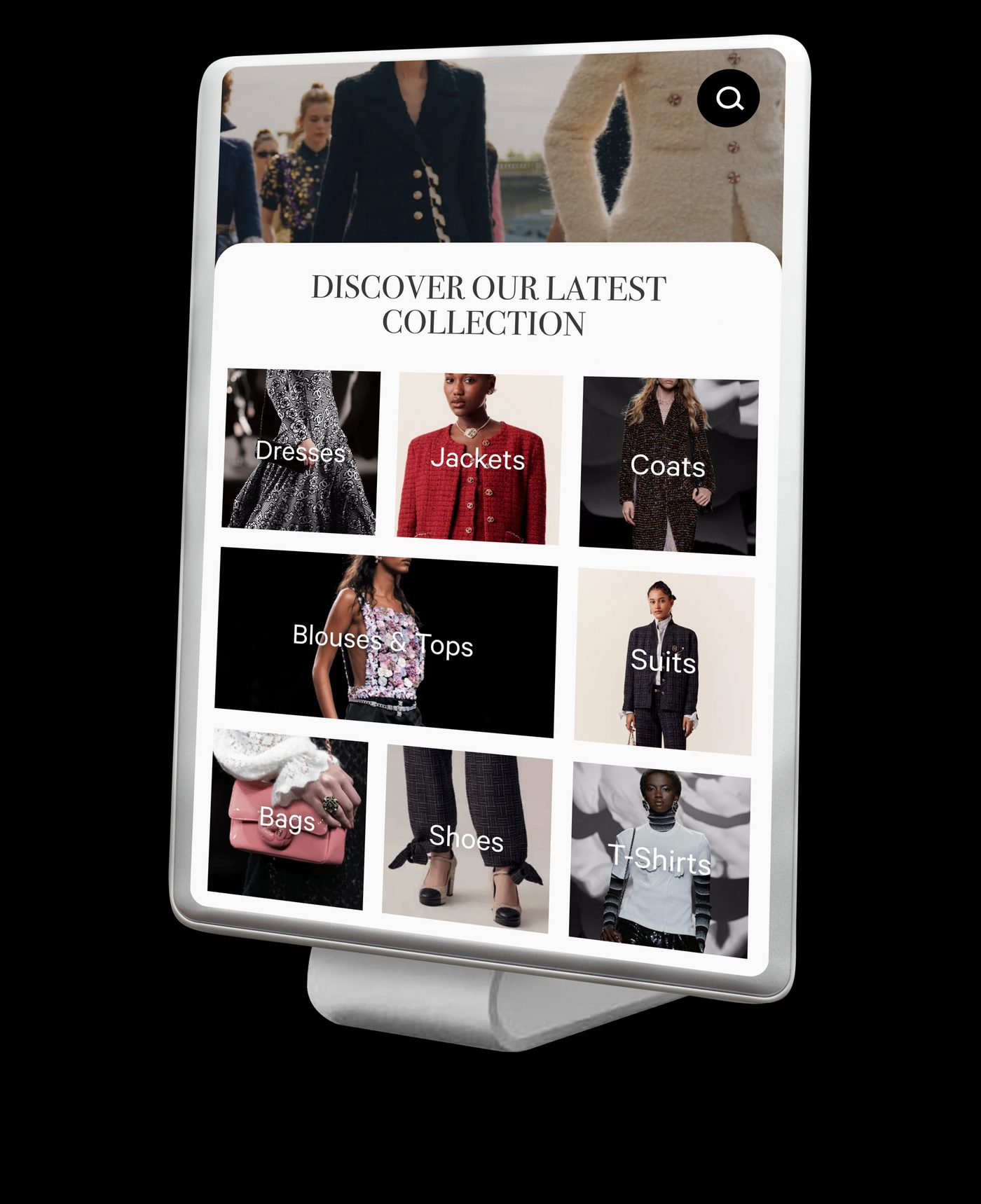
You can build as many Cloudshelves as you wish in the app. There is little benefit in trying to get everything on a single Cloudshelf. Positioning your Cloudshelf next to a range to complement it can help.
A fashion store with a range of jewellery
Only part of the jewellery range is shown in the store, with much more available online.
- The Cloudshelf CTA is: discover our entire range of designer jewellery.
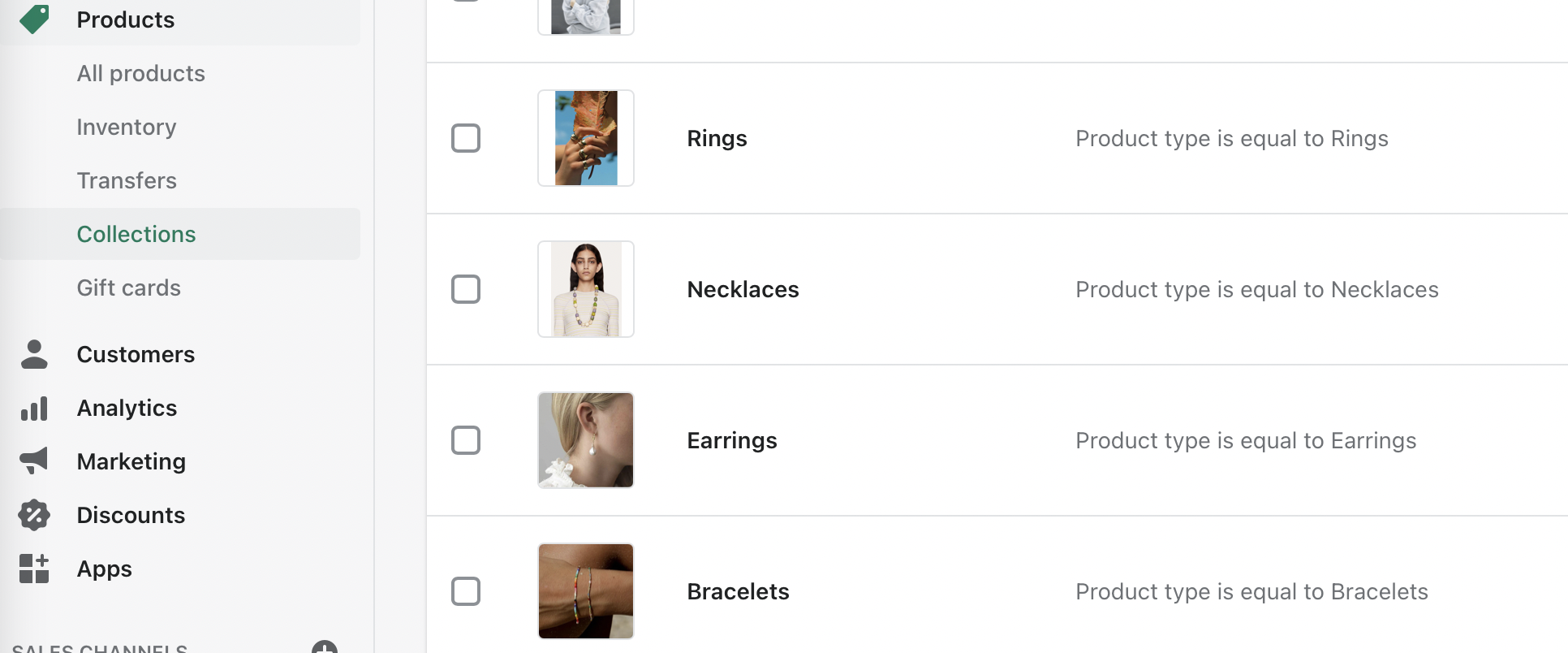
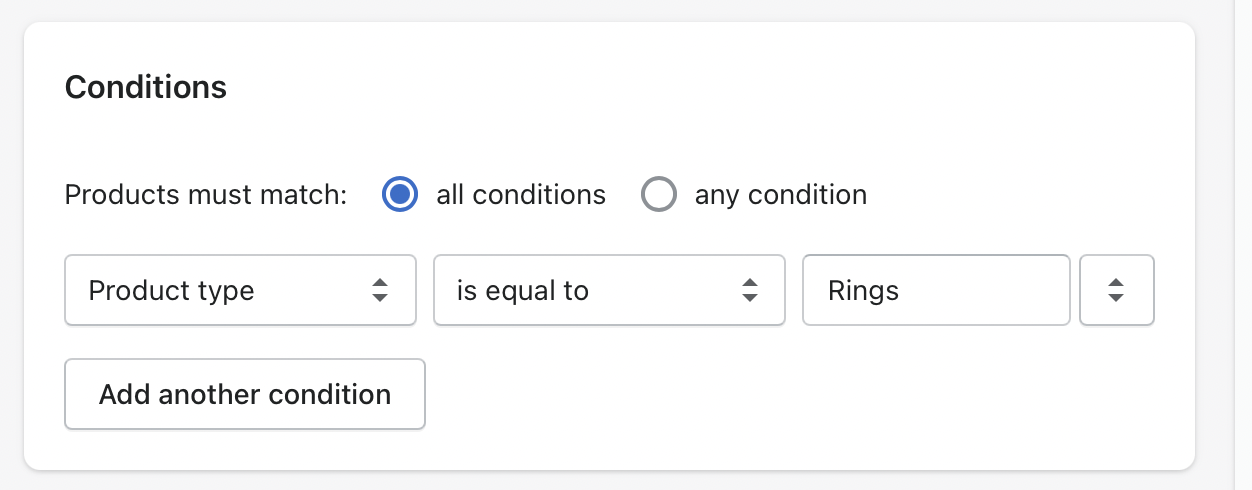
- The owner has split the jewellery collection into sub-collections based on the ‘product type’ attribute.
A department store with a range of homeware
Only a tiny part of the homeware range is available in store.
- Screen location: next to homeware
- CTA: 'Discover the rest of our homeware'
- Content: the retailer already had collections for candles, decoration, cookware…
A kids store that sells clothing and furniture
Given the size of furniture, most of it is only available online.
- Screen location: near the main desk
- CTA: 'Shop our entire kids furniture range'
- Content: the retailer already had collections.
Encouraging fit: clear search criteria across a wide range
At times the range is visible, but the shopper cannot tell whether their fit is in stock or available. This is often the case with shoes, and products with many variants.
A women’s shoe shop with a large warehouse
Given the range, size variants are kept in the stock room.
- Screen location: between sofas used by customers
- CTA: 'Find your perfect fit this winter'
- Content: the retailer's winter collections
- Filters: tidied-up size filters
- Stock: extended Shopify to distinguish between stock in-store and in the warehouse
An electronics store guiding customer choice before fetching products from stock
95%+ of the product range is in the back room. Cloudshelf is used to narrow down what the customer wants before going to collect a product. It is mostly used by sales staff to help customers choose, though some customers use it to explore while staff serve someone else.
- Screen location: on the service desk
- CTA: 'Discover our entire range'
- Content: collections were re-grouped from the website's to make the first screen easier. For instance, all MIDI controllers were merged into one collection, with product type used in filters to make filtering easier.
Combining both use cases
A fashion store with a wide range of jeans
It is hard to judge how jeans look while folded on shelves, or even hanging. Cloudshelf's full-screen imagery lets shoppers see how they fit before trying them on.
- Screen location: next to the jeans
- CTA: find your perfect jeans
- Content: jeans collection split into 6 main fit collections